ClickUp promises to be your everything app. For some teams, that’s exactly what they need. For everyone else, it’s overwhelming.
The interface has dozens of views, hundreds of settings, and enough features to take weeks to configure. If you’ve found yourself spending more time in ClickUp than actually working, you’re not alone.
We tested seven of the best ClickUp alternatives — looking at ease of use, task management depth, automations, pricing, and who each tool actually serves best.
Quick Answer: Best ClickUp Alternatives at a Glance
| Tool | Best For | Starting Price |
|---|---|---|
| Asana | Structured workflows, enterprise teams | $10.99/user/month |
| Monday.com | Visual project management, non-technical teams | $9/seat/month |
| Notion | Docs-first teams, wikis + tasks combined | $10/user/month |
| Trello | Simple kanban, small teams | Free / $5/user/month |
| Linear | Engineering and software teams | Free / $8/user/month |
| Wrike | Enterprise reporting, complex portfolios | $9.80/user/month |
| Basecamp | Flat-rate teams, async-first culture | $15/user/month |
Why Teams Leave ClickUp
ClickUp is genuinely powerful. But power comes with trade-offs. The most common reasons teams switch:
- Steep learning curve — new hires take weeks to get productive
- Performance issues — the app can lag with large workspaces
- Feature overload — too many options, not enough defaults
- Pricing jumps — the Free plan is limited; Business adds up fast for growing teams
None of these make ClickUp bad. But they do mean it’s not right for every team. Here’s what to use instead.
1. Asana — Best for Structured Teams & Enterprise Workflows

Asana is what you get when a tool commits to doing less, better. Where ClickUp gives you 15 ways to view a task, Asana gives you five — and each one works exactly as expected.
The real advantage is Asana’s workflow automation. Rules-based automations (trigger an action when a task moves to a column, assign it to the right person, update the due date) are intuitive enough that non-technical team members can set them up in minutes. Compare that to ClickUp’s Automations, which require more setup and can break without warning.
Asana also has the cleanest mobile app of any project manager at this price point — a real differentiator for teams that need to manage work on the go.
Where it falls short: Asana doesn’t have a built-in docs editor or time tracking. You’ll need integrations for both. And subtasks can get messy — they don’t always surface cleanly in list or board views.
Pricing: Free (up to 10 users) · Starter $10.99/user/month · Advanced $24.99/user/month · Enterprise (custom)
✅ Best for: Marketing teams, ops teams, and mid-size companies that need reliable workflows without ClickUp’s complexity.
2. Monday.com — Best for Visual Project Management

Monday.com has the most intuitive onboarding of any project management tool we tested. Drop a new team member in, and they can figure out the basics in under an hour. That’s genuinely rare.
The grid-based interface is flexible without being overwhelming. You can add custom columns — status, people, dates, numbers, dropdowns — and combine them into dashboards that show exactly what leadership wants to see.
Monday’s automations are powerful and codeless. You can build “if this happens, do that” flows without touching a line of code, and the recipe library gives you a starting point for common scenarios.
Where it falls short: Monday.com is pricier than most alternatives at the higher tiers, and the free plan is limited to 2 seats. The Gantt chart is solid but not as deep as dedicated project management tools like Wrike.
Pricing: Free (2 seats) · Basic $9/seat/month · Standard $12/seat/month · Pro $19/seat/month · Enterprise (custom)
✅ Best for: Non-technical teams, agencies, and companies that prioritize visual clarity over raw depth.
3. Notion — Best for Docs-First Teams
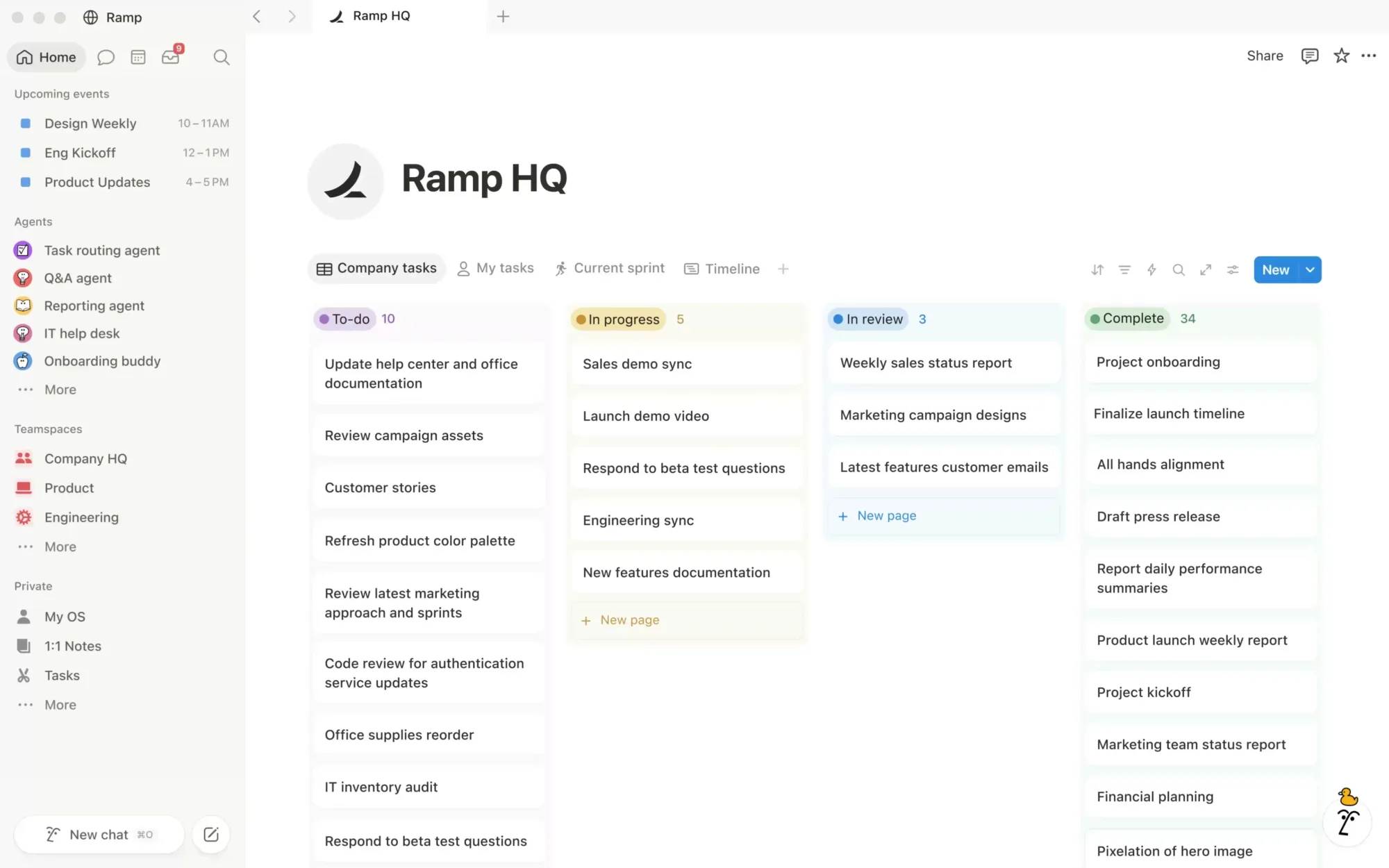
No other tool on this list lets you combine your wiki, project tracker, and meeting notes into a single linked workspace. That’s Notion’s core superpower.
If your team lives in documents — if you’re writing SOPs, building a knowledge base, and tracking projects all in the same breath — Notion makes more sense than ClickUp. ClickUp has a Docs feature, but it’s a bolt-on. In Notion, docs are the foundation.
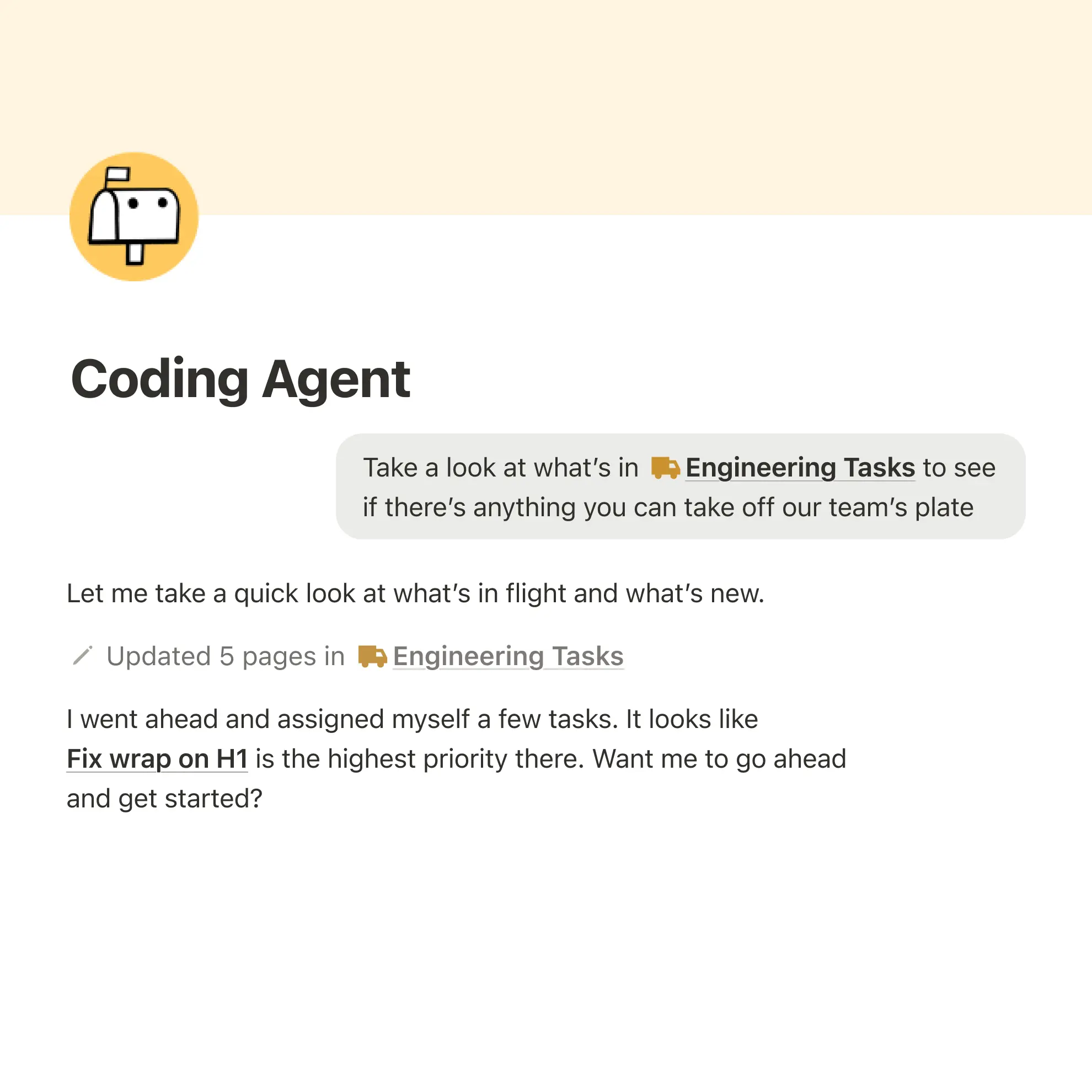
Notion’s database system is more flexible than ClickUp’s Lists — you can build boards, tables, calendars, and galleries all from the same underlying data, and filter/sort them independently.
Where it falls short: Notion is not a great pure project manager. It lacks Gantt charts (natively), workload views, and advanced reporting. Task management works, but only if you’re willing to build the structure yourself.
Pricing: Free · Plus $10/user/month · Business $15/user/month · Enterprise (custom)
✅ Best for: Startups, content teams, and knowledge-intensive organizations that want tasks and docs in one place.
4. Trello — Best for Simple Kanban
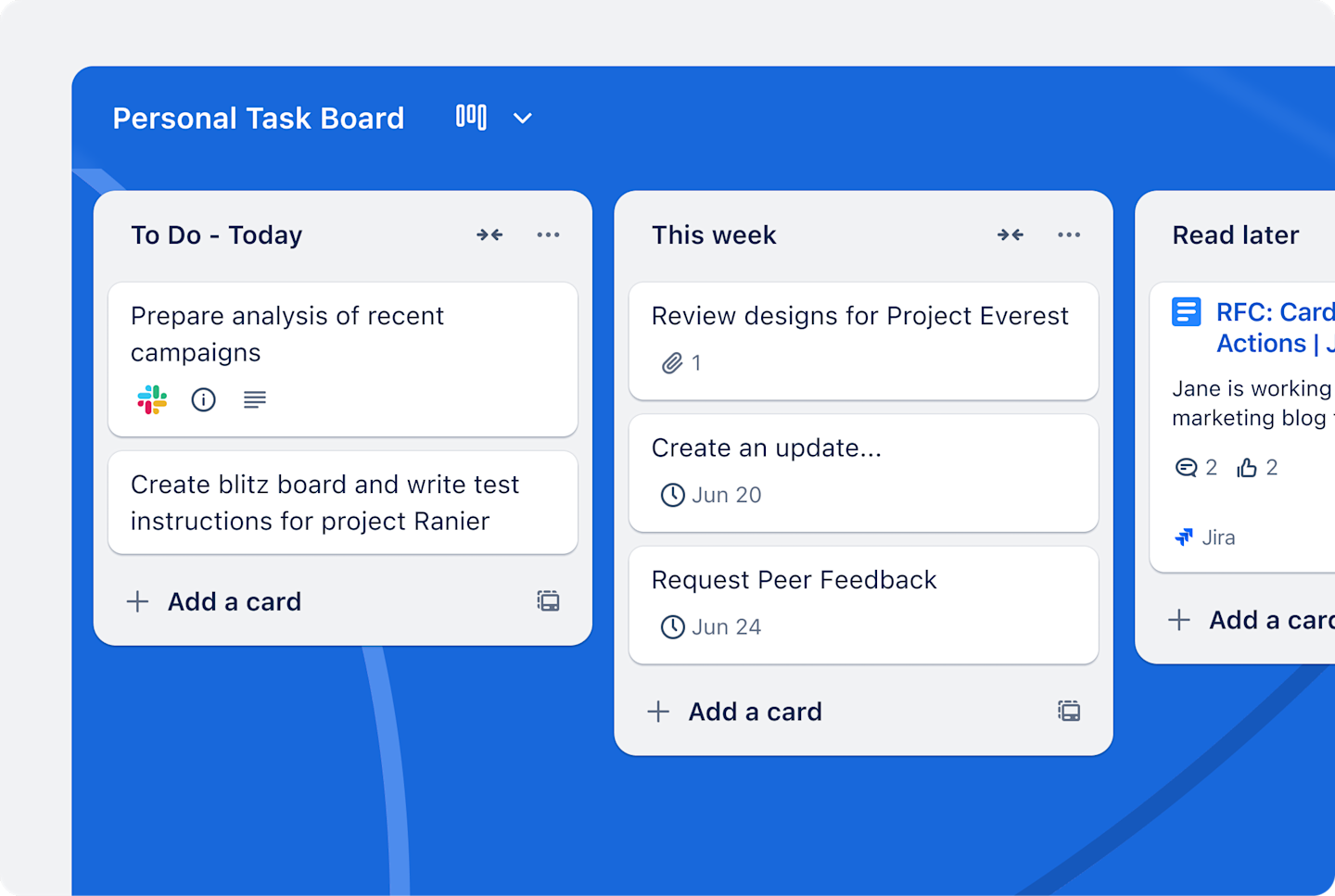
Trello is the anti-ClickUp. No docs, no goals, no complex automations, no six-layer task hierarchy. Just boards, lists, and cards — and it does those three things brilliantly.
If your team is small, your workflow is linear, and you need everyone up and running in 30 minutes, Trello wins. The free plan is genuinely useful (unlimited cards, up to 10 boards per workspace), and upgrading to Standard ($5/user/month) adds everything most small teams need.
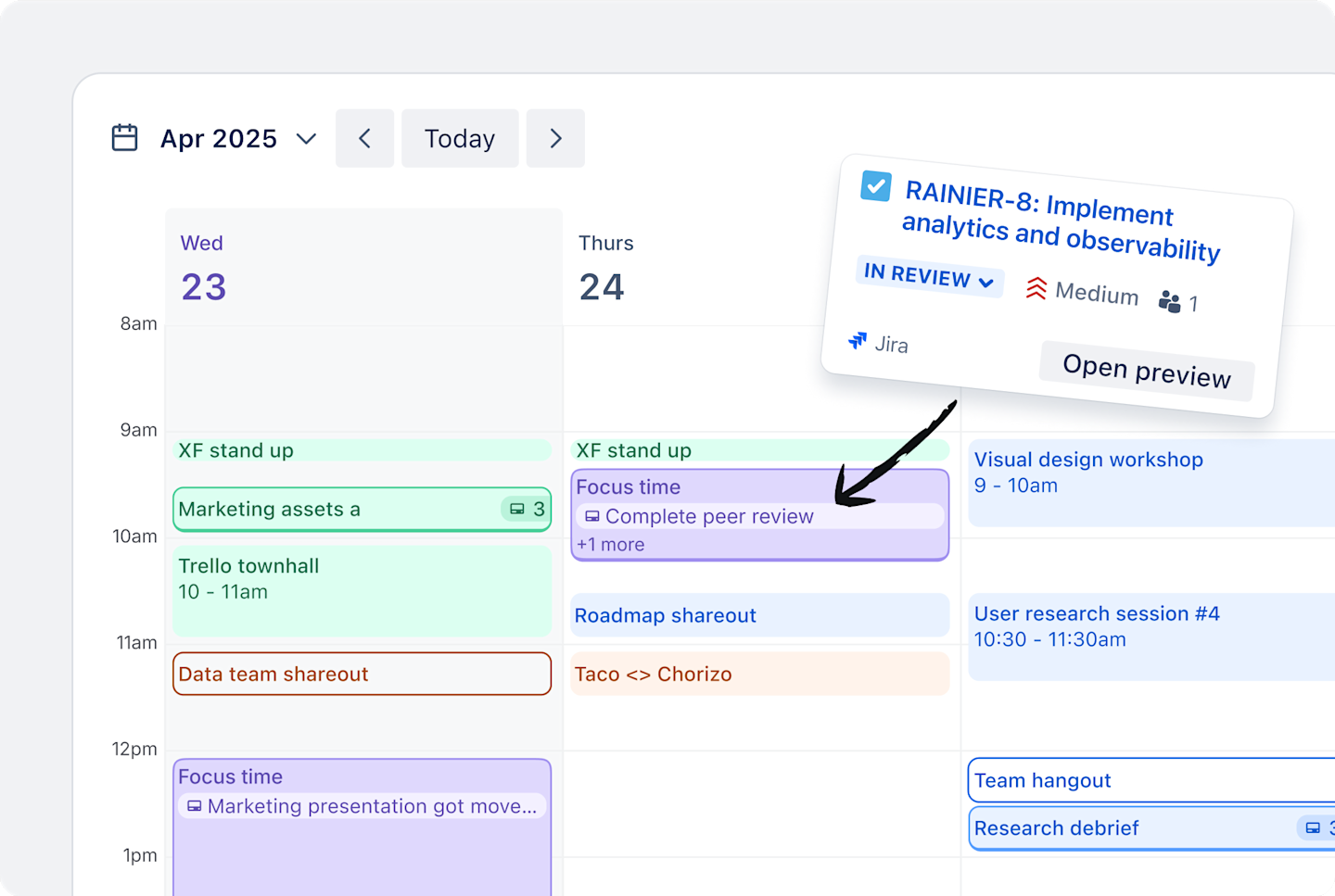
Where it falls short: Trello doesn’t scale well. Once you have 10+ boards and 20+ people, it gets hard to see what’s happening across projects. No native time tracking, no reporting, no dependencies.
Pricing: Free · Standard $5/user/month · Premium $10/user/month · Enterprise (custom)
✅ Best for: Small teams, freelancers, and anyone who just needs a clear kanban board without setup overhead.
5. Linear — Best for Engineering Teams

If your team ships software, Linear is the sharpest tool in this comparison. It’s built from the ground up for engineering workflows — sprints, cycles, milestones, and roadmaps work exactly how a dev team expects them to.
Linear is fast. Genuinely, noticeably fast — keyboard-first navigation, instant search, and a sub-100ms response time that makes ClickUp feel sluggish by comparison. The GitHub integration is best-in-class, linking commits and PRs to issues automatically.
Linear also integrates natively with AI coding tools — in 2026, you can open any issue directly in Claude Code, Cursor, or Codex and have it pick up the full context automatically. For teams working with AI-assisted development, this is a significant productivity multiplier.
Where it falls short: Linear is designed for engineering. If you’re a marketing, ops, or creative team, it’ll feel wrong. No docs, limited non-technical views, and an interface that assumes familiarity with developer workflows.
Pricing: Free (up to 250 issues) · Business $8/user/month · Enterprise (custom)
✅ Best for: Software teams, product teams, and engineering-led organizations that want speed and developer-native integrations.
6. Wrike — Best for Enterprise Reporting
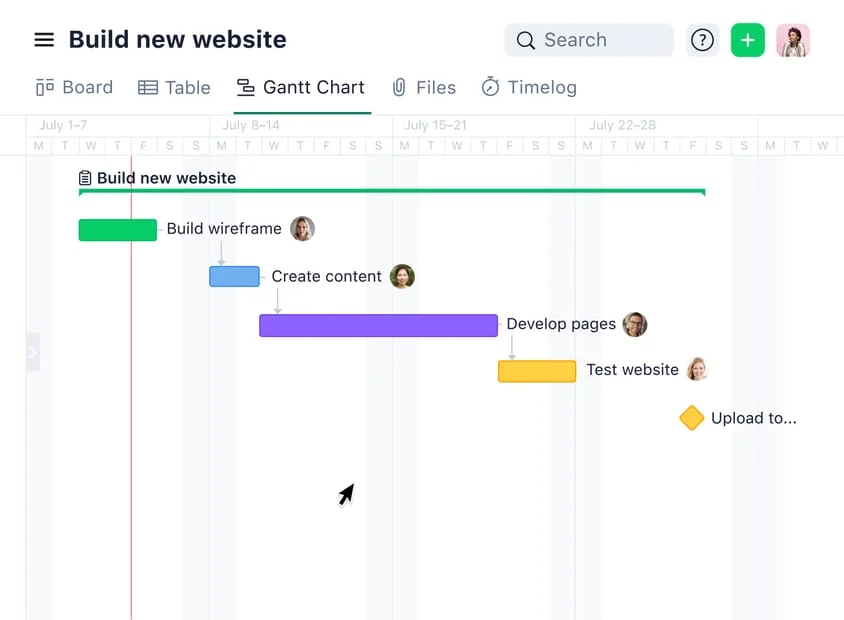
Wrike is for organizations that manage projects at scale and need deep reporting to match. It’s the only tool on this list with true portfolio management built in — multiple projects, cross-project dependencies, and executive dashboards that pull data from across the organization.
The Wrike Analyze dashboards are configurable to a degree that no other tool here matches. You can slice project data by team, date, custom field, or assignee and turn it into shareable reports with a few clicks.
Wrike’s AI (Wrike Copilot) can summarize project status, flag at-risk tasks, and generate project briefs. As of 2026, it’s one of the more mature AI implementations in the enterprise project management space.
Where it falls short: Wrike is overkill for teams under 20 people, and the interface has a steeper learning curve than Asana or Monday.com. Pricing also jumps sharply from Team to Business tier.
Pricing: Team $9.80/user/month · Business $24.80/user/month · Enterprise (custom) — prices updated Feb/May 2026; verify at wrike.com
✅ Best for: Large enterprise teams, PMOs, and organizations that need portfolio-level visibility and compliance-ready reporting.
7. Basecamp — Best for Flat-Rate Pricing
Basecamp takes a different approach: one flat price ($299/month) for unlimited users. No per-seat pricing, no feature tiers, no nickel-and-diming. For teams of 20 or more, this model can save thousands of dollars a year compared to ClickUp’s Business plan.
The feature set is intentionally simple: to-do lists, message boards, file storage, group chat, and a hill chart for progress tracking. It’s an async-first tool designed for teams that prefer fewer meetings and more written communication.
Where it falls short: Basecamp has no native Gantt chart, no workload management, and limited integrations. It’s a deliberate choice — the simplicity is the product.
Pricing: $15/user/month (or $299/month flat for unlimited users)
✅ Best for: Distributed teams, agencies, and companies with 20+ people who want predictable pricing and an async-friendly workflow.
Full Comparison: ClickUp vs Alternatives
| Tool | Gantt Chart | Docs | Time Tracking | Free Plan | AI Features |
|---|---|---|---|---|---|
| ClickUp | ✅ | ✅ | ✅ | ✅ | ✅ |
| Asana | ✅ | ❌ | ❌ (integration) | ✅ (10 users) | ✅ |
| Monday.com | ✅ | ❌ | ✅ (Pro+) | ✅ (2 seats) | ✅ |
| Notion | ❌ | ✅ | ❌ (integration) | ✅ | ✅ |
| Trello | ❌ | ❌ | ❌ | ✅ | ✅ |
| Linear | ✅ (roadmap) | ✅ | ❌ | ✅ | ✅ |
| Wrike | ✅ | ✅ | ✅ | ❌ | ✅ |
| Basecamp | ❌ | ❌ | ❌ | ❌ | ❌ |
The Verdict: Which ClickUp Alternative Should You Choose?
There’s no single best alternative — it depends entirely on why you’re leaving ClickUp.
- Leaving because it’s too complex? → Asana or Monday.com
- Leaving because you live in docs more than tasks? → Notion
- Leaving because your team is small and simple? → Trello
- Leaving because you’re an engineering team? → Linear
- Leaving because you need enterprise reporting? → Wrike
- Leaving because of per-seat pricing? → Basecamp
If you’re still not sure: start with Asana or Monday.com. Both have strong free trials, clean onboarding, and the right balance of power and simplicity for most teams making the switch from ClickUp.
Frequently Asked Questions
What is the best free alternative to ClickUp?
Asana’s free plan (up to 10 users) and Notion’s free plan (unlimited blocks) are the strongest free alternatives to ClickUp. Trello’s free plan is excellent for simple kanban. Linear is free for up to 250 issues — ideal for small engineering teams.
Is Asana better than ClickUp?
Asana is easier to learn and more reliable for workflow automation. ClickUp has more features, but more features isn’t always better. For most business teams without dedicated ClickUp admins, Asana is the better day-to-day choice.
Is Monday.com a good ClickUp alternative?
Yes — especially for non-technical teams. Monday.com has the most intuitive onboarding of any project management tool and strong no-code automations. It’s pricier at higher tiers, but the productivity gains from faster adoption often justify the cost.
What do engineers use instead of ClickUp?
Linear is the top ClickUp alternative for engineering teams. It’s faster, cleaner, and has native integrations with GitHub, GitLab, and AI coding tools like Claude Code and Cursor. Jira remains the enterprise standard for software teams that need deep Agile tooling.
{ “@context”: “https://schema.org”, “@graph”: [ { “@type”: “Article”, “headline”: “Best ClickUp Alternatives in 2026 (Tested & Ranked)”, “description”: “A tested comparison of the 7 best ClickUp alternatives including Asana, Monday.com, Notion, Trello, Linear, Wrike, and Basecamp — with pricing, screenshots, and who each tool is best for.”, “author”: {“@type”: “Organization”, “name”: “SoftwareCompareHQ”}, “publisher”: {“@type”: “Organization”, “name”: “SoftwareCompareHQ”, “url”: “https://softwarecomparehq.com”}, “datePublished”: “2026-10-17”, “dateModified”: “2026-10-17” }, { “@type”: “FAQPage”, “mainEntity”: [ { “@type”: “Question”, “name”: “What is the best free alternative to ClickUp?”, “acceptedAnswer”: {“@type”: “Answer”, “text”: “Asana’s free plan (up to 10 users) and Notion’s free plan are the strongest free alternatives to ClickUp. Trello’s free plan is excellent for simple kanban. Linear is free for up to 250 issues.”} }, { “@type”: “Question”, “name”: “Is Asana better than ClickUp?”, “acceptedAnswer”: {“@type”: “Answer”, “text”: “Asana is easier to learn and more reliable for workflow automation. For most business teams without dedicated ClickUp admins, Asana is the better day-to-day choice.”} }, { “@type”: “Question”, “name”: “Is Monday.com a good ClickUp alternative?”, “acceptedAnswer”: {“@type”: “Answer”, “text”: “Yes — especially for non-technical teams. Monday.com has the most intuitive onboarding of any project management tool and strong no-code automations.”} } ] } ] }