Gamma generates your entire presentation from a text prompt. Beautiful.ai adjusts your layout as you type. They’re both solving the “presentations take forever” problem — just from opposite directions.

One is $0 to start and AI-first from the ground up. The other starts at $45/month, has no permanent free plan, and is built around design automation rather than content generation.
Here’s how they actually compare.
The short version
Choose Gamma if you want to go from blank page to finished presentation fast, work with a free plan before committing, or need API automation for recurring content creation.
Choose Beautiful.ai if your presentations need to look polished and brand-consistent, you work in teams with shared slide libraries, and design quality matters more than generation speed.
Pricing comparison: Gamma vs Beautiful.ai
| Plan | Gamma | Beautiful.ai |
|---|---|---|
| Free | Yes (400 credits, permanent) | No (14-day trial only) |
| Individual paid | $10/mo (Plus) · $8/mo annual | $45/mo (Pro) |
| Team plan | $20/mo per user (Pro) | $50/mo per user (Teams) |
| Power users | $100/mo (Ultra) · $39/mo annual | Custom (Enterprise) |
| Enterprise | Custom | Custom (20+ seats) |
At every comparable tier, Gamma is significantly cheaper. Gamma Plus at $8/user/month (annual) versus Beautiful.ai Pro at what Vendr data shows as $14.50/user/month at the low end. Median annual deal data (CostBench, based on Vendr) shows Gamma customers paying $400/year on average, versus $4,600/year for Beautiful.ai.
That 11x difference isn’t a typo. Beautiful.ai skews toward larger team contracts, while Gamma has hundreds of individual users on its $10/month plan.
Gamma: what it actually does
Gamma is an AI-first content creation platform. Type a prompt, pick a template direction, and it generates a complete presentation — slides, structure, copy, and visuals — in under 60 seconds. You then edit from there.
Key features:
- AI generation: Full presentation drafts from a single prompt or imported document
- Cards format: Gamma uses scrollable “cards” rather than fixed slides — great for web sharing, less ideal for formal boardroom-style presentations
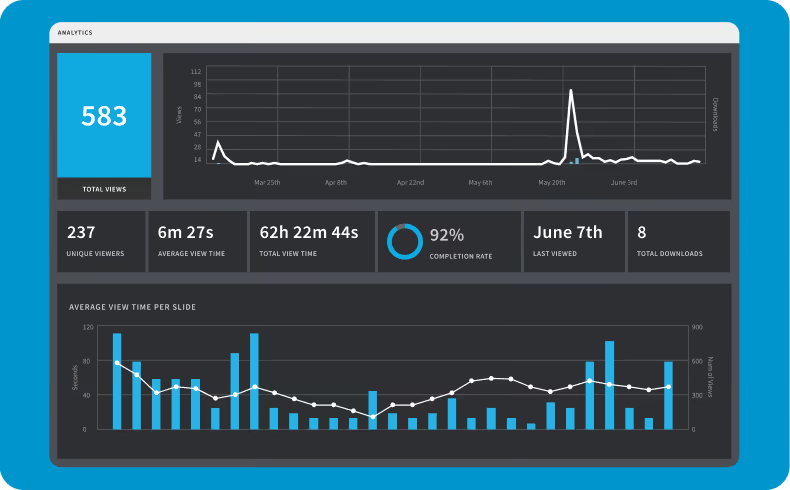
- Web publishing: Share presentations as live URLs with analytics on who viewed them
- AI credits system: Free plan gets 400 one-time credits; Plus gets 400/month; Pro and above get unlimited AI creation
- API access: Available on Pro and above — useful for teams automating content generation via Zapier or Make
- Export: PDF and PowerPoint export on paid plans (branding removed on Plus+)
The main limitation: Gamma’s free plan has 400 one-time credits. Heavy users will burn through those in a few sessions. And the “strict no-refund policy with only a 3-day window” noted in user reviews is worth knowing if you upgrade and change your mind.
Video: Gamma App walkthrough — creating a full presentation from a text prompt (third-party tutorial).


Beautiful.ai: what it actually does
Beautiful.ai is a design automation platform built around Smart Slides. Instead of AI generating your content, it automatically adjusts your slide layout as you add or remove elements. Add a fifth bullet point, and the slide adapts. Change your theme colors, and the whole deck updates.
Key features:
- Smart Slides: 300+ slide templates that auto-adapt layout as you edit content — no manual reformatting
- Brand kit: Lock down fonts, colors, and logos so every presentation stays on-brand
- Shared asset libraries: Team-wide slide libraries for consistent reuse of approved content
- Collaboration: Real-time co-editing on Teams plan
- Presenter view: Speaker notes, timer, and presentation mode built in
- Export: PowerPoint and PDF export available
Beautiful.ai doesn’t generate content from AI. It makes the design process automatic. If your team already knows what they want to say and just needs slides that look good without a designer’s help, Beautiful.ai is built for that workflow.
The catch: no permanent free plan. The 14-day trial requires a credit card and auto-charges if you don’t cancel. Users on Capterra and review platforms note concerns about billing practices around the trial period.
Video: Beautiful.ai Smart Slides walkthrough — design automation overview (third-party tutorial).


Feature comparison: side by side
| Feature | Gamma | Beautiful.ai |
|---|---|---|
| Free plan (permanent) | Yes (400 one-time credits) | No (14-day trial) |
| AI content generation | Yes (text-to-presentation) | Limited (design only) |
| Smart layout automation | Partial | Yes (core feature) |
| Web publishing / sharing | Yes (with analytics) | No |
| PowerPoint export | Paid plans | Yes |
| Brand kit | Pro+ | Yes |
| Team libraries | Pro (workspace) | Teams plan |
| Real-time collaboration | Pro+ | Teams plan |
| API access | Pro ($20/mo) | No |
| Annual discount | Yes (up to 60% on Ultra) | Yes (Pro: ~$12/mo) |
| Billing concerns noted | Yes (Trustpilot 1.2/5) | Yes (auto-charge trial) |
Who should use Gamma?
- Marketers, founders, and consultants who need to produce presentations fast — often from existing documents or research
- Anyone who wants to start free and evaluate before paying
- Teams building automated content workflows (Gamma’s API on the Pro plan)
- People sharing presentations as web links rather than traditional slide decks
- Budget-conscious users — $8/month annually for Plus is hard to beat
Who should use Beautiful.ai?
- Sales and marketing teams that already know their content and want decks that look professionally designed every time
- Organizations with brand standards that need to be enforced across dozens of presentations
- Teams where design consistency matters more than generation speed
- Companies willing to invest $45-50/user/month for a tool their team will use daily

Verdict: which one should you pick?
For most individuals and small teams, Gamma is the clear starting point. The free tier is real, the AI generation is genuinely useful, and you can get to a finished presentation faster than with almost any other tool. Start there.
If you manage a larger team and your slides need to look consistent and on-brand without anyone thinking about design, Beautiful.ai is worth the premium. The Smart Slides system actually works, and the brand enforcement features save time across large teams.
Just watch the trial auto-charge if you go with Beautiful.ai — cancel before day 14 if you’re not buying.
Frequently asked questions
Is Gamma free forever?
Yes, Gamma has a permanent free plan with 400 one-time AI credits. Once those credits are used, you’d need to upgrade to Plus ($10/month) to get 400 refreshing monthly credits. Beautiful.ai has no permanent free plan — only a 14-day trial that requires a credit card.
Can Gamma export to PowerPoint?
Yes. Gamma can export presentations as PowerPoint (.pptx) files on paid plans (Plus and above). The free plan doesn’t include this export. Beautiful.ai also exports to PowerPoint on its paid plans.
Which is better for team use?
Beautiful.ai has stronger team features for design consistency — shared asset libraries, brand kits, and enforced templates across the organization. Gamma’s team collaboration improved significantly in 2025, but Beautiful.ai is still the better choice when brand control is the priority.
Does Gamma have AI like ChatGPT built in?
Gamma uses AI to generate presentation content from prompts and documents. It’s not a ChatGPT clone, but it uses large language models to draft copy, suggest structure, and create full slide decks from minimal input. The AI writing quality is generally solid for business presentations.
What are Gamma’s hidden costs?
Gamma’s documented hidden costs include the credit system (free plan credits are one-time, not recurring), API access requiring the $20/month Pro plan, and subscription activation issues noted by some users. The Trustpilot score of 1.2/5 from 23 reviews reflects some billing and cancellation complaints — read the refund policy before subscribing.