Software
Best Loom Alternatives in 2025: 7 Tools That Actually Replace It (Tested)
Loom's free tier maxes out at 25 videos and 5-minute clips. Here are 7 better Loom alternatives tested for real workflows—including free options that don't cap your recordings.
Loom is a solid screen recorder. But here’s the truth: it gets expensive fast, and the free tier is frustratingly limited.
- 25 videos max on the free plan (total, not per month)
- 5-minute recording cap on free
- $15/user/month just for the Business basics
- $24/user/month to get AI features
If you’re a solopreneur, a small team, or just want better value, you have excellent options. I spent two weeks testing seven Loom alternatives—not just a quick recording, but actual real-world workflows: customer demos, team updates, tutorial screencasts, sales prospecting videos.
Here’s exactly what I found.
What Makes a Good Loom Alternative?
Before we dive in, here’s what I evaluated each tool on:
- Ease of recording — Can you get started in under 2 minutes?
- Video quality — Minimum 1080p, preferably 4K
- Sharing — Direct links, embed options, no forced sign-up for viewers
- Editing features — Trimming, chapters, captions
- AI features — Auto-transcription, summaries, noise removal
- Pricing — Is the free plan actually usable?
- Platform support — Mac, Windows, browser-based
Quick Comparison: 7 Best Loom Alternatives
Let’s dig into each one.
1. Vidyard — Best Loom Alternative for Sales Teams
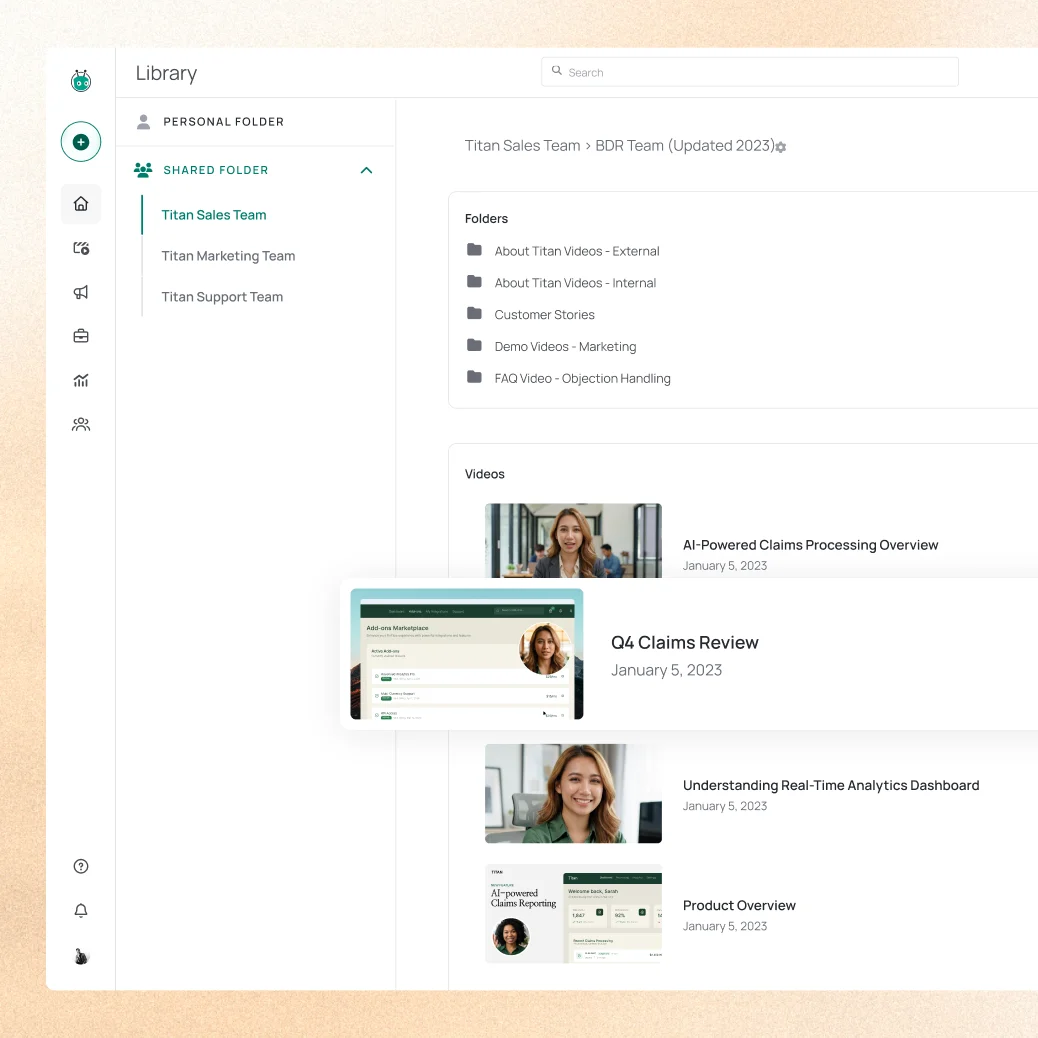
Vidyard was built specifically for B2B sales, and that focus shows in every feature that matters.
Where Loom is a general-purpose async video tool, Vidyard gives you analytics that tell you who watched your video, for how long, and which parts they rewatched. That data is gold when you’re following up on sales videos.
The standout feature: Vidyard Video Messages embed directly into Gmail and Outlook. Your prospect gets a GIF thumbnail in their email—click it and the video plays. Vidyard’s own data shows 6x higher engagement vs. text-only emails. That’s a real lift, not marketing fluff.
Other features worth knowing about:
- AI-generated video scripts and teleprompter
- Personalization at scale (record once, customize with viewer’s name)
- CRM integrations with Salesforce, HubSpot, and Outreach
- HD recording up to 4K on Business plans
Vidyard Pricing
Where Vidyard falls short: The free plan’s 5-video monthly cap is stingy. And the jump from free to $59/month is steep if you’re not a dedicated sales rep. Video editing tools are basic—you’re not going to do post-production here.
✅ Best for: Sales reps and revenue teams who need to track video engagement
❌ Skip if: You’re a solo creator, budget-constrained, or need real editing tools
2. Tella — Best Loom Alternative for Beautiful Async Video
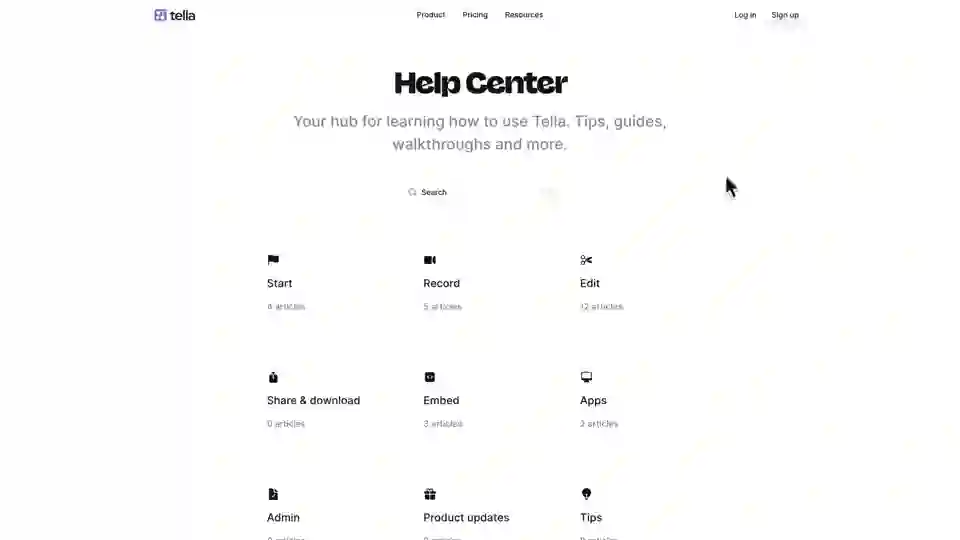
Tella is what Loom wishes it looked like.
Where Loom produces a standard “webcam over screen” recording, Tella produces videos that look professionally produced without extra editing. The layouts are beautiful. The background customization goes way beyond a blur option. And the built-in teleprompter means you can speak naturally without looking stiff.
The magic feature: Tella’s Studio mode lets you set up scenes, switch between layouts mid-recording, and add animated transitions—all from within the recorder. No editing software needed after.
You can record yourself, your screen, or both simultaneously. The camera feed can be cropped, scaled, repositioned, or shaped into different formats (circle, rectangle, full-bleed) on the fly. It’s genuinely impressive for a screen recorder.
Other highlights:
- Custom branding (colors, logos, fonts) on the video player
- Background templates and custom colors
- Automated captions with 98%+ accuracy
- Chapters added automatically based on what you’re saying
Tella Pricing
Where Tella falls short: There’s no free plan after the 7-day trial—you pay or you leave. The AI features are newer and still catching up to Descript’s transcription quality. And if you need heavy post-production editing, you’ll need a separate tool.
✅ Best for: Founders, customer success teams, and creators who care about video aesthetics
❌ Skip if: You need a free plan long-term or do heavy post-production editing
3. Descript — Best Loom Alternative for Editing-First Workflows
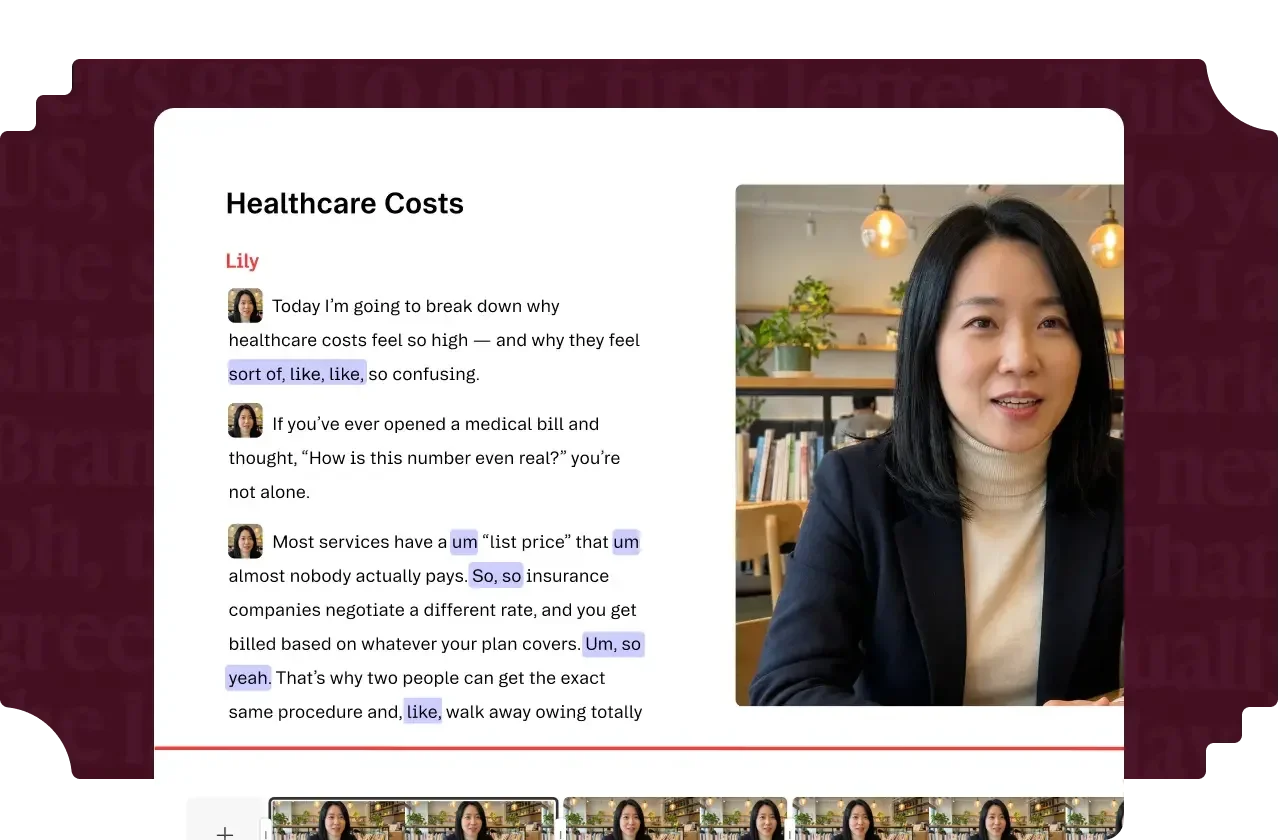
Descript flips how video editing works.
Instead of editing a timeline frame by frame, you edit the transcript. Delete words from the text, and the video cuts automatically. Enable filler word removal, and all your “ums,” “uhs,” and “you knows” disappear with one click. Fix a mistake by typing the correction—Descript generates audio in your voice using its Overdub feature.
This makes Descript uniquely powerful for long-form content where quality is the priority: webinar recordings, polished tutorials, customer onboarding videos, podcast recordings.
The screen recorder: Descript has a built-in screen recorder, so you can record, transcribe, and edit all in one place. Import existing video, pull in Zoom calls, or record fresh—it all goes into the same workflow.
The Overdub feature: This is genuinely remarkable. Train a voice model on 10 minutes of your voice, and Descript can generate words in your voice that you never actually said. For fixing small mistakes in a recorded video, this is a game-changer.
Descript Pricing
Where Descript falls short: It’s overkill for quick async updates. If you want to record a 2-minute team message and share it immediately, Descript’s learning curve is a barrier. It’s a production tool, not a quick-share tool.
✅ Best for: Podcasters, content creators, and corporate trainers who need polished edited output
❌ Skip if: You need quick-share async messaging (use Tella or Cap for that)
4. Cap — Best Free Open-Source Loom Alternative

Cap is the open-source answer to Loom, and it’s remarkably good for a free tool.
Built by a community of contributors with the code available on GitHub, Cap gives you unlimited recordings, 4K quality, and shareable links—free. The paid plan ($8.16/user/month) adds custom domains and your own cloud storage. For comparison, Loom’s Business plan is $15/user/month.
Why it’s different:
- You own your data: Cap lets you bring your own S3 bucket or Google Drive. Your videos are in your storage, not on Cap’s servers.
- Loom migration built in: Import your existing Loom library with a CSV export. Cap even has a free Loom video downloader.
- Studio Mode: Records screen and webcam as separate video tracks for post-production editing
- Thread comments: Built into the shareable link—viewers can comment at specific timestamps
- GDPR compliant: Useful for European teams
Cap Pricing
Where Cap falls short: The 5-minute recording limit on the free plan is the same limit that Loom free users hate. AI features are basic. The tool is newer and still missing some polish that Loom users are used to. Also Mac and Windows only—no browser-based recording.
✅ Best for: Privacy-conscious users, developers, and bootstrapped teams who want to own their data
❌ Skip if: You need AI features, heavy editing, browser-based recording, or longer recordings for free
5. ScreenPal — Best Budget Loom Alternative for Teams

ScreenPal (formerly Screencast-O-Matic) has been around for years, and its longevity is earned.
At $4/month for the Deluxe plan, it’s one of the most affordable screen recorders that includes real editing features. The free plan has a 15-minute recording limit and a ScreenPal watermark, but it’s usable for quick recordings.
Where it shines: ScreenPal has deep roots in education. It integrates with Google Classroom, Microsoft Teams, and Zoom. If you’re a teacher, L&D professional, or training team, this is a tool your students and employees have probably already seen.
The Max plan ($10/month) punches well above its weight:
- AI auto-captions with 98%+ accuracy
- AI transcription
- Text-to-speech narration (generate audio from a script)
- AI video generator
- 92,000+ royalty-free music tracks
- 2.8 million premium images and video clips
For $10/month, that feature set is hard to beat.
ScreenPal Pricing
Where ScreenPal falls short: The interface is dated compared to Tella or Cap. Video quality maxes at 4K only on paid plans. And there’s no AI voice model feature like Descript’s Overdub.
✅ Best for: Educators, L&D teams, and budget-conscious teams who need reliable recording
❌ Skip if: Modern design matters to you or you want advanced AI editing features
6. VEED — Best Browser-Based Loom Alternative
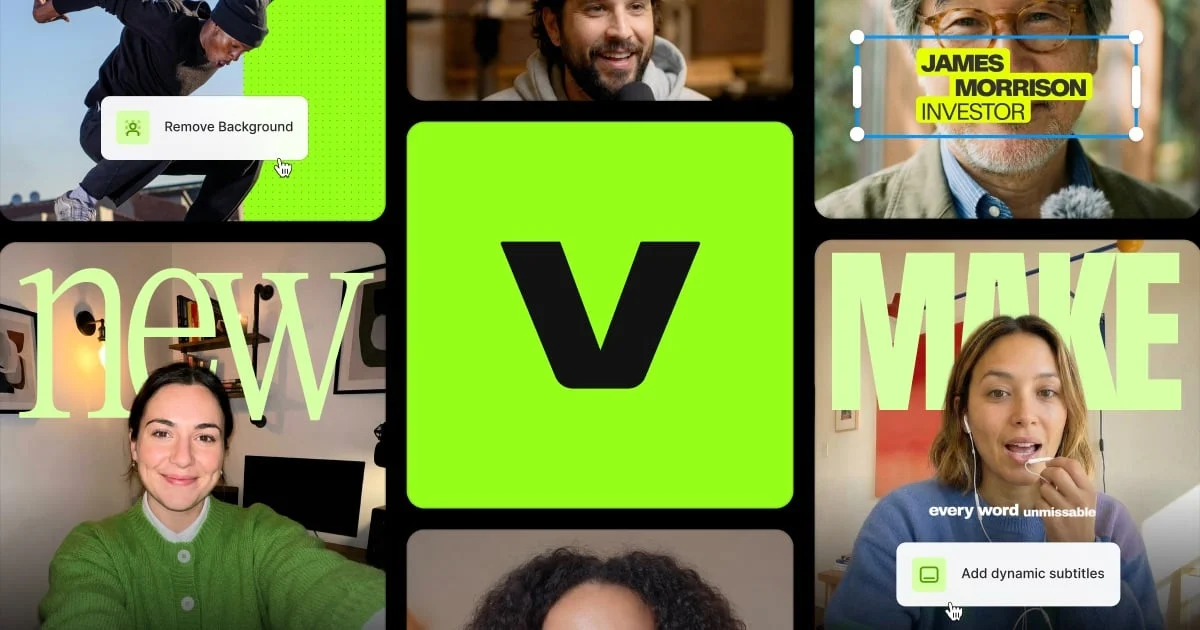
VEED is the best fully browser-based screen recorder I’ve tested.
No desktop app. No download. Open the browser, click record, done. And the editing suite inside VEED is surprisingly capable for an entirely web-based tool: AI subtitles in 100+ languages, background noise removal, an AI avatar generator, and a full video editor.
The standout feature: VEED’s AI avatar tool lets you create a video with an AI presenter. Write a script, choose an avatar from dozens of options, and generate a polished video. No camera, no recording, no editing. This feature is unique among Loom alternatives.
The screen recorder itself is clean and fast. Record screen only, webcam only, or both simultaneously. Sharing links are clean and professional. The viewer doesn’t need a VEED account.
VEED Pricing
Where VEED falls short: It’s browser-only, which is a problem with slow internet or unreliable connections. AI features live on the Pro plan ($24/mo), which pushes the price up quickly. And the pure recording quality doesn’t match Cap or Tella for HD screen capture.
✅ Best for: Content creators and marketers who want all-in-one video without a desktop app
❌ Skip if: You need offline recording, maximum video quality, or your internet connection is unreliable
7. Camtasia — Best Loom Alternative for Professional Tutorials
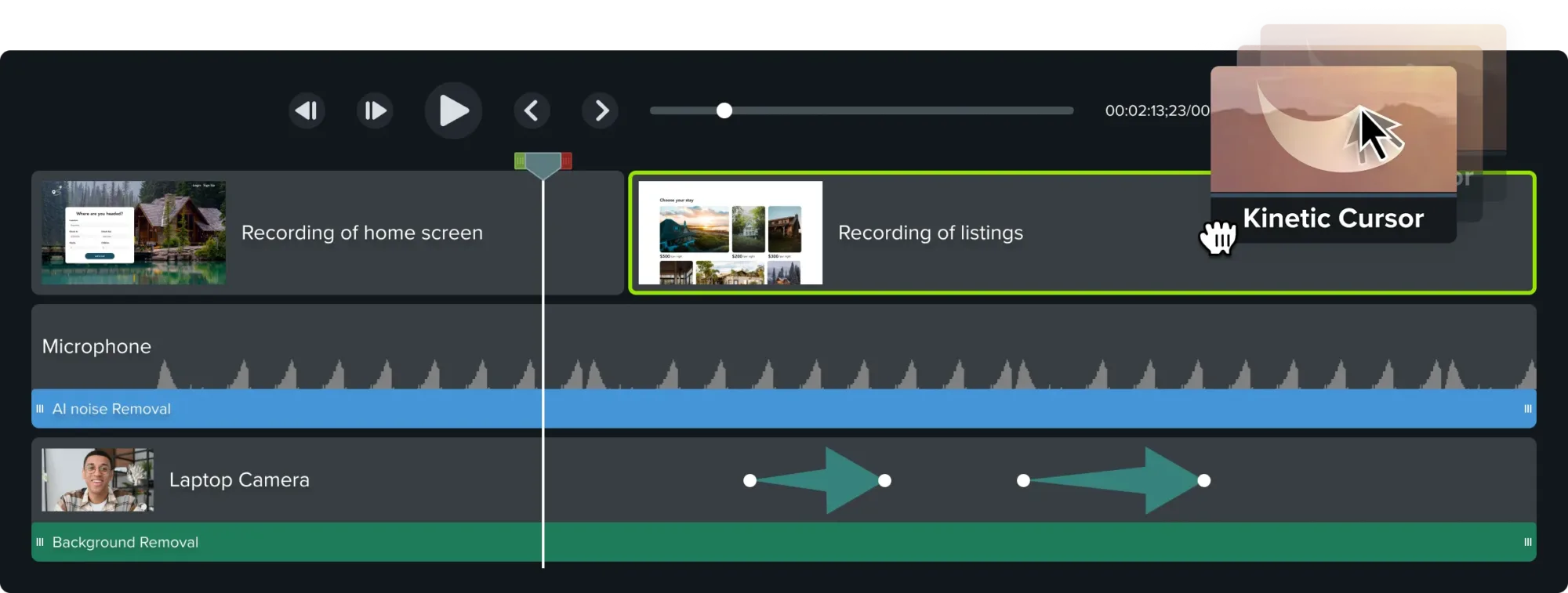
Camtasia is the veteran of this list. And the most powerful editing tool here.
Made by TechSmith, Camtasia is a professional video production suite for tutorial makers, L&D professionals, and corporate training teams. It’s not trying to replace quick async messaging. It’s replacing your full video production workflow.
What makes it different: Camtasia’s editing timeline is genuinely powerful. Built-in assets (hundreds of music tracks, animated elements, callouts), cursor highlight and click effects, interactive quizzes embedded directly in the video, chapter markers, and the new AI scripting tool.
The AI features in the 2024 and 2025 versions are a meaningful step up:
- AI-generated scripts from a simple outline
- AI-powered scene generation
- Auto-captions with 95%+ accuracy
- Smart clip suggestions
Recording quality is excellent—up to 4K with system audio, webcam, and multiple sources simultaneously.
Camtasia Pricing
Where Camtasia falls short: No real free plan—just a 30-day trial. It’s expensive. And if you need to record and share in 90 seconds, this is massive overkill. There’s also a meaningful learning curve vs. simpler tools.
✅ Best for: L&D professionals, corporate trainers, and tutorial creators with high quality requirements
❌ Skip if: You need quick async video, a free option, or low production overhead
How to Choose the Right Loom Alternative
You can cut through the noise with these five questions:
1. What’s your primary use case?
- Quick async team updates → Cap or Tella
- Sales outreach videos → Vidyard
- Tutorial/training content → Camtasia or Descript
- Everything in one browser → VEED
2. What’s your budget?
- Free → Cap (unlimited with 5-min limit) or ScreenPal (15-min limit, watermark)
- Under $15/mo → ScreenPal Max, Cap Pro, or Tella Pro
- $15–$30/mo → Descript Creator or VEED Pro
- Enterprise spend → Vidyard or Camtasia
3. Do you need to edit after recording?
- Yes, heavily → Descript (text-based) or Camtasia (timeline-based)
- Just trimming → Any of the above work
- No editing → Tella or Cap (polished on capture)
4. Does privacy and data ownership matter?
- Yes, critical → Cap (bring your own storage, GDPR compliant)
- Standard SaaS is fine → Any of the others
5. Is browser-only important?
- Yes → VEED or ScreenPal
- Desktop preferred → Tella, Descript, Camtasia, Cap
The Verdict

The best Loom alternative depends entirely on your use case. Here’s the fast version:
- On a budget? → Cap (free) or ScreenPal ($4/mo Deluxe)
- Sales professional? → Vidyard
- Founder or creator who cares about aesthetics? → Tella
- Need to edit the recording extensively? → Descript
- Prefer browser-based tools? → VEED
- Building professional training courses? → Camtasia
The common thread: almost every use case has a dedicated alternative that does it better than Loom—often for less money. Loom’s brand recognition has kept users on the platform longer than the product probably deserves.
Our top pick for most users: If you’re coming from Loom and want the closest equivalent with better value, Cap (free) or Tella ($13/mo) are the strongest direct replacements. Both are polished, fast, and built specifically for async video communication.
Tried one of these tools? Drop your experience in the comments below. We’d love to know which one stuck.
Loom vs. the Alternatives: Where Loom Still Wins
To be fair, Loom does some things really well. Here’s where it legitimately has an edge:
1. Ecosystem integrations: Loom integrates with more tools out of the box—Notion, Jira, GitHub, Slack, Figma, Asana, Linear, and dozens more. If your workflow lives in these tools, Loom’s native embeds and previews are genuinely useful.
2. The viewer experience: Loom’s video player is polished. Viewers can react with emojis, comment at timestamps, and respond with their own video. This engagement layer is something Cap and ScreenPal don’t match.
3. The mobile app: Loom’s iOS and Android apps are first-rate. Recording from mobile, sharing to your library, or watching Loom videos on the go is seamless. Tella and Cap have less capable mobile experiences.
4. Brand recognition: When you send someone a Loom link, they know what they’re getting. This sounds trivial, but for external-facing sales or customer success videos, the professional perception of “Loom” still carries weight.
That said—none of these reasons justify staying on Loom if it’s costing you more than the alternative or its recording limits are blocking your workflow.
Common Mistakes When Choosing a Loom Alternative
Mistake 1: Choosing based on features you won’t use
Camtasia looks impressive. But if you’re sending weekly team updates, you don’t need 200+ asset templates. Pick based on your most frequent use case, not your hypothetical ideal workflow.
Mistake 2: Ignoring the free plan limits
Cap’s free plan limits recordings to 5 minutes. ScreenPal’s free plan adds a watermark. VEED’s free plan caps resolution. Know exactly what the free tier gives you before committing your team to it.
Mistake 3: Undervaluing data ownership
Most people don’t think about where their video content lives until there’s a problem. If you’re recording sensitive demos, internal training, or confidential customer calls, Cap’s self-hosted storage option is worth a serious look.
Mistake 4: Not testing with your actual audience
A video that looks great in your tool’s native player might look weird embedded on your website, in a Notion doc, or forwarded via email. Test the full sharing experience before you commit.