Comparisons
Mailchimp vs Kit (ConvertKit) in 2026: Which Email Platform Actually Wins?
Mailchimp is the multi-channel marketing machine for small businesses. Kit is the creator's email platform. Here's the full breakdown — pricing, automations, and who should actually use each one in 2026.
You’ve narrowed it down to two options: Mailchimp or Kit.
One is a multi-channel marketing machine built for small businesses. The other is an email platform engineered for creators who make a living from their expertise.
I’ve dug into both so you don’t have to waste hours on a free trial you’ll regret. Here’s everything that actually matters.
Quick Comparison: Mailchimp vs Kit at a Glance
| Feature | Mailchimp | Kit |
|---|---|---|
| Best for | Small businesses, e-commerce, multi-channel | Creators, authors, coaches, newsletter writers |
| Free plan | 500 contacts, 1,000 sends/month | Up to 10,000 subscribers, unlimited sends |
| Starting price (paid) | From $13/month | From $33/month (1,000 subs, billed yearly) |
| Email sends | Limited by plan tier | Unlimited on all plans |
| Automations | Limited on lower tiers | Unlimited visual automations |
| Built-in commerce | E-commerce integrations only | Sell digital products & paid newsletters natively |
| Delivery rate | Not published | 99.80% |
| Integrations | 300+ | 100+ (creator-focused) |
| Pricing model | List-based (duplicates cost you) | Subscriber-based (unique subs only) |
What Is Mailchimp?
Mailchimp launched in 2001 and became the default email tool for millions of small businesses worldwide. Today it serves over 11 million customers — everyone from local bakeries to fast-growing e-commerce brands.
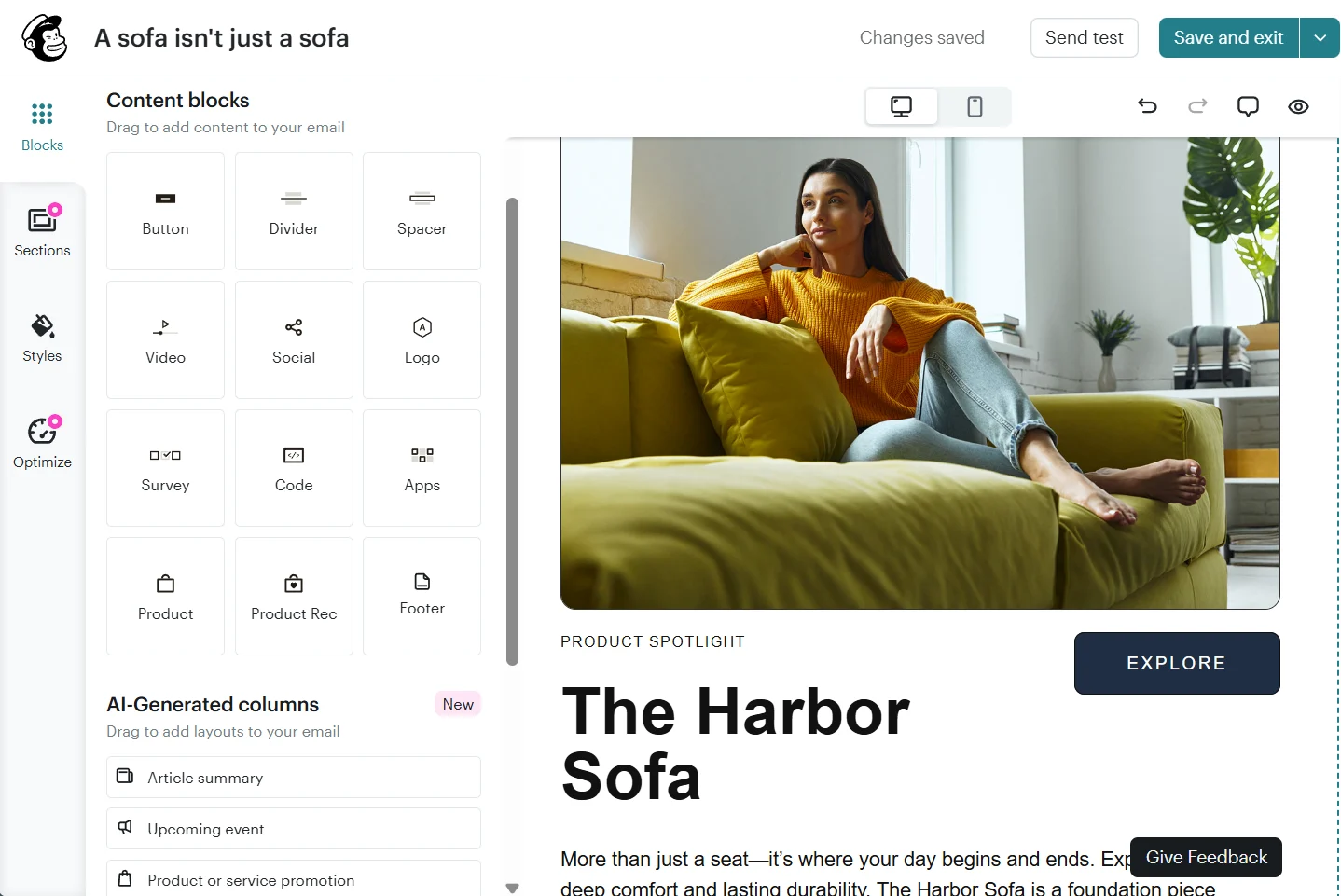
The platform is built as a one-stop marketing hub. You get email campaigns, SMS marketing, landing pages, social media scheduling, and Google remarketing ads in one dashboard. It’s built wide by design.
The key thing to understand about Mailchimp: it uses list-based pricing. If the same subscriber sits on three separate audience lists, Mailchimp counts them three times on your bill. This adds up faster than you’d expect.
Mailchimp by the numbers:
- 11+ million customers worldwide
- 300+ integrations (Shopify, WooCommerce, Salesforce, and more)
- 250+ professionally designed email templates
- SMS marketing built in (US, UK, Canada, Australia)
- Customer Journey Builder for automated sequences
- Google remarketing and social ads directly from the dashboard
Mailchimp in Action
Here’s a third-party walkthrough of how Mailchimp works in 2026:
Third-party tutorial showing Mailchimp’s core features and interface.
What Is Kit (ConvertKit)?
Kit launched in 2013 as ConvertKit — an email tool built specifically for bloggers and creators — and rebranded to Kit in 2024. Where Mailchimp went wide, Kit went deep on one niche: professionals who make a living from their expertise.
Think authors, podcasters, YouTubers, course creators, coaches, and newsletter writers. Kit calls itself the “email-first operating system for serious creators.”
The platform is trusted by 550,000+ creator business owners. That list includes Ali Abdaal, Tim Ferriss, James Clear (Atomic Habits), Andrew Huberman, and Matthew McConaughey.
Kit’s pricing model is the opposite of Mailchimp’s. It uses subscriber-based pricing — you pay once per unique active subscriber, no matter how many lists, tags, or automations they’re part of. No double-billing.
Kit by the numbers:
- 550,000+ creator business owners on the platform
- 99.80% email delivery rate (published openly)
- Unlimited email sends on all plans
- Free plan: up to 10,000 subscribers (Mailchimp caps at 500)
- Built-in digital products, paid newsletters, and sponsorship marketplace
- Kit MCP: connect your AI tool (Claude, ChatGPT, Gemini) directly to your subscriber data
Kit Official Demo
Kit’s team explains the full platform in 8 minutes:

Email Editor: Different Philosophy, Different Result
Mailchimp gives you a drag-and-drop editor with 250+ templates. It’s powerful and visual — you can build branded, design-heavy emails without touching any code. Great for product announcements, promotional campaigns, and anything where aesthetics matter.
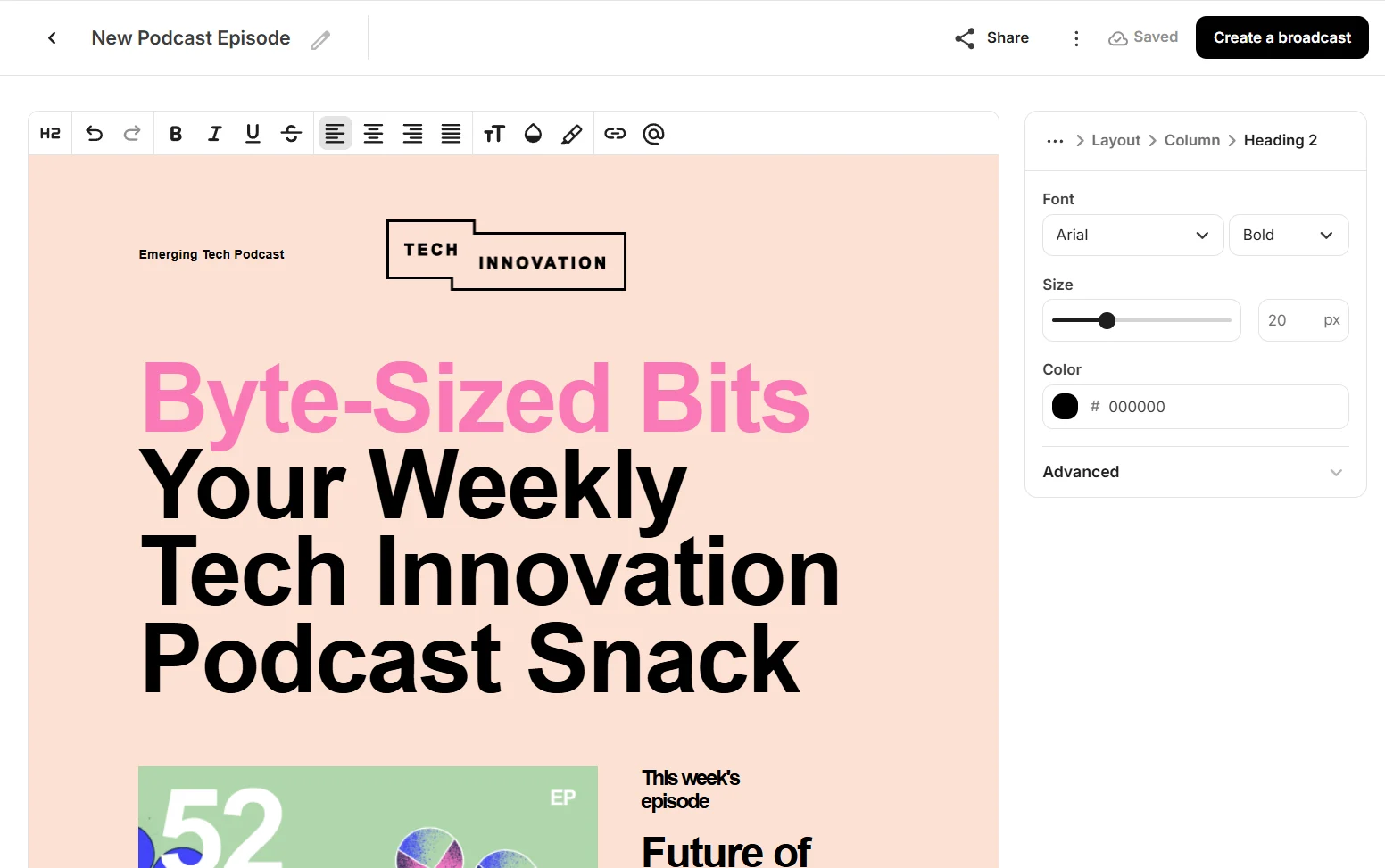
Kit takes the opposite approach. Their editor is deliberately minimal — focused on text-first emails that feel personal rather than promotional. The philosophy is that plain-text emails get better open rates and replies because they don’t trigger the “this is marketing” alarm in readers’ brains.
Both platforms support A/B testing on subject lines and content, custom HTML/CSS, personalization tokens, and reusable content blocks. Kit also supports custom CSS for those who want design control without Mailchimp’s template framework.
Bottom line: Mailchimp wins on visual design and template variety. Kit wins on deliverability and email performance for content-driven creators.
Automation: Where Kit Pulls Ahead
Automations are the biggest real-world difference between these two platforms.
Mailchimp’s Customer Journey Builder is solid for e-commerce use cases: cart abandonment, purchase follow-ups, and welcome sequences. It’s visual and it works. But Mailchimp limits automation access on their lower-tier plans.
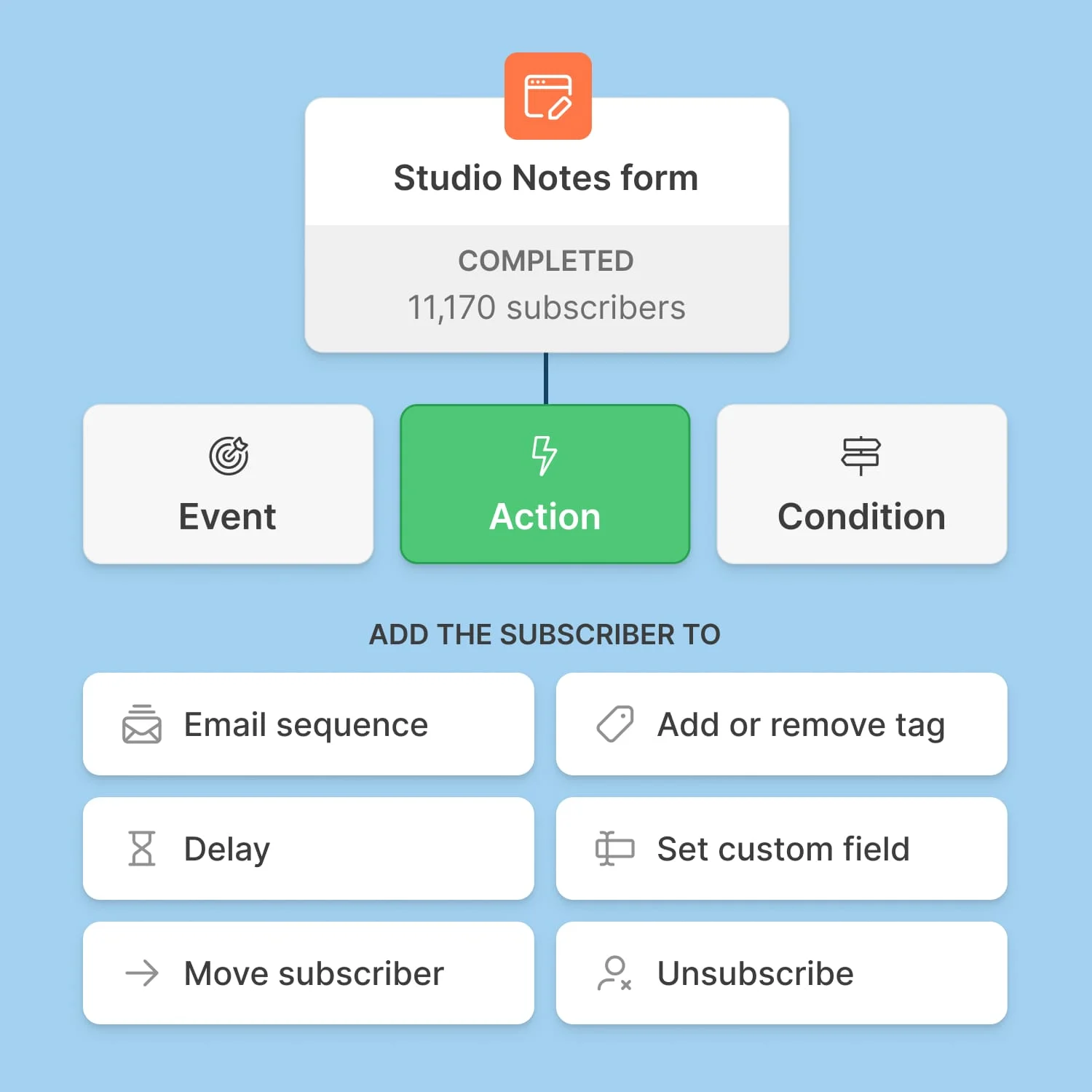
Kit includes unlimited visual automations on every paid plan. Their automation builder lets you map out complex subscriber journeys visually — from first opt-in to product purchase — with branching paths, conditions, and multiple entry points.
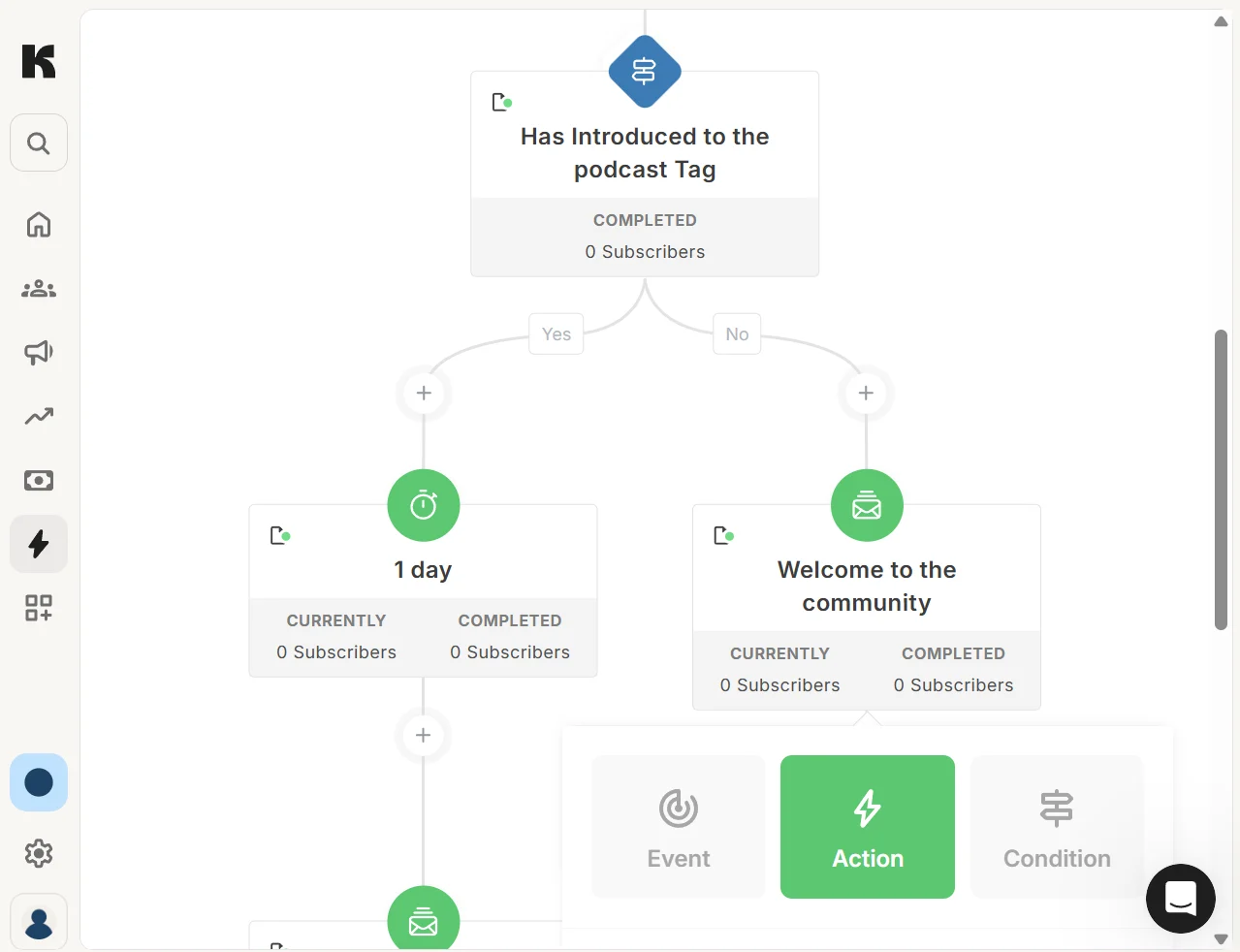
Kit also has a feature called Rules — a simple if-this-then-that logic layer that runs automatically in the background. A subscriber clicks a specific link? Tag applied. They buy a product? They’re moved to a different sequence. No manual work required.

Kit automation advantages:
- Unlimited visual automations (vs. limited on Mailchimp’s lower tiers)
- 25+ pre-built automation templates
- Click-based link triggers and event-based triggers
- Multiple entry points per automation and ability to re-enter automations
- Native integrations with Thinkific, Calendly, Typeform, and more
Mailchimp wins: E-commerce automation (cart abandonment, Shopify/WooCommerce purchase triggers).
Kit wins: Content creator workflows, unlimited sequences, subscriber segmentation at scale.
Pricing: What You’ll Actually Pay
| Plan | Mailchimp | Kit |
|---|---|---|
| Free | 500 contacts, 1,000 sends/month | Up to 10,000 subscribers, unlimited sends |
| Entry paid (1,000 subs) | Essentials from $13/month | Creator from $33/month (yearly billing) |
| Mid tier (1,000 subs) | Standard from ~$20/month | Creator Pro from $66/month (yearly billing) |
| Send limits | 10x your contact count per month (Standard) | Unlimited sends on all plans |
| Pricing model | List-based — duplicates cost extra | Subscriber-based — unique subscribers only |
The pricing structures are fundamentally different. Mailchimp’s list-based model gets expensive fast once you’re running multiple segments or targeting the same subscriber across different campaigns. That single subscriber on three lists? Three times the cost.
Kit’s free plan is remarkable: 10,000 subscribers and unlimited sends at no charge. Mailchimp’s free plan caps at 500 contacts with restricted monthly sends. For most creators starting out, Kit’s free tier is a better launchpad.
At the paid level, Kit appears more expensive per 1,000 subscribers on paper. But factor in the unlimited sends and no duplicate charges at scale, and Kit regularly works out cheaper for lists over 2,500.
Mailchimp: Pros and Cons
Mailchimp Pros
- 300+ integrations — the broadest app connectivity of any email platform
- SMS marketing built in — add text messaging without a third-party tool
- 250+ email templates — strong for branded, design-heavy campaigns
- Multi-channel marketing hub — email, SMS, ads, and social scheduling in one place
- E-commerce automation — cart abandonment, purchase triggers, and product recommendations
- Broader business focus — works for non-creator business types that Kit doesn’t serve as well
Mailchimp Cons
- List-based pricing — same subscriber on multiple lists = paying multiple times
- Limited sends on free plan — 1,000 sends/month vs. Kit’s unlimited
- Automation limits on entry plan — locked behind Standard tier
- No built-in commerce for creators — no paid newsletter, digital product, or sponsorship sales
- Delivery rate undisclosed — Kit publishes 99.80%; Mailchimp doesn’t share theirs
Kit: Pros and Cons
Kit Pros
- Subscriber-based pricing — never pay twice for the same person
- Unlimited email sends — all plans, no exceptions
- Unlimited visual automations on paid plans — no artificial limits
- 99.80% delivery rate — published and verified
- Built-in creator commerce — sell courses, templates, paid newsletters, and coaching natively
- Sponsorship marketplace — find advertisers for your newsletter without a middleman
- Kit MCP — connect AI tools directly to your subscriber data
- Subscriber Signals (Pro) — enriched data on job title, social reach, and purchase history
- Generous free plan — up to 10,000 subscribers at no cost
Kit Cons
- Fewer integrations — 100+ vs. Mailchimp’s 300+
- No SMS marketing — email only
- No ads integration — no Google or social ad management from Kit
- Simpler templates — fewer visual design options than Mailchimp
- Higher entry price — costs more per month for very small lists under 500 subscribers
- Transaction fees on sales — 3.5% + $0.30 per digital product sale
Who Should Use Mailchimp?
Mailchimp is the right pick if you’re running a small business or e-commerce store and need a full-stack marketing platform — not just email.
You want Mailchimp when:
- You sell physical products and need cart abandonment and purchase automation
- You want email, SMS, social, and ads managed from one dashboard
- Your business type isn’t “creator” — think retail, restaurants, non-profits, service businesses
- You need 300+ integrations and broad third-party connectivity
- You want to run paid ads (Google, Facebook) directly through your email platform
Classic Mailchimp users: Shopify store owners, clothing brands, local businesses, marketing agencies, non-profits running multi-channel campaigns.
Who Should Use Kit?
Kit is designed for creators who make a living from their knowledge and content. If your business model is built around newsletters, courses, coaching, books, or building an audience — Kit was built for you.
You want Kit when:
- You write a paid or free newsletter and need to grow and monetize it
- You sell digital products: online courses, templates, ebooks, memberships
- You need unlimited, sophisticated automations without paying more for them
- You want a free plan that actually scales (10,000 subscribers, not 500)
- You’re a YouTuber, podcaster, author, or blogger building an engaged audience
- You want to know exactly who’s engaging with your content (Subscriber Signals)
Famous Kit users: Ali Abdaal (Feel-Good Productivity), Tim Ferriss (4-Hour Workweek), James Clear (Atomic Habits), Andrew Huberman (Huberman Lab), Matthew McConaughey.
The Verdict: Which Platform Actually Wins?
Here’s the direct answer: these platforms aren’t competing for the same person.
Choose Mailchimp if you’re a small business or e-commerce brand that needs multi-channel marketing — email, SMS, ads, and social — all in one place. Mailchimp’s width is genuinely unmatched.
Choose Kit if you’re a creator, author, coach, or newsletter writer building an audience around your expertise. Kit’s automations, subscriber-based pricing, built-in commerce, and 99.80% delivery rate are purpose-built for this exact use case.
One tactical note: Kit’s free plan lets you grow to 10,000 subscribers with unlimited sends before you pay anything. Mailchimp’s free tier caps at 500 contacts. If you’re just starting out as a creator, Kit’s free plan alone is worth trying before committing to either platform.
The question to ask yourself: Am I primarily a creator monetizing expertise, or a business selling products and services? The answer points directly to your platform.