Comparisons
Webflow vs Framer (2026): Which Should You Actually Build With?
I've helped over 200 startups pick the right website builder.
I’ve helped over 200 startups pick the right website builder.
The most common mistake? Choosing based on what looks cool on Twitter instead of what actually fits the job.
Webflow and Framer are both incredible tools. But they’re built for different kinds of builders — and picking the wrong one will cost you weeks of frustration.
After testing both platforms extensively in 2026, including their newest AI features, here’s the straight truth on which one you should actually use.
Webflow vs Framer: Quick Comparison
| Factor | Webflow | Framer |
|---|---|---|
| Best for | Enterprise sites, CMS-heavy blogs, ecommerce | Designers, startups, fast landing pages |
| Ease of use | 6.8/10 — steeper learning curve | 9.0/10 — Figma-like, beginner-friendly |
| Design flexibility | Pixel-perfect, full CSS control | Spring physics, native 3D animations |
| CMS | 40–100 collections, 20,000+ items | 1–20 collections, 1,000 item cap (Pro) |
| SEO | Full — semantic HTML, schema, redirects | Basic — custom meta, sitemap only |
| eCommerce | Native from $29/mo | No native (Shopify embeds only) |
| AI features (2026) | AI Assistant, Claude MCP, Webflow AEO | Wireframer, Workshop components |
| Starting price | ~$14/mo Basic | $10/mo Basic (free tier available) |
| Integrations | 270+ native + 300+ marketplace | 280+ marketplace |
What Is Webflow?
Webflow is a visual web builder that gives you genuine control over HTML, CSS, and JavaScript — without writing a single line of code manually.
It launched in 2013. Today, it powers over 3.5 million websites. Used by teams at Dell, Dropbox, and countless marketing agencies.

The big deal with Webflow: it’s not a template-filler. You’re building on a visual canvas that generates clean, semantic HTML underneath. Every element you place maps directly to CSS classes. It’s almost like having a GUI for a real codebase.
Webflow’s Design Editor
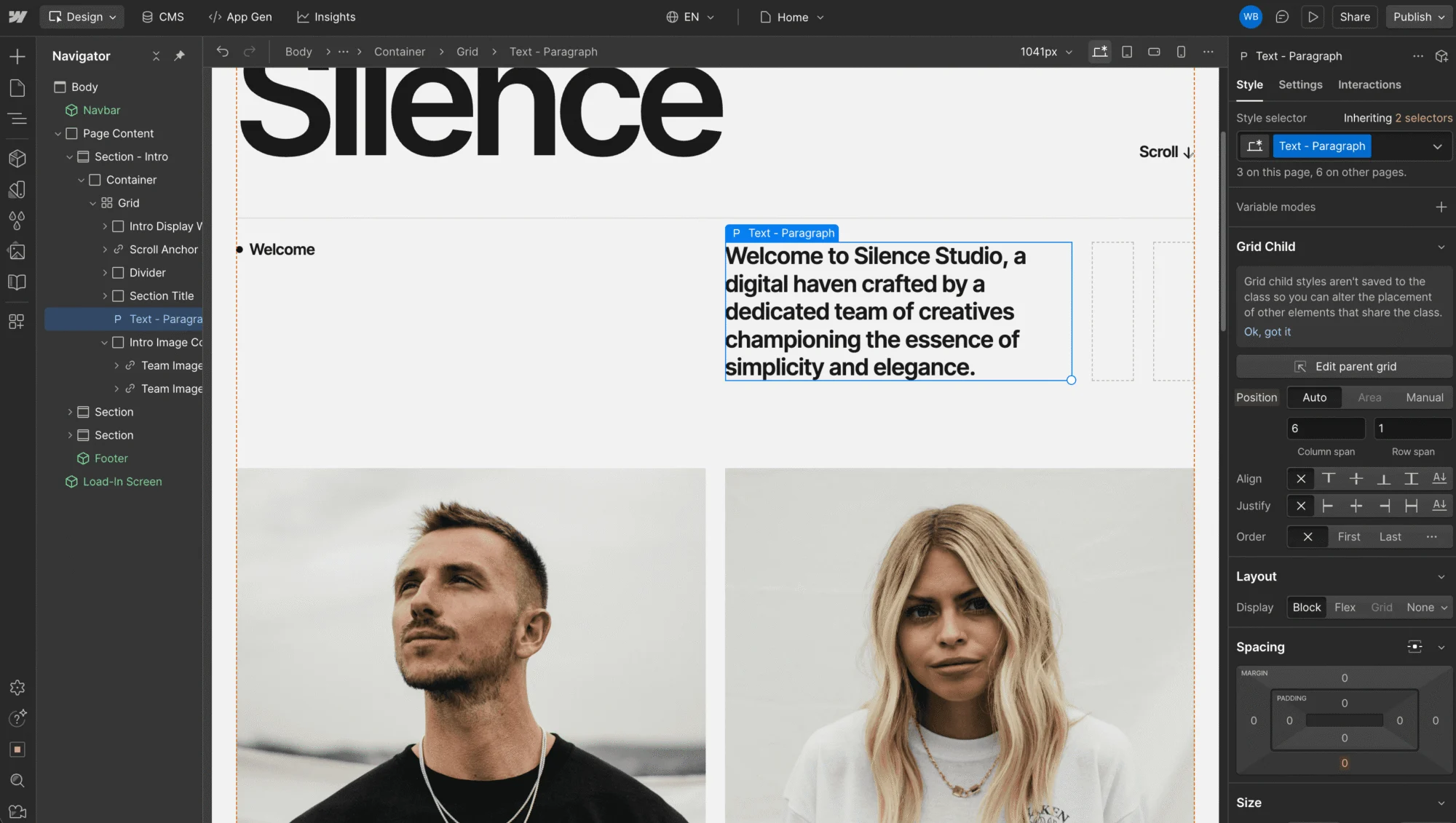
The Webflow editor is a full-blown visual workspace — panels for typography, spacing, flexbox, grid, animations, interactions. It’s deep.
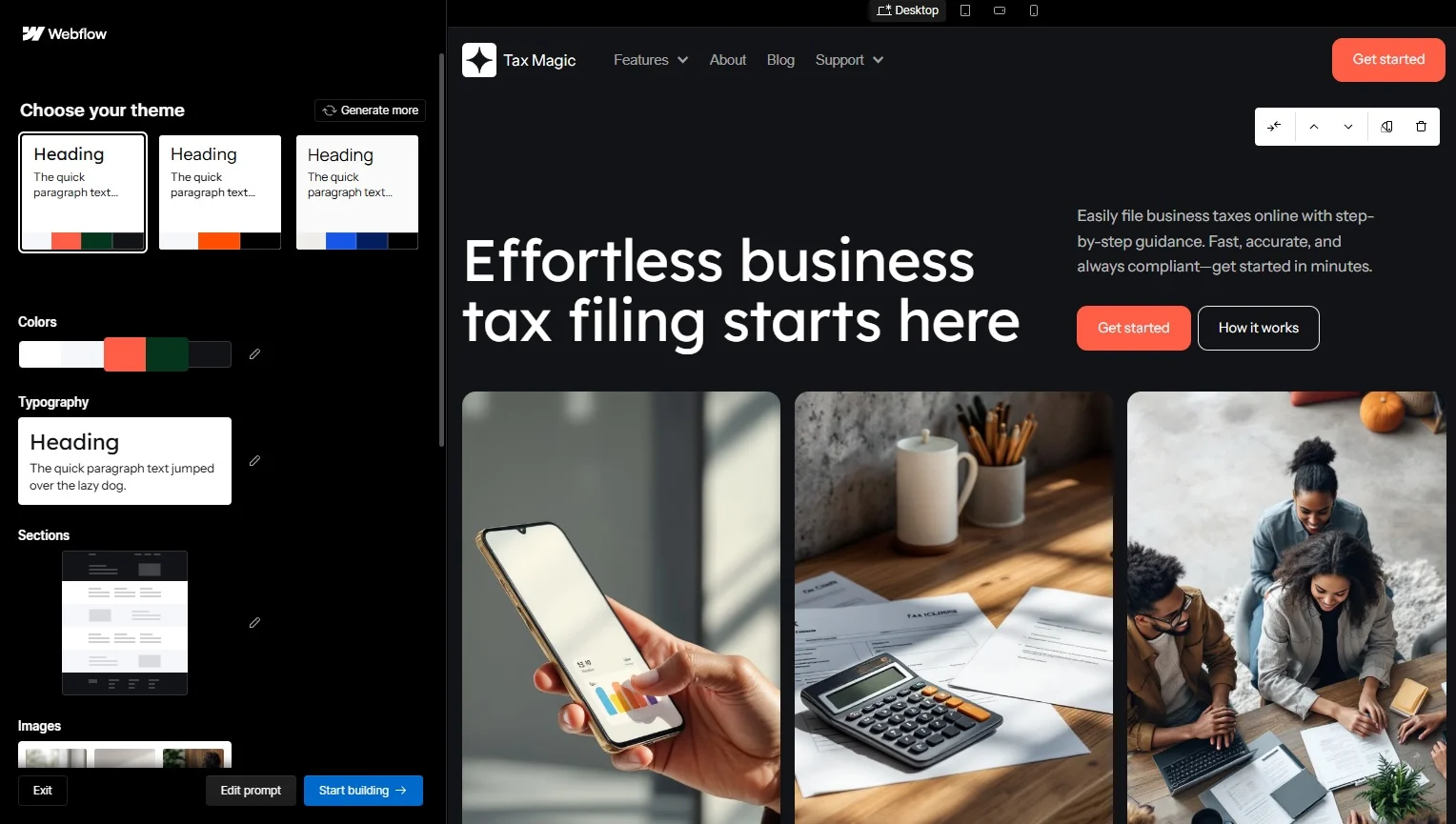
That depth is exactly what makes it powerful for complex sites. And exactly what makes the learning curve real. Expect 2–4 weeks before you feel fluid in Webflow.
Webflow Customization and Styling
Webflow’s style panel is the richest in any no-code builder. Margins, padding, transitions, pseudo-states, responsive breakpoints — all visual. You can recreate any design from a Figma file.
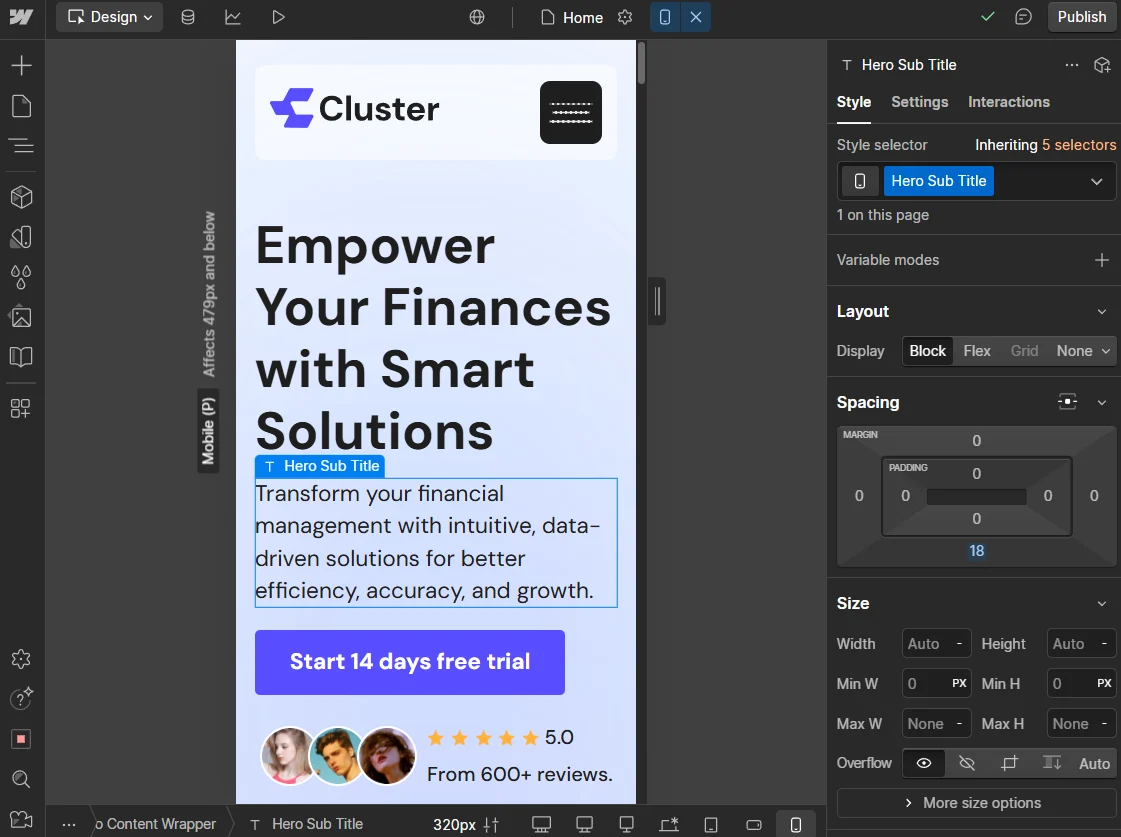
Webflow also has a built-in GSAP animation system called Interactions. Scroll-triggered reveals, parallax effects, hover states — all without touching JavaScript.
Webflow AI Features (2026)
This is where Webflow made huge moves this year. Three things stand out:
- AI Site Builder — describe your site in plain text, get a full layout generated in seconds
- AI Assistant — an in-editor copilot that writes copy, adjusts styles, and answers design questions
- Claude MCP integration — publish Webflow sites through Claude AI workflows


Webflow CMS
This is Webflow’s biggest competitive advantage. Real content management. Not bolted on as an afterthought.
- Up to 40–100 collections depending on your plan
- Up to 20,000+ CMS items
- Custom fields, reference fields, multi-image fields
- Dynamic pages auto-generated from CMS data
- Editor role so clients can update content without touching the designer
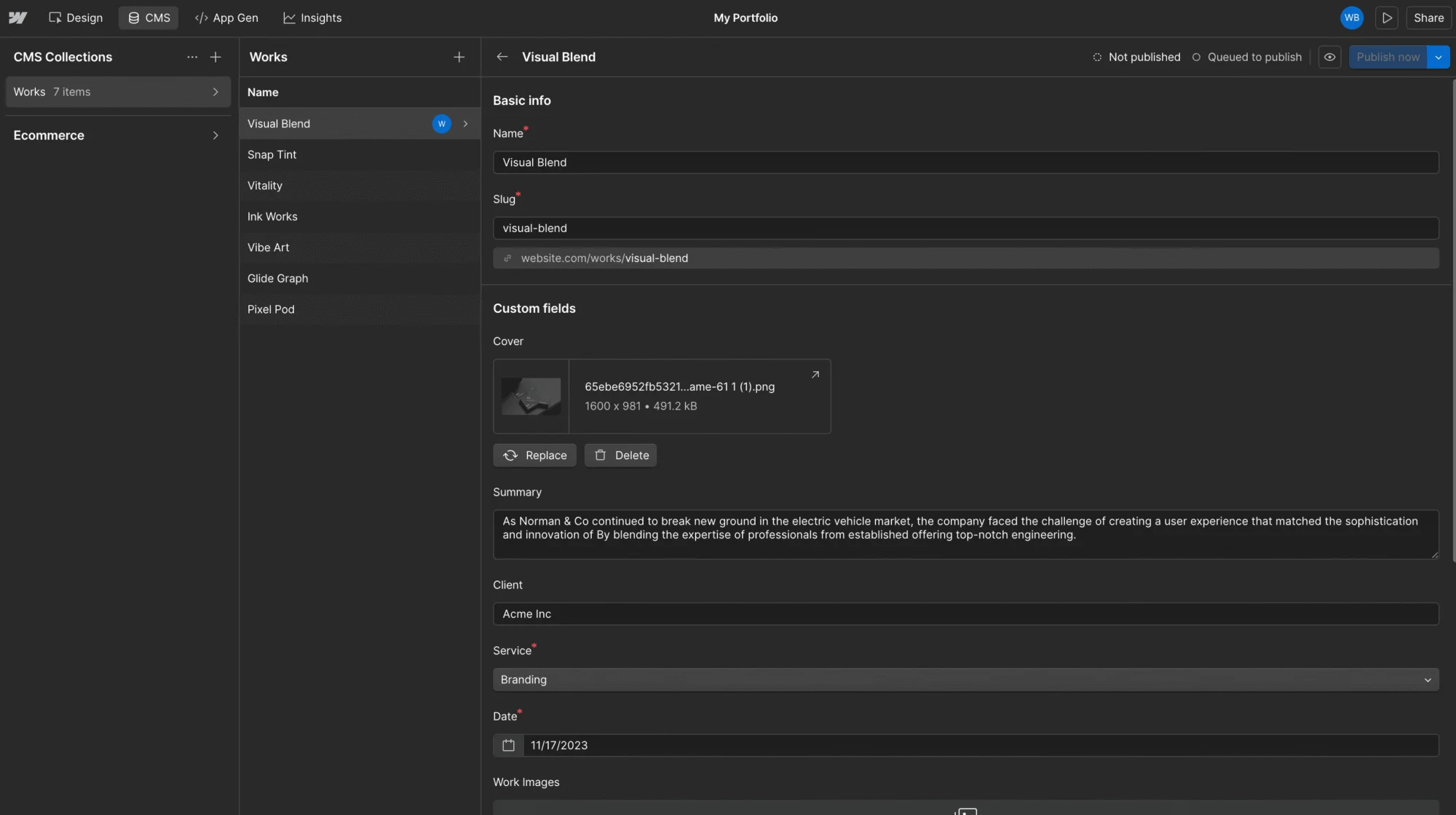
If you’re building a blog, resource library, product catalog, or any content-heavy site — Webflow’s CMS is in a different league than Framer’s.
Webflow SEO
Webflow gives you full SEO control out of the box:
- Custom meta titles and descriptions per page
- Clean semantic HTML (proper heading hierarchy)
- Open Graph and Twitter card support
- Schema markup
- 301/302 redirects
- Auto-generated sitemap
- Password protection, canonical URLs, no-index options
For content teams serious about organic traffic, Webflow is the clear choice.
Webflow’s Onboarding
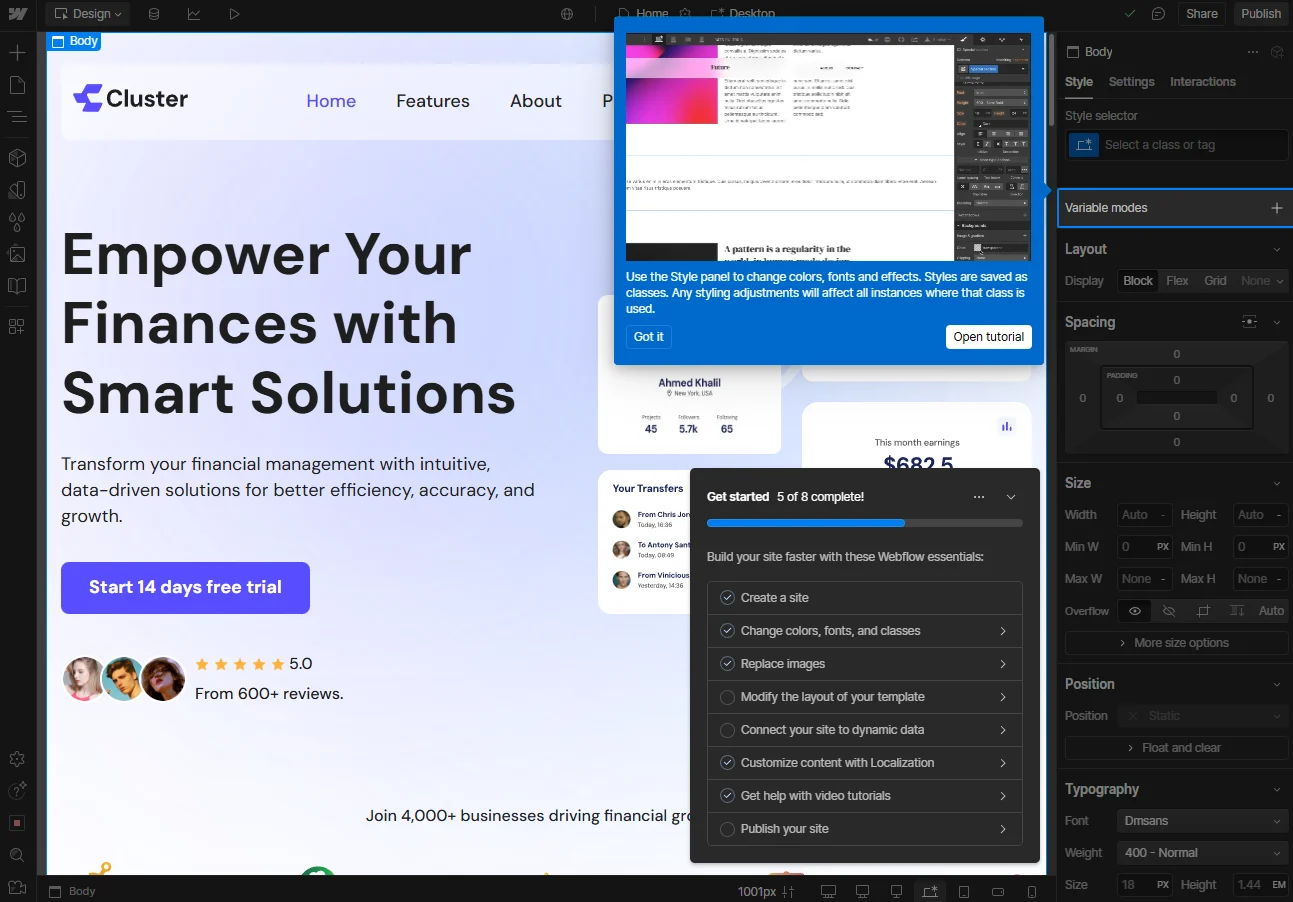
Webflow knows it has a steep curve. Their onboarding has improved a lot — guided tutorials, Webflow University, and a beginner mode that simplifies the panel layout.
Webflow Pricing
| Plan | Price | What you get |
|---|---|---|
| Basic | ~$14/mo | Static sites, 50 pages, no CMS |
| CMS | ~$23/mo | CMS, 2,000 items, 3 editors |
| Business | ~$39/mo | 10,000 CMS items, 10 editors |
| Enterprise | Custom | Unlimited everything, SSO, SLA |
| eCommerce | From $29/mo | Native store with custom checkout |
What Is Framer?
Framer started as a prototyping tool. It’s since evolved into a full-blown website builder with one of the smoothest, most designer-friendly interfaces on the market.
It launched its website builder in 2022 and grew fast. Why? Because designers coming from Figma felt immediately at home.
If you’re still deciding between UI design tools, our Figma vs Adobe XD comparison breaks down exactly which one to use in 2026 — especially now that Adobe XD is in maintenance mode.

Framer’s superpower: speed and animation. You can go from idea to published landing page in 30 minutes. The animations and interactions are buttery smooth — driven by spring physics instead of keyframes.
Framer’s Editing Interface
If you’ve ever used Figma, Framer feels like that — but for the live web. Canvas-based. Layers panel. Intuitive drag-and-drop. No class-based styling system to learn.
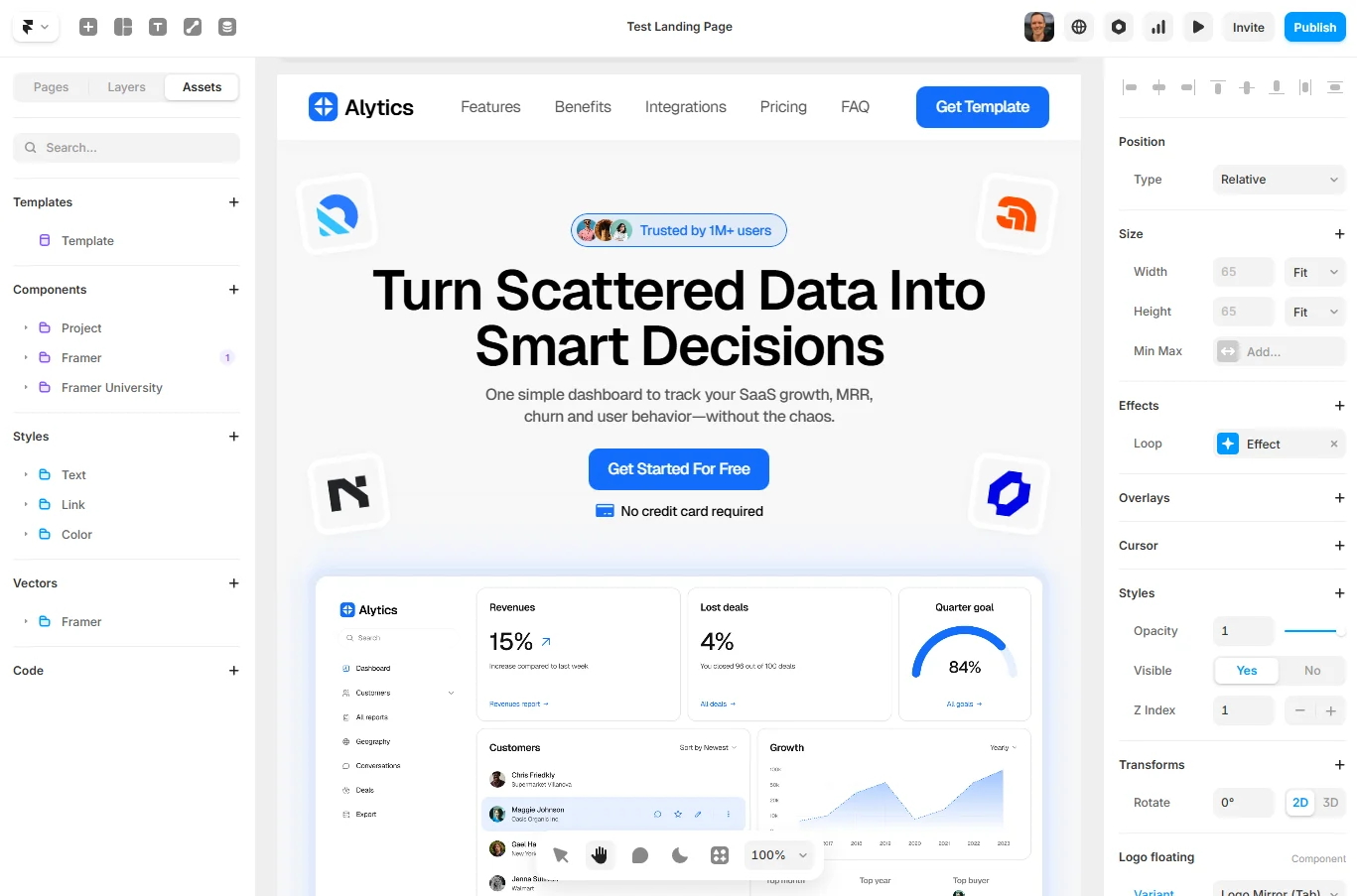
The learning curve is dramatically gentler than Webflow. Most designers get productive in Framer within a few hours. That’s not an accident — it’s a deliberate design choice.
Framer AI Features (2026)
Framer has doubled down on AI this year with two standout tools:
- Wireframer — AI that generates full page layouts from a text description. Pick a style, describe your content, get a wireframe instantly.
- Workshop — An AI-powered component library that generates ready-to-use UI components tailored to your brand.

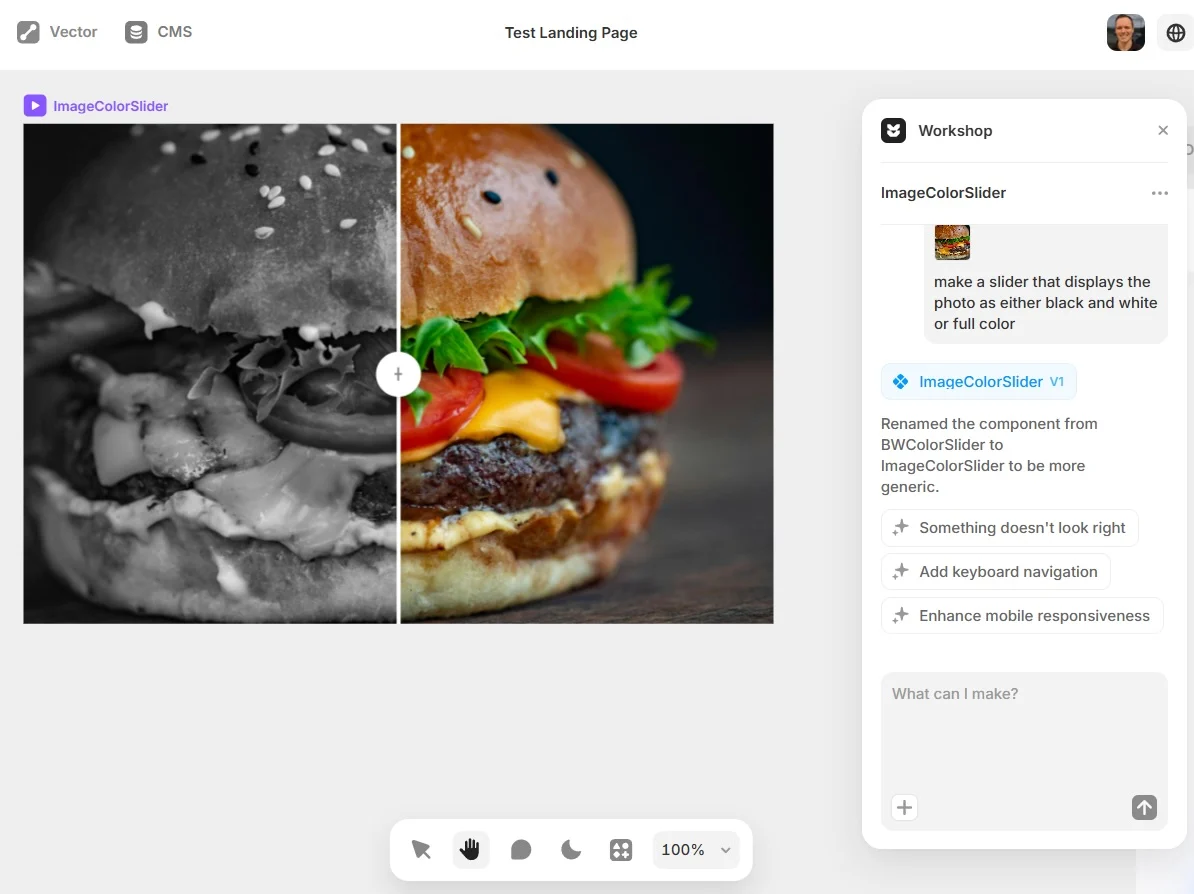
For rapid prototyping and iteration, Framer’s AI workflow is faster than Webflow’s right now. It’s built for designers who want to move quickly.
Framer CMS
This is Framer’s main weakness compared to Webflow. It has a CMS, but it’s limited:
- Free plan: 1 collection, 50 items
- Basic plan ($10/mo): 5 collections, 200 items
- Pro plan ($30/mo): 20 collections, 1,000 items
That’s fine for a simple blog or portfolio. It’s not enough for a serious content operation or product database.
Framer SEO
Framer covers the basics — custom meta titles, descriptions, Open Graph tags, sitemap generation, custom 404 pages. But it doesn’t go as deep as Webflow on technical SEO: no schema markup out of the box, fewer redirect options, lighter canonical URL controls.
If organic search is a primary growth channel, this matters a lot.
Framer eCommerce
No native ecommerce. You can embed a Shopify Buy Button or link to an external checkout, but you’re not getting a Framer-native store. This is a hard blocker for any product business.
Framer Pricing
| Plan | Price | What you get |
|---|---|---|
| Free | $0 | 1 project, framer.website subdomain |
| Basic | $10/mo | Custom domain, 5 CMS collections, 200 items |
| Pro | $30/mo | 20 CMS collections, 1,000 items, password protection |
| Enterprise | Custom | SSO, custom analytics, dedicated support |
Webflow vs Framer: Head-to-Head
Ease of Use
Winner: Framer.
Framer scores 9.0/10 for ease of use in 2026 benchmarks. Webflow scores 6.8/10. The gap is real. Webflow requires understanding CSS concepts, class-based styling, and a complex panel system. Framer is more like Figma — intuitive and immediate.
If you’re a designer who doesn’t want to think about class inheritance, use Framer. If you’re comfortable with the web’s building blocks, Webflow’s depth pays off.
Design Flexibility
Winner: Tie (different strengths).
Webflow gives you granular CSS control — every property, every pseudo-state, every breakpoint. If you can design it, you can build it in Webflow.
Framer gives you spring physics animations, native 3D transforms, and an animation system that produces more naturally “alive” interfaces with less effort. But you have less raw CSS control.
CMS and Content Management
Winner: Webflow — by a lot.
Webflow’s CMS is enterprise-grade. Framer’s CMS is fine for simple sites. If you have more than 1,000 items or need complex field relationships, there’s no competition.
SEO Capabilities
Winner: Webflow.
Webflow has full technical SEO control. Framer covers basics. For content sites where search traffic is the business model, this isn’t even close.
eCommerce
Winner: Webflow.
Native ecommerce in Webflow from $29/mo. Framer has no native store. Full stop.
AI Features
Winner: Tie (different approaches).
Framer’s Wireframer + Workshop is faster and more designer-friendly. Webflow’s AI Assistant and Claude MCP integration is more powerful for technical workflows. Both platforms are investing heavily here.
Pricing
Winner: Framer (for simple sites).
Framer’s free tier and $10/mo Basic plan beat anything in Webflow’s lineup for simple landing pages. But once you need real CMS or ecommerce, Webflow’s pricing is competitive for what you get.
Integrations
Winner: Tie.
Both have 270–280+ integrations. Webflow has more native app connections; Framer has a strong third-party marketplace. You’ll find what you need on either platform.
How to Choose: Webflow or Framer?
Choose Webflow if:
- You need a CMS with 1,000+ items or complex content types
- Organic search (SEO) is a primary growth channel
- You’re building an ecommerce store
- You want pixel-perfect control over every CSS property
- Your team has developers or technically-comfortable designers
- You’re building a site that needs to scale over years
Choose Framer if:
- You’re a designer coming from Figma and want minimal friction
- You need to launch a landing page or portfolio fast
- Smooth animations and 3D effects are central to your design
- You want the lowest possible barrier to entry (free tier!)
- You’re a solo founder who needs a beautiful site without a learning curve
- Your site content is mostly static with a small blog
The Verdict
Webflow is the power tool. Framer is the fast tool.
Neither is better — they solve different problems.
If I’m building a content-heavy site where I need SEO, CMS, and years of scalability, I’m on Webflow without hesitation. If I need a stunning startup landing page live by Friday and I’m a designer who wants to stay in the zone, I’m on Framer.
The mistake is trying to use Framer for a 10,000-article blog. Or spending 3 months in Webflow for a 5-page marketing site.
Pick the right tool for the actual job.
Rooting for you.