Comparisons
Notion vs Obsidian for Knowledge Management in 2026: Which One Is Actually Worth Your Time?
Notion or Obsidian for knowledge management? We compared collaboration, AI features, pricing, and offline access to give you a clear answer. No fluff — just the verdict you actually need.
Short answer: If you work in a team or need databases alongside your notes, choose Notion. If you want local files, total privacy, and a personal knowledge graph that connects ideas across years of notes, choose Obsidian. Both are free to start — which is exactly why this debate never ends.
I’ve watched the Notion vs Obsidian debate consume productivity communities for years. Discord servers turn into arguments. Reddit threads get locked. People treat their note-taking app like a personal philosophy.
Here’s the honest truth: these are not really competing tools. Notion is a team workspace that happens to be excellent for personal notes. Obsidian is a personal knowledge graph that happens to have a passionate community around it. They solve different problems for different people.
But you’re reading this because you need to pick one. So I’ll make that choice easier — with real pricing, real tradeoffs, and a direct verdict.
I’ve tested both extensively. I’ve seen Notion turn into a productivity trap and I’ve seen Obsidian vaults spiral into over-engineered rabbit holes. I’ll tell you when each one makes sense — and when it doesn’t.
What Is Notion?
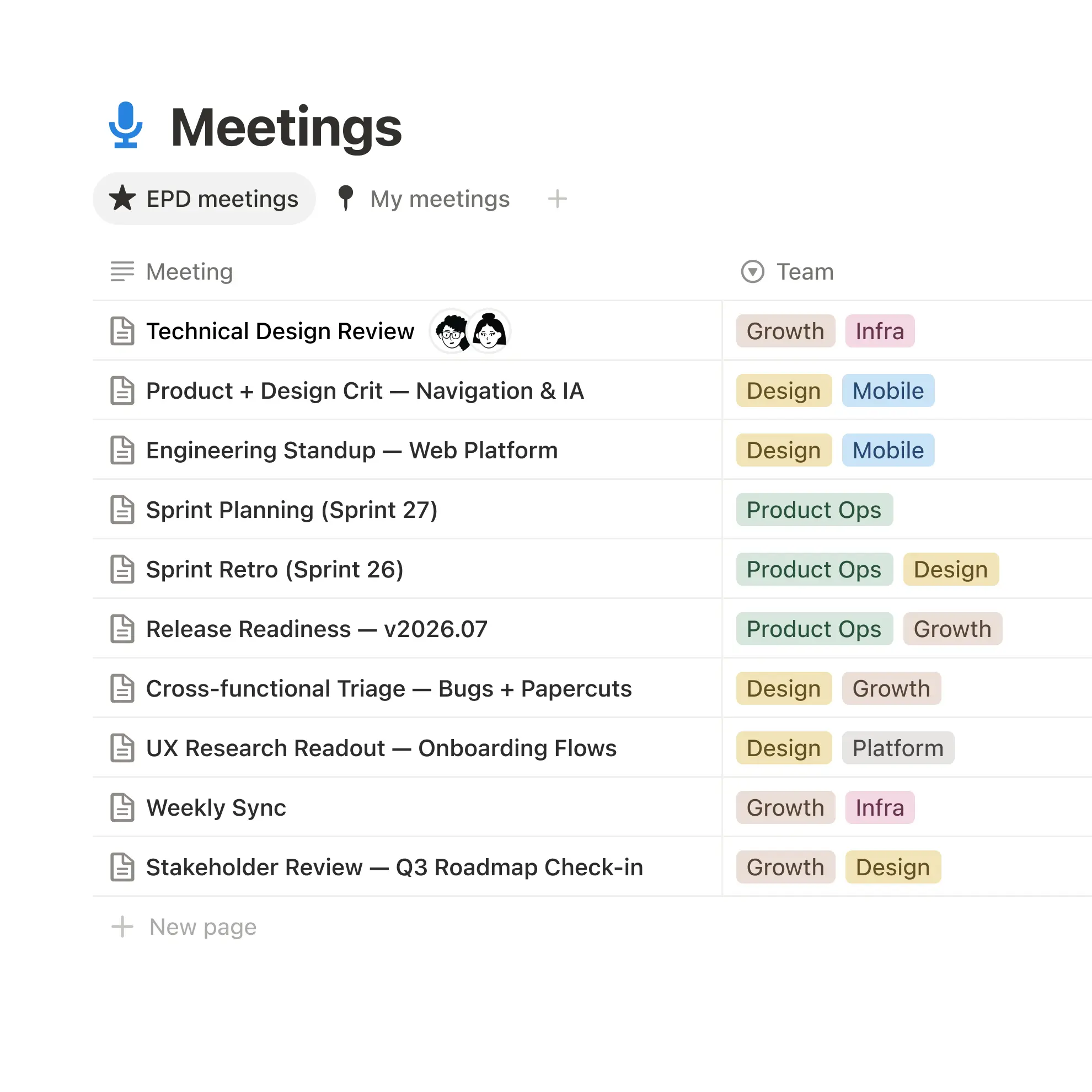
Notion is a cloud-based all-in-one workspace. Think pages, databases, wikis, tasks, calendars, and AI — all inside one app with one URL that your whole team can access.
The core concept is “blocks.” Everything in Notion — text, images, databases, embeds, code snippets — is a block. You drag, rearrange, and combine blocks into pages that work like a document, a spreadsheet, a project board, or all three simultaneously.

In 2026, Notion’s AI features became genuinely useful. Notion AI lets you query your entire workspace in plain English, auto-generate meeting summaries, build automations triggered by database changes, and run Notion Agents that coordinate tasks across multiple pages without manual input.

Key Notion features for knowledge management:
- Block-based pages combining text, images, databases, and media embeds
- Relational databases with six views: table, board, calendar, gallery, list, and timeline
- Real-time collaboration with inline comments, @-mentions, and page notifications
- Notion AI for workspace-wide search, summaries, and AI-powered automation
- Built-in forms, charts, and notion.site web publishing
- 90+ integrations including Slack, Google Drive, GitHub, and Jira
- Works on web, Mac, Windows, iOS, and Android
Here’s an honest look at Notion AI in action:

The catch? Notion’s flexibility is its biggest trap. It’s genuinely easy to spend an afternoon building the perfect system instead of actually capturing knowledge. The productivity community calls this “Notion procrastination.” I’ve been guilty of it. Most heavy Notion users have.
If structure, real-time collaboration, and AI assistance matter more than local file ownership, Notion is difficult to beat.
What Is Obsidian?
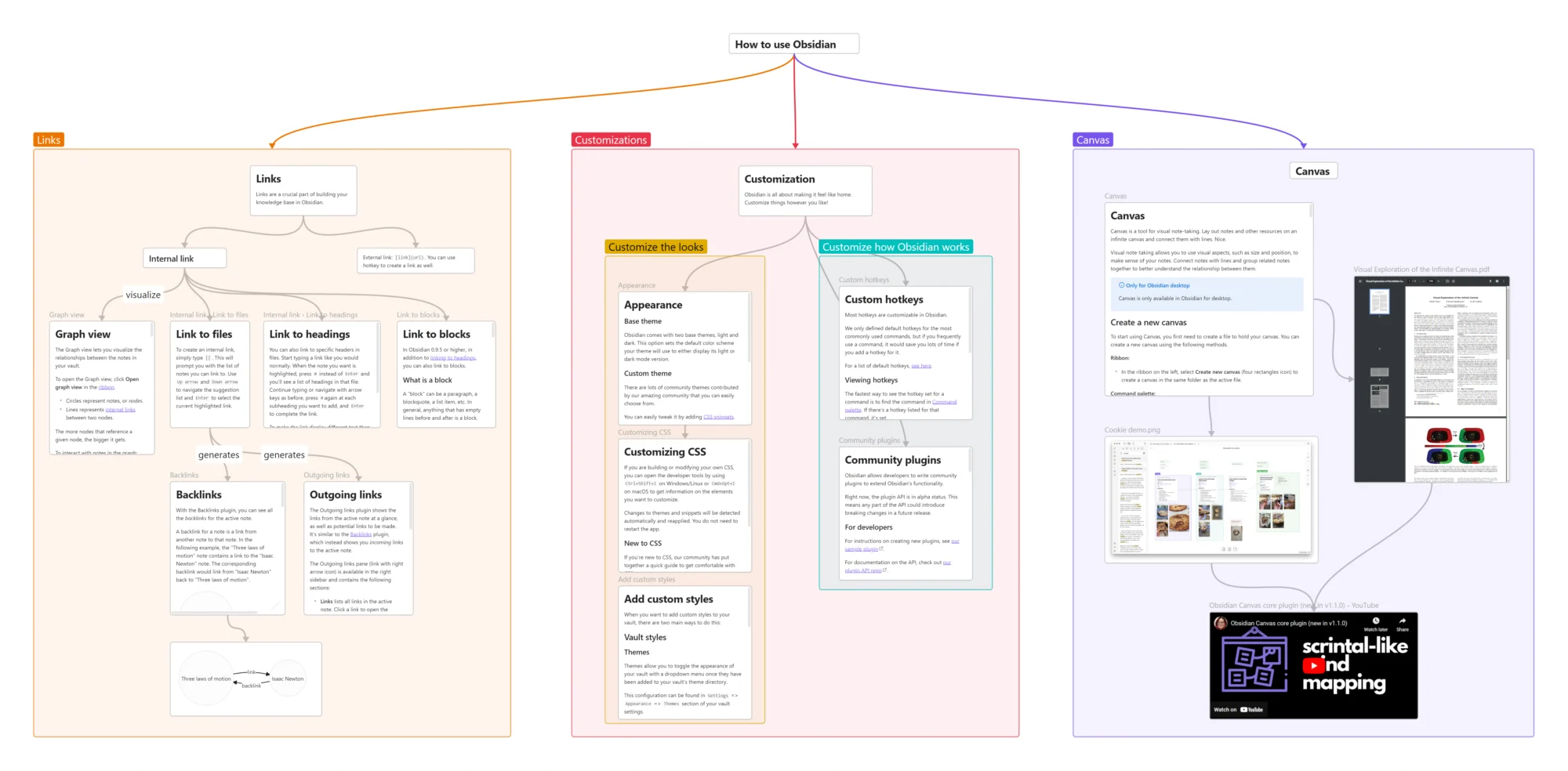
Obsidian is a local-first note-taking app built entirely on Markdown files stored on your own device. No mandatory cloud. No subscription to read your own notes. Just you, your plain-text files, and a surprisingly powerful system for linking ideas together.
The core concept: every note is a plain-text .md file on your computer. Link notes together using [[double brackets]], and Obsidian builds a visual graph of those connections — showing you how ideas relate across weeks, months, and years of writing.
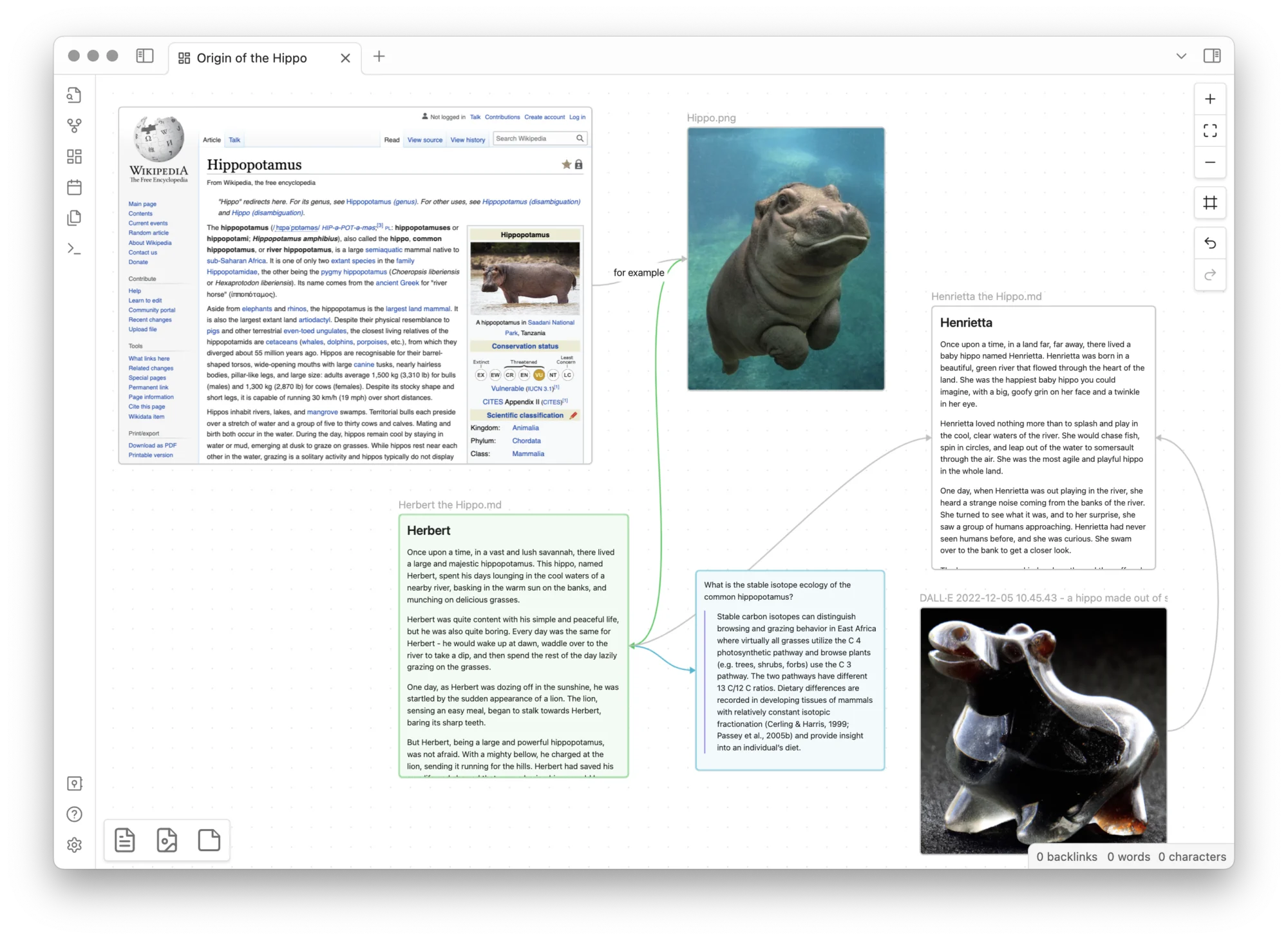
Canvas, Obsidian’s infinite visual workspace, takes this further. Drag notes, images, PDFs, and even interactive web pages onto a shared canvas and draw connections between them. It’s the closest software equivalent to an actual thinking wall I’ve used.
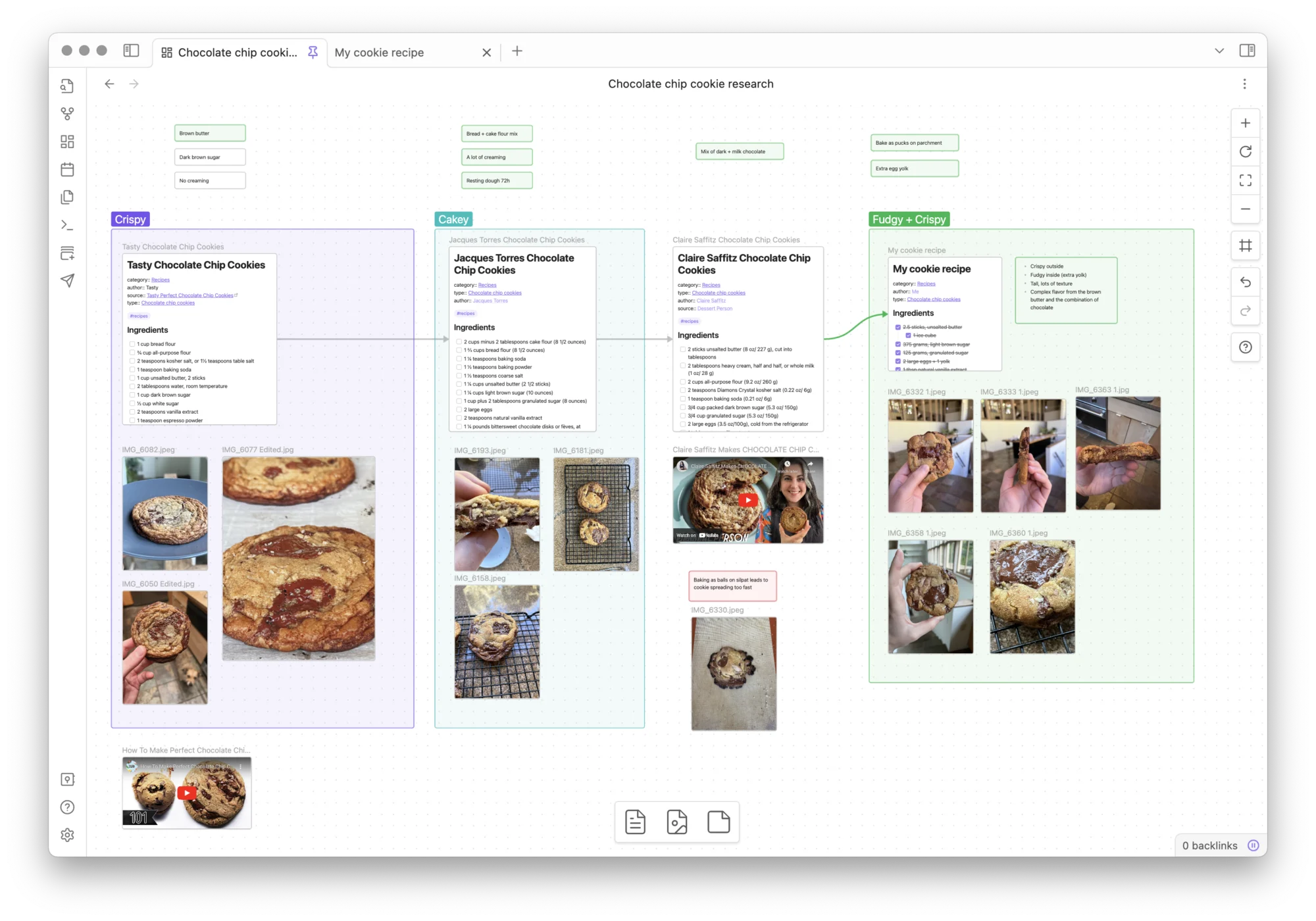
Key Obsidian features for knowledge management:
- Local Markdown files — fully offline, no cloud required by default
- Bi-directional linking with a visual knowledge graph
- Canvas for infinite visual brainstorming and connection mapping
- 1,000+ community plugins (task management, AI integrations, Pomodoro, spaced repetition, and more)
- Obsidian Sync for encrypted cross-device syncing (paid add-on)
- Obsidian Publish for turning your notes into a public website or digital garden (paid add-on)
- Works on Mac, Windows, Linux, iOS, and Android
A solid beginner’s walkthrough of Obsidian:
The catch? There’s a learning curve. Markdown takes about an hour to learn and a week to feel completely natural. The plugin ecosystem is enormous and can become an endless configuration rabbit hole. And if you want to share notes with a teammate in real time, Obsidian makes it genuinely awkward without paying for Sync.
If deep personal knowledge management, data ownership, and full offline access are non-negotiable for you, Obsidian delivers something Notion simply cannot.
Notion vs Obsidian: Six Things That Actually Matter
1. Collaboration
Notion wins this category, clearly. Real-time co-editing, inline comments, @-mentions, granular permissions per page or database, private teamspaces, domain verification — Notion was built from day one for team knowledge work.
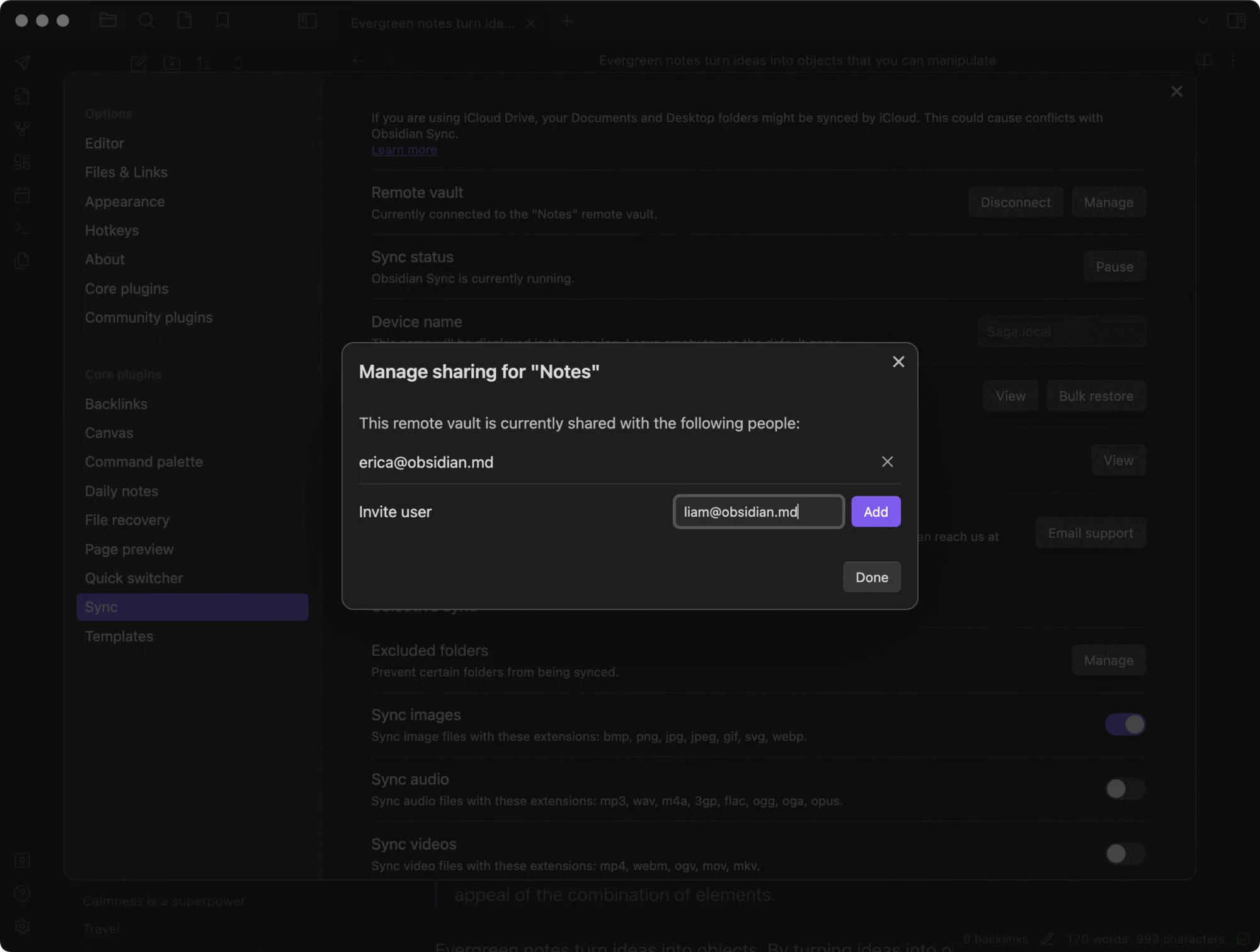
Obsidian is fundamentally a single-user tool. Obsidian Sync added shared vaults (multiple people syncing to the same vault), but this is rudimentary compared to Notion’s collaboration stack. No inline comments, no real-time presence indicators, no permission controls at the note level.
Winner: Notion — no contest.
2. Offline Access and Data Ownership
Obsidian wins this completely. Your notes are plain-text .md files on your device. No internet connection needed — ever. No pricing change locks you out. No server outage interrupts your work. Open Obsidian on a plane with airplane mode on and everything works perfectly.
Notion is cloud-first by design. Limited offline caching exists in the mobile app, but it’s inconsistent. When Notion’s servers experience downtime (it happens), you lose access. Your notes live on Notion’s infrastructure, not yours.
Winner: Obsidian — by a wide margin.
3. Interface and Learning Curve
Notion feels immediately familiar. It looks like a smart Google Doc. Hit / to add a database, drag blocks around, share with a colleague. Most people are useful in Notion within an hour.
Obsidian’s interface is closer to a developer’s text editor than a productivity app. Markdown syntax takes time to internalize. The plugin ecosystem requires patience to navigate. But once you’re past the learning curve, plain-text writing is genuinely faster than block-based editing — and the keyboard shortcut depth is unmatched.
Winner: Notion for beginners. Obsidian for power users willing to invest the upfront time.
4. Plugin Ecosystem
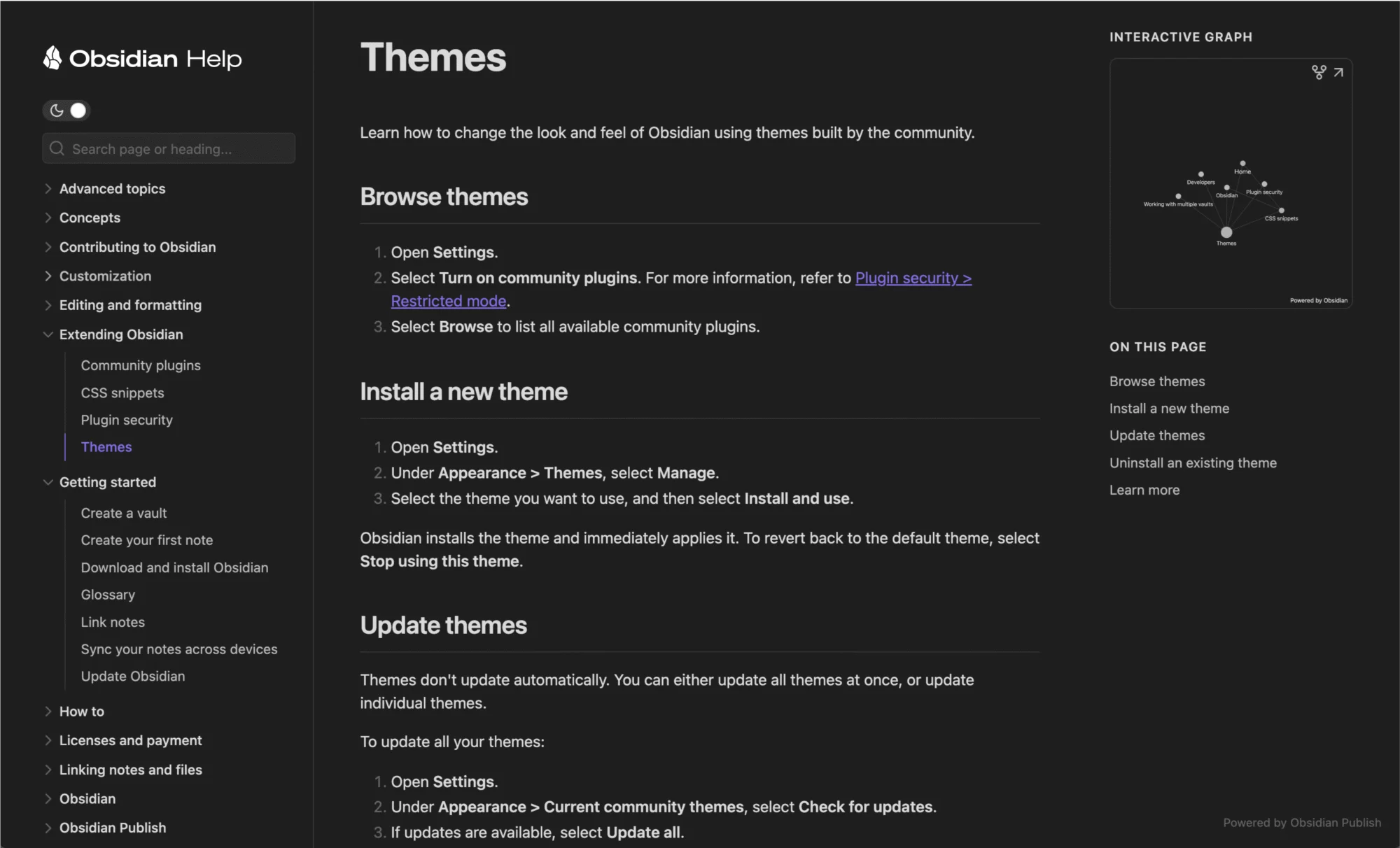
Obsidian has over 1,000 community plugins covering almost any use case: task management, Pomodoro timers, spaced repetition flashcards, local AI with Ollama, database-style views, calendar integration, and more. The plugin API is open and the community is extremely active.
Notion has official integrations with external tools (Slack, GitHub, Jira, Google Drive) and a developer API, but no plugin ecosystem in the Obsidian sense. You can connect Notion to external services, but you can’t extend how Notion itself works.
Winner: Obsidian
5. AI Features
Notion has Notion AI built in — and in 2026, it’s legitimately useful. Query your entire workspace with plain-English questions and get cited answers. Auto-generate meeting notes and action items. Build database automations triggered by AI analysis. Run Notion Agents for multi-step tasks that span pages and databases.
Obsidian has no built-in AI, but community plugins fill the gap: local AI models via Ollama, cloud AI through the Smart Connections or Text Generator plugins. If you specifically don’t want your notes sent to external AI servers for processing, Obsidian actually handles AI privacy better than Notion does by default.

Winner: Notion for built-in convenience. Obsidian if AI privacy matters to you.
6. Data Portability
Obsidian wins decisively. Your notes are already .md files. Switch to any other Markdown-compatible tool tomorrow — Bear, Logseq, Typora, iA Writer — and your notes transfer perfectly. Zero data lost, zero reformatting required.
Leaving Notion is painful. You can export to Markdown and CSV, but Notion’s relational database structure doesn’t export cleanly. The connections between databases, the formula fields, the multi-select properties, the linked views — all of it gets flattened or lost in export.
Winner: Obsidian
Pricing Comparison: What You’ll Actually Pay in October 2026
All prices verified from official Notion pricing and Obsidian pricing pages.
| Plan | Monthly Price | Best For |
|---|---|---|
| Notion Free | $0 | Solo users, small team wikis (10 guest limit, 7-day history) |
| Notion Plus | $10/user/month | Growing teams (unlimited guests, 30-day history, full uploads) |
| Notion Business | $20/user/month | Teams needing Notion AI, SSO, and private teamspaces |
| Notion Enterprise | Custom | Large orgs with audit logs, SCIM, and unlimited page history |
| Obsidian Personal | Free | Individual users — full app, all core features, no cloud sync |
| Obsidian Commercial | $50/user/year | Required for for-profit companies with 2+ employees |
| Obsidian Sync Standard | $4/user/month (annual) | 1 vault, 1 GB storage, sync across all devices |
| Obsidian Sync Plus | $8/user/month (annual) | 10 vaults, 10 GB storage, 12-month version history |
| Obsidian Publish | $8/site/month (annual) | Publish notes as a public website or digital garden |
Annual billing available for all Notion plans (saves up to 20%) and for all Obsidian add-ons. Prices in USD.
The cost reality: for a solo knowledge worker, Obsidian is dramatically cheaper. The core app is free. Add Sync Plus for $8/month and you have everything most individuals need — still less than Notion Plus.
For teams, Notion gets expensive fast. A 10-person team on Notion Business costs $200/month. The same team on Obsidian Commercial + Sync Standard costs around $81/month ($500/year commercial + $480/year Sync ÷ 12). But you’d also lose Notion’s real-time collaboration, which is much of what you’re paying for.
Who Should Use Notion?
Choose Notion if you:
- Work on a team that needs shared docs and real-time co-editing
- Want to combine notes, databases, and project tracking in a single workspace
- Need a company wiki that non-technical colleagues can edit without learning Markdown
- Want AI features that work immediately — no setup, no plugins, no configuration
- Are building a content calendar, CRM lite, or sprint tracker alongside your notes
- Want one central URL where your whole team’s knowledge actually lives
Notion shines for: startups building internal wikis, content teams managing editorial pipelines, product teams linking feature specs to project databases, and small businesses that need structured collaboration without enterprise pricing.
Also worth reading: our full breakdown of Notion AI vs ChatGPT for notes and docs — if you’re evaluating Notion specifically for its AI features, that comparison answers the important questions.
Who Should Use Obsidian?
Choose Obsidian if you:
- Are a solo knowledge worker — researcher, writer, developer, consultant
- Want full data ownership — your notes should live on your drive, not a company’s server
- Need offline access as a hard requirement (remote work, travel, unreliable connectivity)
- Want to build a personal knowledge graph that links ideas across months and years
- Are willing to invest time in a system that compounds in value over time
- Care about AI privacy — you don’t want your notes processed on external servers
Obsidian shines for: academics building research vaults, developers maintaining personal wikis for code knowledge, writers connecting ideas across thousands of notes over years, and privacy-conscious users who need their thinking to stay local.
See how Obsidian compares in our Capterra comparison and on G2’s detailed Obsidian vs Notion breakdown.
The Verdict: Notion vs Obsidian
There’s no universal winner here. They’re each the best tool in their category.
Notion wins for teams, structured knowledge, and anyone who needs AI that works without configuration. The collaboration features alone justify it for any group larger than one person. If you’re running a startup, a content team, or any kind of shared knowledge operation, Notion is the obvious choice.
Obsidian wins for individual knowledge work, data ownership, and anyone building a long-term personal knowledge system. Nothing else gives you the same combination of local files, bi-directional linking, and extensibility. If you’re a researcher, developer, or writer building something over years — Obsidian compounds in a way Notion doesn’t.
The mistake I see constantly: people trying to use both tools for the same job, or switching between them every few months. That’s the path to zero accumulated knowledge. Pick one, use it for 90 days without rebuilding your system, and only then decide if it’s actually wrong for you.
If you’re still genuinely uncertain: start with Notion. It’s easier to try (no install required), has a real free tier, and scales to a team if your needs change. Obsidian will still be there — and still be free — if you decide you need something more personal and local later.
Note: Curious whether Notion AI or ChatGPT is better for managing docs and notes?
Read our dedicated comparison: Notion AI vs ChatGPT for Notes and Docs.