Comparisons
WordPress vs Squarespace for Small Business in 2026: Which One Actually Wins?
WordPress vs Squarespace for small business in 2026: verified pricing, transaction fees, AI credit limits, e-commerce, SEO and support — and which platform actually fits your business.
Last updated: November 2026. All prices verified against wordpress.com/pricing and squarespace.com/pricing on 3 November 2026.
You’ve got a business to run. You need a website. You’ve heard about WordPress. You’ve seen the Squarespace ads. And now you’re stuck in a 47-tab research spiral at 11pm.
Here’s the short version before we go deep:
The short version: WordPress wins if you want flexibility, growth room, and total control. Squarespace wins if you want a polished, professional site live by tomorrow without touching a single server setting. Neither is wrong — they solve different problems.
Now let’s break this down so you can actually make a decision.
- What They’re Actually For
- Ease of Use
- Design and Templates
- Features and Flexibility
- Pricing Comparison (November 2026)
- E-Commerce
- SEO Tools
- Support
- Head-to-Head Comparison Table
- Decision Guide: Which One Is Right for You?
- The Verdict
- FAQ
What They’re Actually For
First, a clarification that most comparisons skip: there are technically two versions of WordPress.
WordPress.com is the hosted, all-in-one platform — similar in concept to Squarespace. You pay a monthly fee and Automattic handles hosting, updates, and security for you.
WordPress.org is the open-source software you download and install on your own web hosting (Bluehost, SiteGround, Kinsta, etc.). You handle everything yourself, but you get unlimited power and zero platform lock-in.
When most small business owners ask “WordPress vs Squarespace,” they’re really asking about the entire WordPress ecosystem — the platform and its community of themes, plugins, and developers — versus Squarespace as an all-in-one managed service.
This comparison covers both. WordPress.com for the apples-to-apples hosted comparison, and self-hosted WordPress.org where it matters for flexibility.
Ease of Use
Squarespace wins this one. Easily.
You sign up for Squarespace, pick a template, drop in your content, and you’re live. The entire experience is built for non-technical people. Design decisions are made for you — fonts, spacing, and colors all work together out of the box. There’s no hosting setup, no plugin management, no security updates to think about.

WordPress.com is also user-friendly compared to what it used to be, and considerably easier than self-hosted WordPress.org. The AI-assisted website builder can get a site live fast. But WordPress has more moving pieces — themes, plugins, block patterns, site settings — and the learning curve is steeper. The power is a feature, not a bug, but it takes time to learn.

Winner: Squarespace — for sheer first-day simplicity, it’s not close.
Design and Templates
Both platforms have beautiful templates. But they approach design differently.
Squarespace’s templates are arguably the most polished in the industry. Every template is designed by professionals. The Fluid Engine editor lets you place elements freely, and a built-in brand style system (fonts, colors, buttons) keeps everything consistent site-wide. You’ll look good fast. Squarespace’s template browser lists roughly 200 templates as of November 2026 — a curated library rather than an endless catalogue.

WordPress takes the opposite approach. Between the WordPress.com theme marketplace and third-party sellers like ThemeForest, the practical number of themes available to you is far larger than any one catalogue — which means more options but more decisions to make, and more variation in quality. Once you’ve picked a theme you like, the Block Editor gives you deep control with block patterns (pre-built sections you can drop anywhere).
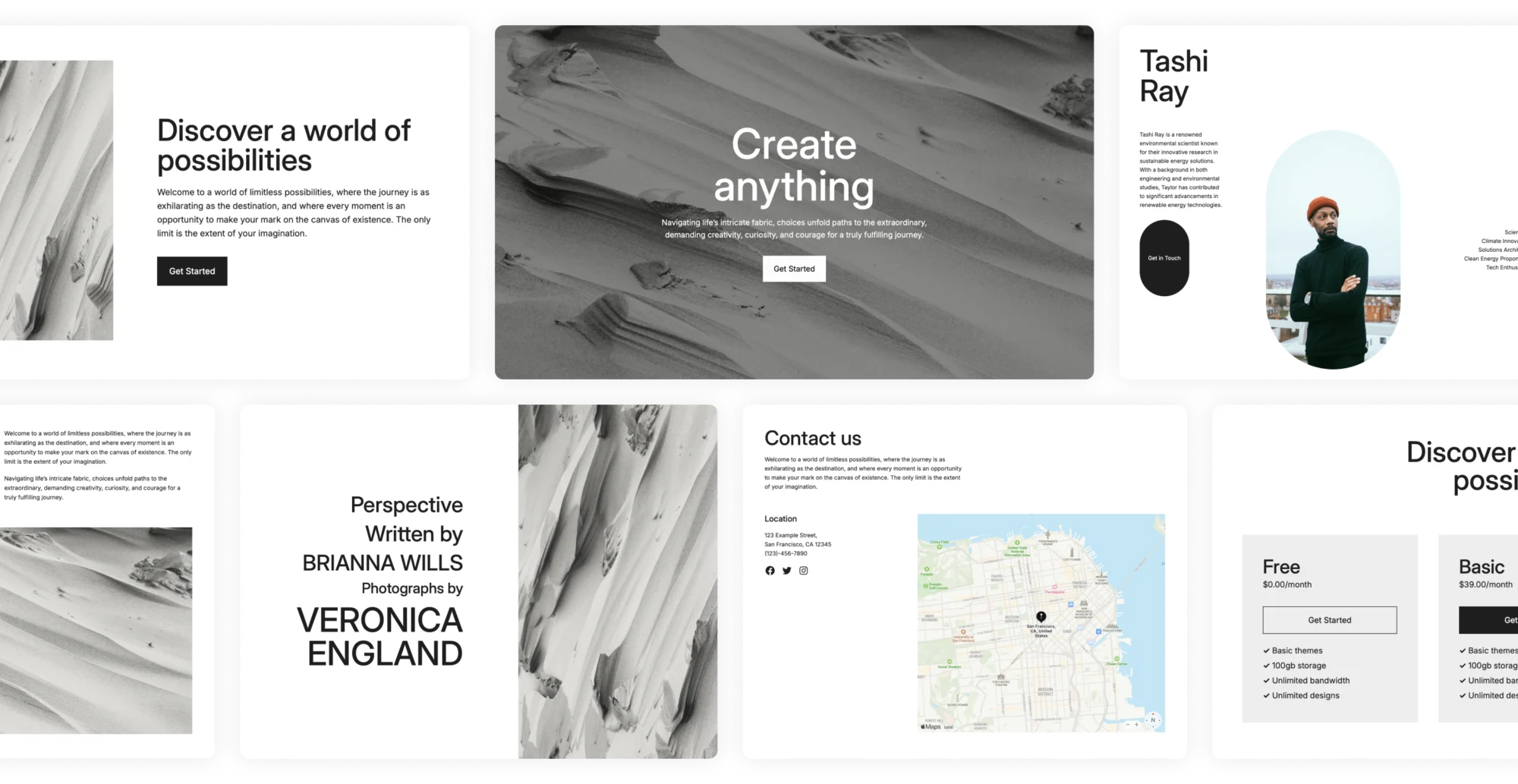

The honest comparison: Squarespace makes design easier and more consistent. WordPress makes design more flexible and customizable. If you need a unique, highly custom look, WordPress eventually wins. If you just want something that looks great right now, Squarespace is faster.
Winner: Tie — Squarespace for faster polish, WordPress for deeper customization.
Features and Flexibility
WordPress wins decisively here.
WordPress.com includes plugin installation on every paid plan — including the entry-level Personal plan. Automattic’s plan pages describe this as access to over 60,000 plugins (the plan comparison table on the same page says 50,000+, so treat the figure as “tens of thousands” rather than an exact count). That means booking systems, membership portals, learning management systems, advanced forms, CRM integrations — if it exists in the digital business world, there’s a plugin for it. You can also connect tools like Zapier and Make (see our Zapier vs Make comparison) to automate workflows with almost any app on earth.

Squarespace has its own Extensions marketplace (third-party integrations) and handles most common small business needs natively: contact forms, scheduling, e-commerce, email marketing, and now AI image generation and AI website editing. But when you hit its ceiling — and growing businesses eventually do — you can’t extend it the way you can WordPress.

Squarespace also now includes AI Visibility tracking — a feature that monitors whether your brand appears in AI search answers from ChatGPT and Gemini, which is a legitimately interesting addition in 2026.

One thing the Squarespace marketing doesn’t lead with: the AI features are metered. All of them — Blueprint AI site building, Image Studio, the AI assistant and AI Visibility — draw on a shared pool of AI credits, and the pool is small on the cheaper plans. As of November 2026 Squarespace includes 10 credits one-time on Basic, then 20/month on Core, 40/month on Plus and 120/month on Advanced. AI Visibility runs are metered separately on the same scale, where one run scans a single query on a single AI model. If AI tooling is a reason you’re choosing Squarespace, price the credits before you commit — on Basic and Core you will run out quickly.
Winner: WordPress — for extensibility, it’s in a different league.
Pricing Comparison (as of November 2026)
Let’s get concrete. Pricing is one of the biggest decision points for small business owners.
WordPress.com Pricing
| Plan | Monthly (billed monthly) | Annual (per month) | Storage |
|---|---|---|---|
| Free | $0 | $0 | 1 GB |
| Personal | $9/mo | $4/mo | 6 GB |
| Premium | $18/mo | $8/mo | 13 GB |
| Business | $40/mo | $25/mo | 50 GB |
| Commerce | $70/mo | $45/mo | 50 GB |
Prices from wordpress.com/pricing, November 2026. Plugin installation available on all paid plans. Longer 2-year and 3-year terms are cheaper again.
Squarespace Pricing
| Plan | Monthly (billed monthly) | Annual (per month) | Notes |
|---|---|---|---|
| Basic | $25/mo | $19/mo | 2 contributors, 2% online store fee, 7% digital/memberships fee |
| Core | $39/mo | $29/mo | Unlimited contributors, 0% store fee, 5% digital/memberships fee |
| Plus | $65/mo | $49/mo | 0% store fee, 1% digital/memberships fee |
| Advanced | $139/mo | $99/mo | 0% on both; high-traffic checkout |
Prices from squarespace.com/pricing, November 2026. No free plan; 14-day free trial available.
The pricing story: WordPress.com is cheaper at every comparable tier. Squarespace has no free plan. For a budget-conscious small business, WordPress.com’s $4/month annual Personal plan (with plugin access) is remarkable value. Squarespace’s entry point is $19/month annual, and the plan most small businesses with a store actually need (Core, with 0% store transaction fees) is $29/month annual.
One caveat that cuts the other way, and that most WordPress-friendly comparisons leave out: WordPress.com takes a percentage of payments you collect through its built-in subscription and payment tools — 8% on Personal, 4% on Premium, 2% on Business and 0% on Commerce, on top of Stripe’s processing fee. If you’re selling memberships or paid newsletters rather than physical products, run that number against Squarespace’s equivalent before deciding which is actually cheaper for you.
Winner: WordPress — significantly cheaper on subscription price, especially at entry level, and the free plan is a real option for testing.
E-Commerce
Both platforms support selling online, but they’re built for different scales.
Squarespace e-commerce is polished and powerful for small-to-medium product catalogs. You get unlimited products, beautiful product pages, abandoned cart recovery, subscriptions, and digital downloads — all built in. For a boutique, creative shop, or service-based business, Squarespace e-commerce is genuinely excellent.
Read the fee structure carefully, though, because there are two of them. The Basic plan charges 2% on online store sales, and you need Core ($29/month annual) or higher to remove that. But digital content and memberships are charged separately and more aggressively: 7% on Basic, 5% on Core, 1% on Plus, and 0% only on Advanced. So the common claim that Core “removes transaction fees entirely” is only true for physical and standard online store sales — if you sell courses, memberships or digital downloads, Core still takes 5%. For e-commerce, also read our Stripe vs PayPal comparison since both platforms support both payment processors.
WordPress e-commerce via WooCommerce (on WordPress.com Commerce plan, or on the Business plan by installing the plugin yourself, or self-hosted) is the most powerful e-commerce solution in this comparison — and one of the most powerful in the world, period. WooCommerce powers a massive share of online stores globally. It handles unlimited products, complex inventory, digital and physical goods, subscriptions, memberships, and extensions for virtually every shipping carrier and payment gateway.

Worth being precise about where WordPress.com e-commerce actually starts, because it is not the entry plan. The Personal plan at $4/month annual gives you paid subscriptions, donations and tips — not a store. Payment buttons arrive on Premium. A real WooCommerce store needs the Business plan ($25/month annual), where you install the plugin and its extensions yourself, or the Commerce plan ($45/month annual), where the store features and premium WooCommerce extensions come pre-integrated. Both Business and Commerce carry 0% WooCommerce transaction fees.
Winner: WordPress for scale and complexity. Squarespace for simplicity and visual polish on smaller catalogs, provided you check which fee applies to what you sell.
SEO Tools
SEO matters enormously for small businesses. Here’s the honest breakdown.
Squarespace includes solid built-in SEO tools: automatic sitemaps, clean URLs, mobile optimization, and the new AI Visibility tracking that monitors your brand presence in AI-generated answers. It covers the basics well and requires zero configuration — bearing in mind the AI Visibility credit limits above.

WordPress, especially with plugins like Yoast SEO or Rank Math, gives you far more control: schema markup, breadcrumbs, internal link suggestions, readability analysis, structured data for FAQs and products, and SFTP/SSH access for technical SEO work (on Business and Commerce plans). For businesses planning serious content marketing, WordPress’s SEO ceiling is much higher.
If email marketing is part of your SEO-adjacent strategy, also check our HubSpot vs Mailchimp comparison — both integrate with WordPress and Squarespace.
Winner: WordPress — for advanced SEO control. Squarespace handles the basics well enough for most local businesses.
Support
Squarespace advertises 24/7 customer care on all plans, and it’s worth understanding exactly what that covers, because the two channels are not the same.
Email support is genuinely 24/7, on every plan — Squarespace’s Help Center states email availability as 24 hours a day, 7 days a week. Live chat is not 24/7. Squarespace’s contact options list live chat as Monday to Friday only, roughly 4:00am to 8:00pm US Eastern, in English. So if you hit a checkout problem at 11pm on a Saturday, you’re writing an email and waiting, not chatting with someone. That’s still better than most competitors at this price, and it isn’t gated behind a higher tier — but “24/7 chat and email on every plan” would overstate it.
WordPress.com splits support by plan. Business and Commerce get free 24/7 priority expert support. Free and Personal plans get the Happiness Engineers via email and the community forums, with Premium sitting in between on faster response times. Self-hosted WordPress.org has no official support at all — you’re relying on the community, your hosting provider’s support, and whatever freelancer or agency you’ve hired.
Winner: Squarespace — for always-available support that doesn’t depend on which plan you bought, with the caveat that round-the-clock means email rather than chat.
Head-to-Head Comparison Table
| Feature | WordPress.com | Squarespace |
|---|---|---|
| Starting price (monthly) | Free / $9/mo | $25/mo |
| Starting price (annual) | Free / $4/mo | $19/mo |
| Free plan | Yes | No (14-day trial) |
| Ease of use | Moderate | Excellent |
| Design quality | Excellent | Excellent |
| Template library | Marketplace themes plus large third-party ecosystem | ~200 curated templates |
| Plugin/app ecosystem | Tens of thousands of plugins, all paid plans | Limited extensions |
| Payments entry point | Paid subscriptions on Personal ($4/mo annual); payment buttons on Premium | Basic ($19/mo annual, 2% store fee) |
| Full store, 0% platform store fee | Business ($25/mo annual, self-install WooCommerce) or Commerce ($45/mo annual) | Core ($29/mo annual) |
| Fee on digital products/memberships | 8% Personal / 4% Premium / 2% Business / 0% Commerce | 7% Basic / 5% Core / 1% Plus / 0% Advanced |
| SEO tools | Advanced via plugins (Yoast, Rank Math) and SFTP/SSH access | Built-in basics + AI Visibility (credit-metered) |
| 24/7 support | Business plan and up | All plans (email 24/7; chat weekdays only) |
| Hosting included | Yes (WordPress.com) | Yes |
| Custom domain | Free 1st year on annual plans | Free 1st year on annual plans |
| AI tools | AI site builder, AI assistant (usage limits apply) | Blueprint AI, Image Studio, AI Visibility — shared credit pool (10 one-time Basic / 20 Core / 40 Plus / 120 Advanced per month) |
| Open source / portable | Yes (WordPress.org) | No |
Decision Guide: Which One Is Right for You?
Choose WordPress if you:
- Plan to scale your site significantly (more products, more content, more integrations)
- Care deeply about SEO and want plugin-level control over schema, speed, and structure
- Need specific functionality that requires plugins (memberships, LMS, advanced booking systems)
- Are on a tight budget — WordPress.com’s $4/month annual plan is unbeatable value for a content site
- Want to own your platform fully and avoid lock-in
- Already have a developer or agency relationship
- Are running a high-volume e-commerce store and need WooCommerce’s power
Choose Squarespace if you:
- Need a beautiful site live this week with zero technical setup
- Run a service business, portfolio, or boutique product store with a relatively simple catalog
- Don’t want to think about plugins, updates, or hosting at all
- Value support that’s available on every plan rather than only on higher tiers
- Are a creative professional (photographer, designer, chef, musician) where aesthetics are a core differentiator
- Want AI-powered design and image generation built into your editor — and your usage fits inside the included credits
Also worth considering: if you want something more developer-focused or design-forward, check out our Webflow vs Framer comparison for another perspective on modern website builders.
The Verdict: WordPress vs Squarespace for Small Business 2026
WordPress wins for most growing small businesses. The combination of lower subscription pricing, a plugin ecosystem in the tens of thousands, superior SEO control, and WooCommerce’s e-commerce power gives it a significant edge for businesses that have any ambition to grow. The $4/month annual Personal plan, with plugin access included, is genuinely remarkable for a content-led site.
But “wins” isn’t the whole story. If you’re a solo freelancer, a service business that needs a clean portfolio, or someone who has been burned by technical website problems before — Squarespace is a legitimate, excellent choice. The design quality is world-class, support is available on every plan, and the simplicity frees up your time for actual business work.
And if you sell digital products or memberships rather than physical goods, do the fee arithmetic before anything else. Both platforms take a cut at the lower tiers, and on that specific question the cheapest plan is rarely the cheapest outcome.
The rule I’d give anyone: if you think you’ll outgrow the basic setup within two years, start with WordPress. The cost of migrating later is almost always higher than building on the right foundation from day one.
Squarespace rents you a great-looking apartment. WordPress lets you build the house. Know which one you actually need right now.
FAQ
Is WordPress or Squarespace better for small business?
It depends on your priorities. WordPress is better for businesses that need flexibility, advanced SEO, plugin power, and long-term growth. Squarespace is better for businesses that want an all-in-one, polished site with minimal setup and zero technical maintenance.
Is WordPress cheaper than Squarespace?
On subscription price, yes. WordPress.com starts at $9/month (billed monthly) and $4/month (billed annually), and has a free plan. Squarespace starts at $25/month (monthly) or $19/month (annual) with no free plan — only a 14-day trial. Note that WordPress.com takes 8% of payments on the Personal plan, falling to 0% on Commerce, so for membership or digital-product businesses the total cost comparison is closer than the headline prices suggest.
Which platform is easier for beginners — WordPress or Squarespace?
Squarespace is easier for beginners. Its drag-and-drop editor, unified design system, and built-in hosting mean you can launch a professional site in hours with no technical knowledge. WordPress has more tools but a steeper learning curve, especially self-hosted WordPress.org.
Can I switch from Squarespace to WordPress later?
Yes, but it’s not painless. You can export content from Squarespace and import it into WordPress, and WordPress.com’s import tool explicitly supports Squarespace migrations — but design, templates, and integrations don’t transfer. Migrating later is doable but costs time and often money. If you think you’ll need WordPress’s power, it’s cheaper to start there.
Which is better for SEO — WordPress or Squarespace?
WordPress gives you more SEO control via plugins like Yoast and Rank Math, custom schema markup, and full technical access. Squarespace has solid built-in SEO basics and AI Visibility tracking, but fewer advanced customization options and metered AI credits. For serious content marketing, WordPress is the better long-term bet.
Does Squarespace have a free plan?
No. Squarespace does not offer a free plan. It offers a 14-day free trial with no credit card required. WordPress.com has a free plan with a wordpress.com subdomain and 1 GB of storage.
Does Squarespace really include 24/7 support on every plan?
Partly. Email support is available 24 hours a day, 7 days a week on every Squarespace plan. Live chat is narrower — Monday to Friday only, roughly 4:00am to 8:00pm US Eastern, in English. Support is not gated by plan tier, which is unusual at this price, but round-the-clock help means email rather than chat.
Are Squarespace’s AI features unlimited?
No. Blueprint AI, Image Studio, the AI assistant and AI Visibility all draw on a shared monthly AI credit pool: 10 credits one-time on Basic, then 20/month on Core, 40/month on Plus and 120/month on Advanced. AI Visibility runs are metered on the same scale, with one run covering a single query on a single AI model. If AI is central to your workflow, check the credit allowance against your expected usage.