Software Comparisons
Linear vs Jira for Software Teams (2026): Which One Is Worth Your Dev Hours?
You're choosing between two tools that both claim to be built for software teams. But they're built for very different software teams. Linear is for teams who want to move fast and hate admin overhead. Jira is for organizations that need deep customization, enterprise compliance, and don't mind paying for it. Choosing wrong doesn't just […]
You’re choosing between two tools that both claim to be built for software teams. But they’re built for very different software teams.
Linear is for teams who want to move fast and hate admin overhead. Jira is for organizations that need deep customization, enterprise compliance, and don’t mind paying for it.
Choosing wrong doesn’t just cost you money — it costs you developer morale. And that’s expensive.
⚡ Quick verdict (scroll down for the full breakdown)
- Best for most software teams: Linear
- Best for large enterprises: Jira
- Easier to set up: Linear (minutes, not days)
- More integrations: Jira (3,000+ vs 200+)
- Cheaper at scale: Jira on paper; Linear in practice (no mandatory add-ons)
- Better compliance: Jira (HIPAA, ISO 27001, SOC 2 + Data Center option)
What Is Linear?
Linear is an issue tracker built for speed. It launched in 2019 with a single-minded goal: make project tracking feel as fast as the code teams write.
Every interaction in Linear is optimized — keyboard shortcuts, instant search, automatic issue rollover, GitHub sync that actually works. The UI loads in under 100ms. For engineers who spend hours a day in a tracker, that’s not a minor detail.
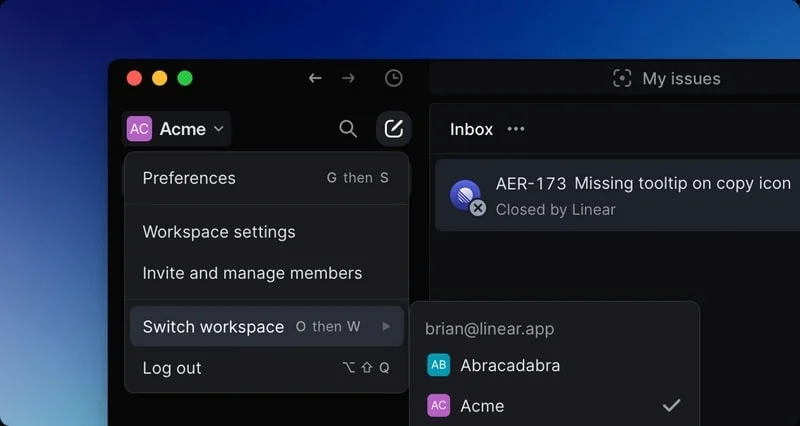
Linear’s clean workspace — everything visible, nothing wasted
Linear’s opinionated approach means you get a fixed set of states (Backlog, Todo, In Progress, Done), cycles instead of sprints, and roadmaps that actually reflect reality. You don’t configure it for weeks. You open it and get to work.
G2 users rate Linear 4.5/5 with standout marks for ease of use. It’s used by companies like Vercel, Mercury, and Retool.
Linear’s bet: speed of use compounds. A tool that saves 20 minutes a day per engineer is worth more than a tool that can do anything but slows you down doing it.
What Is Jira?
Jira is the project management tool that’s been around since 2002. It’s been adopted, mandated, and tolerated by software teams at every scale since then.
The honest version: Jira is powerful, complex, and often over-engineered for teams that don’t need what it offers. But for teams that DO need it — enterprise compliance, multi-department workflows, SAFe at scale, or on-premise deployment — nothing else comes close.
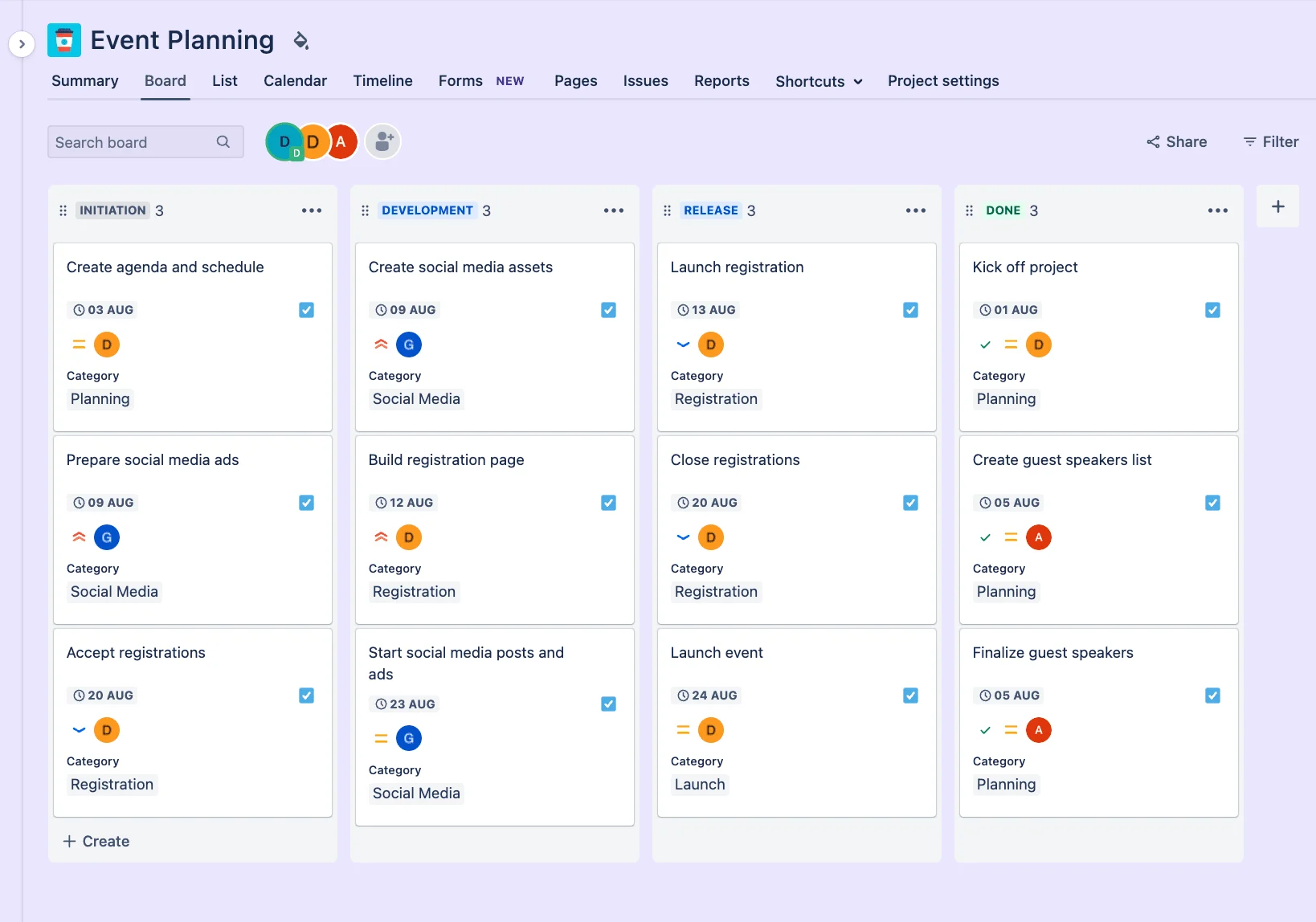
Jira’s Scrum board — flexible and familiar for large Agile teams
Jira’s strength is configurability. Custom workflows, custom fields, automation rules, permission schemes, and 3,000+ Atlassian Marketplace apps mean it can be shaped to fit nearly any process. If your process is complex, Jira can handle it.
G2 users rate Jira 4.3/5 across 6,300+ reviews. It’s used by NASA, Spotify, Airbnb, and thousands of enterprise organizations.
The same power that makes Jira great for enterprise also makes it heavy for small teams. Setup takes hours. Admin keeps taking hours. Budget for that overhead.
Jira’s bet: flexibility wins at scale. If your process is unique, you need a tool that bends to fit it — not the other way around.
See Linear in Action
Before diving deeper, watch this Linear demo to see how fast the tool moves in practice:
UI and Speed: Linear Is in a Different League
This isn’t close. Linear’s interface is genuinely fast — keyboard-shortcut-driven, instant search, real-time updates. Engineers describe it as “the tool that gets out of the way.”
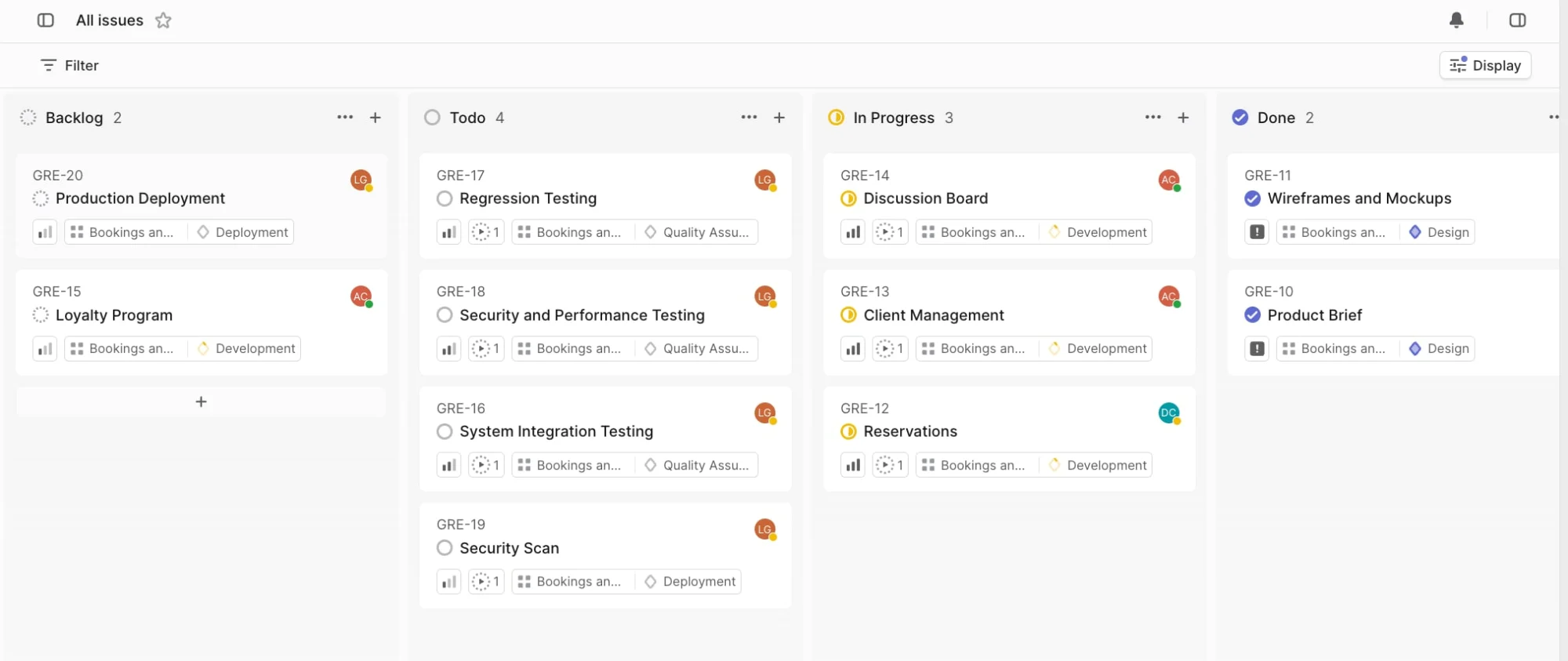
Linear’s board view — minimal, keyboard-navigable, instantly responsive
Jira’s interface has improved significantly in recent years. The new cloud UI is cleaner than the old server versions. But it still carries the weight of 20 years of feature accumulation. Pages load slower. Navigation requires more clicks. The learning curve is real.
For developers who open their tracker 30–50 times a day, UI speed isn’t cosmetic. It’s operational. Linear wins this category decisively.
The rule: If your team’s biggest complaint is “the tracker is slow and annoying,” Linear will fix that. If your team’s complaint is “we can’t model complex multi-stage workflows,” Jira might.
Issue Tracking and Workflows: Simple vs. Flexible
Linear gives you a fixed workflow: Backlog → Todo → In Progress → In Review → Done. You can add custom statuses, but the structure is intentionally limited. For most engineering teams, this is everything you need.
Jira gives you unlimited flexibility. You can define every status, transition, condition, and permission. You can create workflows so complex they require a dedicated admin to maintain them.
That’s the trade-off in a nutshell.
Linear’s fixed structure ships faster by default. Jira’s flexible structure can model any process, but someone has to build it, maintain it, and train people on it.
If your workflow fits the standard engineering model (feature development → bug tracking → release), Linear is a better default. If you run complex approval chains, multi-department hand-offs, or regulated change management, Jira’s workflow engine earns its complexity.
The rule: Every workflow step you add is a step engineers have to navigate. Less is often faster.
Agile Planning: Cycles vs. Sprints
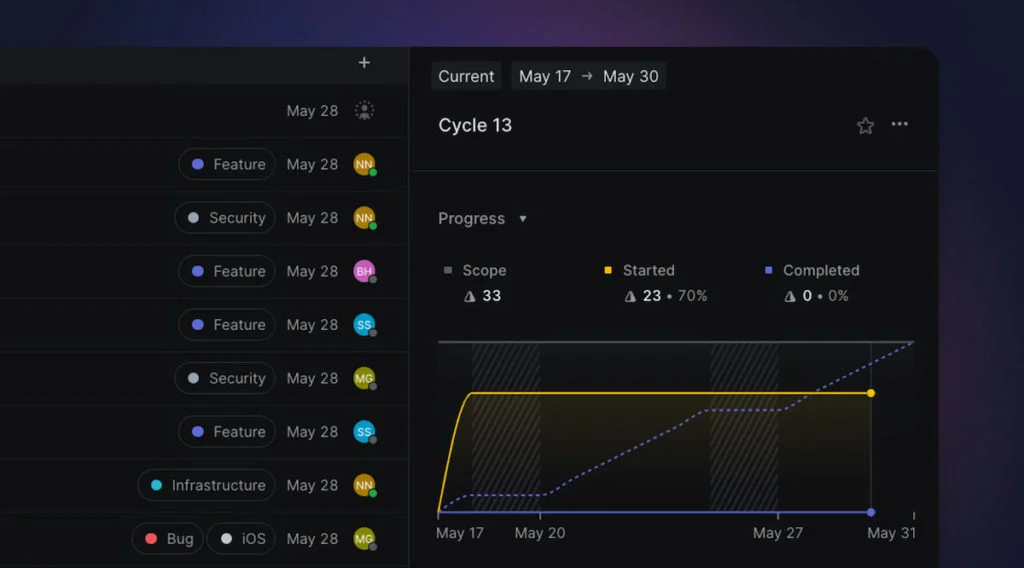
Linear Cycles automatically roll over incomplete work — no manual sprint cleanup required
Linear’s version of sprints is called Cycles. Two- or four-week periods, issues automatically roll over when incomplete, no ceremony required. You start a cycle, close it, start the next one. Done.
Jira’s sprints are more powerful and more demanding. You control the start date, end date, sprint goal, and completion report. Velocity charts, burndown charts, and sprint reviews are all built in. But you also have to actively manage the sprint — complete it, handle incomplete issues, generate the report.

Jira’s sprint burndown chart — granular Agile reporting for teams that need it
For teams running formal Scrum with a Scrum Master and sprint ceremonies, Jira’s sprint system is better. For teams that want the benefits of time-boxing without the overhead, Linear’s Cycles are the right call.
The rule: If you’re spending more time managing sprints than running them, something’s wrong. Cycles fix that.
Integrations: Jira Wins on Volume, Linear Wins on Quality
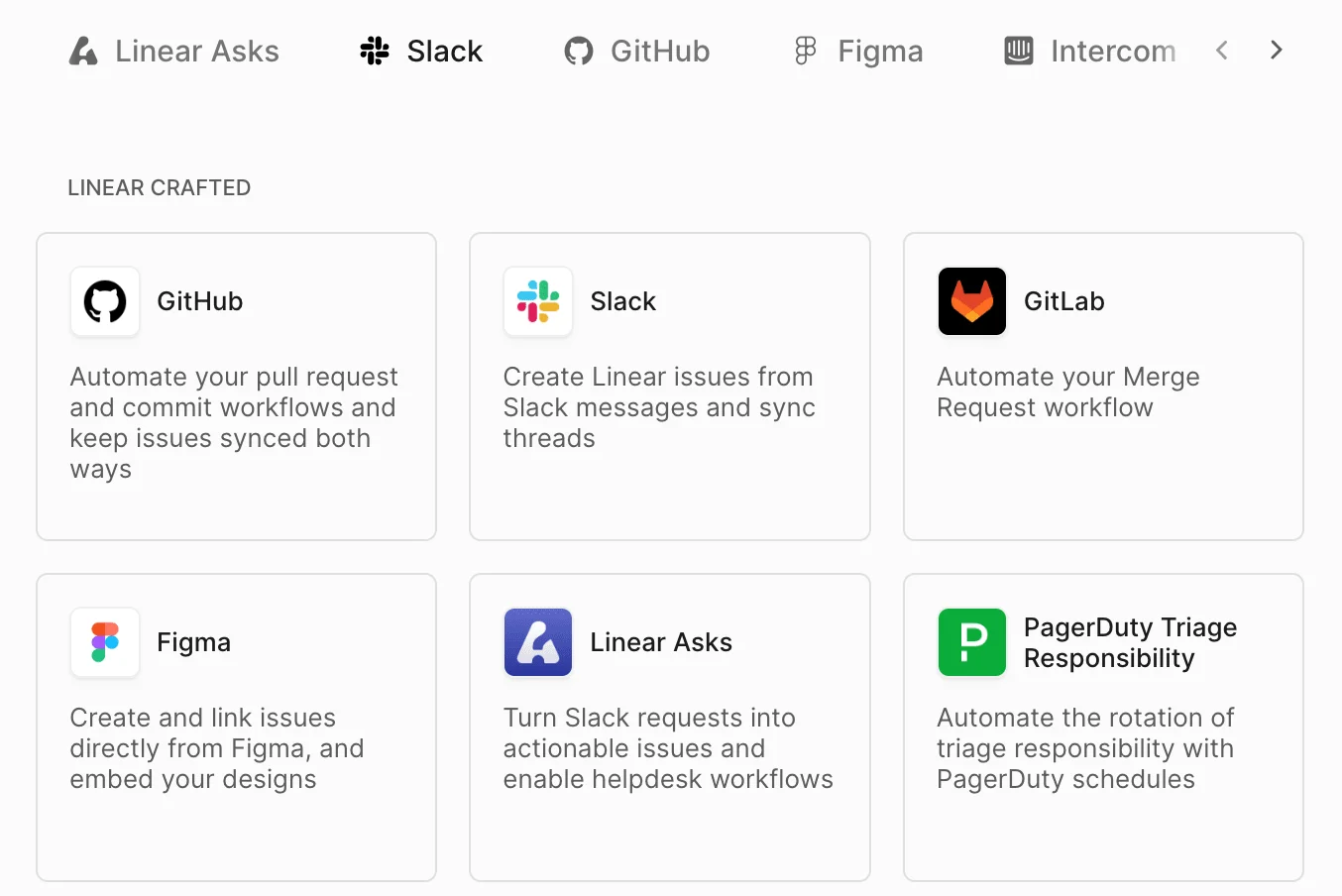
Linear’s 200+ integrations — fewer options, deeper core connections
Jira’s Atlassian Marketplace has over 3,000 apps. GitHub, Slack, Salesforce, Datadog, Confluence, and nearly every enterprise tool you can name has a Jira integration.
Linear has 200+ native integrations. The important ones — GitHub, GitLab, Slack, Figma, Sentry, Zapier — are excellent. GitHub sync in particular is where Linear shines: PRs automatically update issues, branch names link back to issues, and deployments close tickets. It’s exactly what modern engineering teams need.
If you’re working with the Atlassian ecosystem (Confluence for docs, Jira Service Management for IT support, Bitbucket for version control), Jira is the natural choice. The integrations are native, not bolted on.
If your stack is GitHub + Slack + Figma + Sentry, Linear’s integrations cover everything and do it better. You don’t need 3,000 options if the 20 you actually use are excellent.
For teams evaluating how their communication tools integrate with their project tracker, see our comparison of Slack vs. Microsoft Teams — that choice affects which tracker integrates most smoothly with your workflow.
The rule: Integration breadth is only an advantage if you need those integrations. Depth beats breadth for most teams.
Reporting and Analytics: Jira Goes Deeper
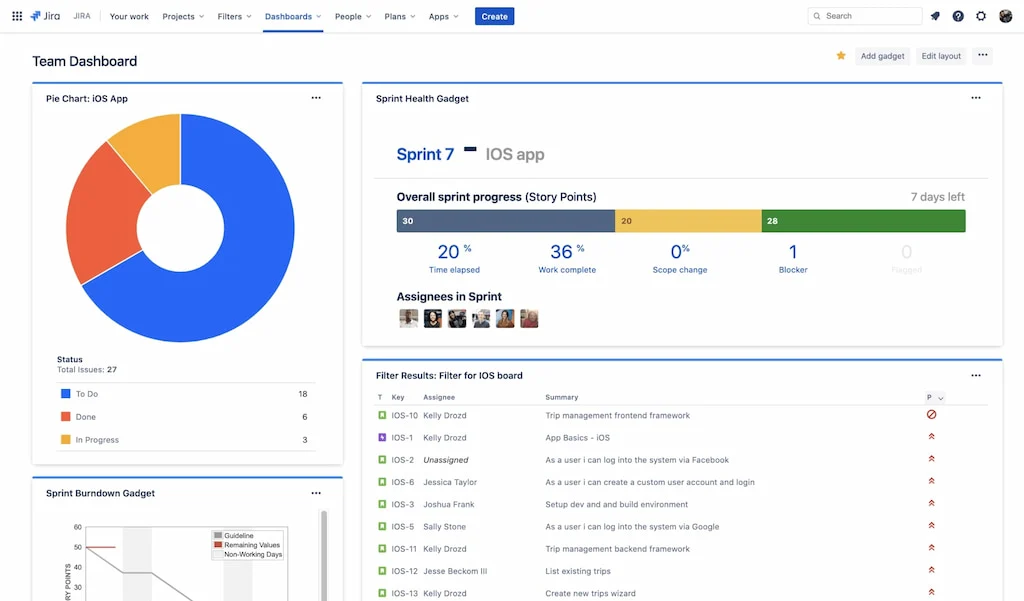
Jira’s project dashboard — rich analytics for teams that report velocity and capacity to stakeholders
Jira’s reporting is significantly more powerful. JQL (Jira Query Language) lets you build precise custom searches across any field. Sprint velocity, cumulative flow diagrams, burnup/burndown charts — all built in. For teams that report metrics to stakeholders or run quarterly planning on velocity data, Jira’s analytics are a clear advantage.
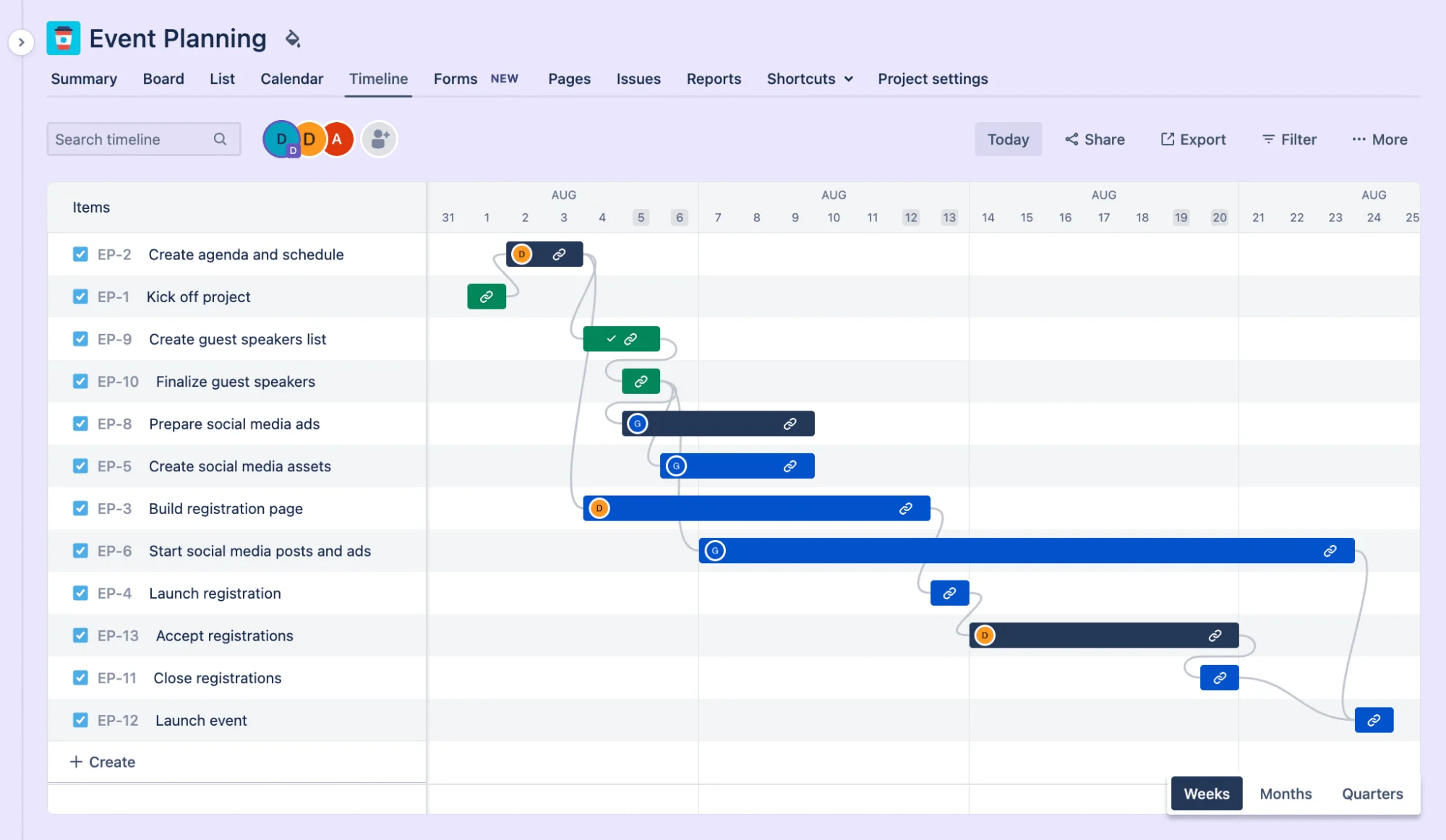
Jira Advanced Roadmaps — multi-team portfolio planning at enterprise scale
Linear’s reporting is clean and purposeful. You get cycle analytics, issue velocity trends, and a timeline view for project planning. It’s enough for most teams to track progress without drowning in dashboards.
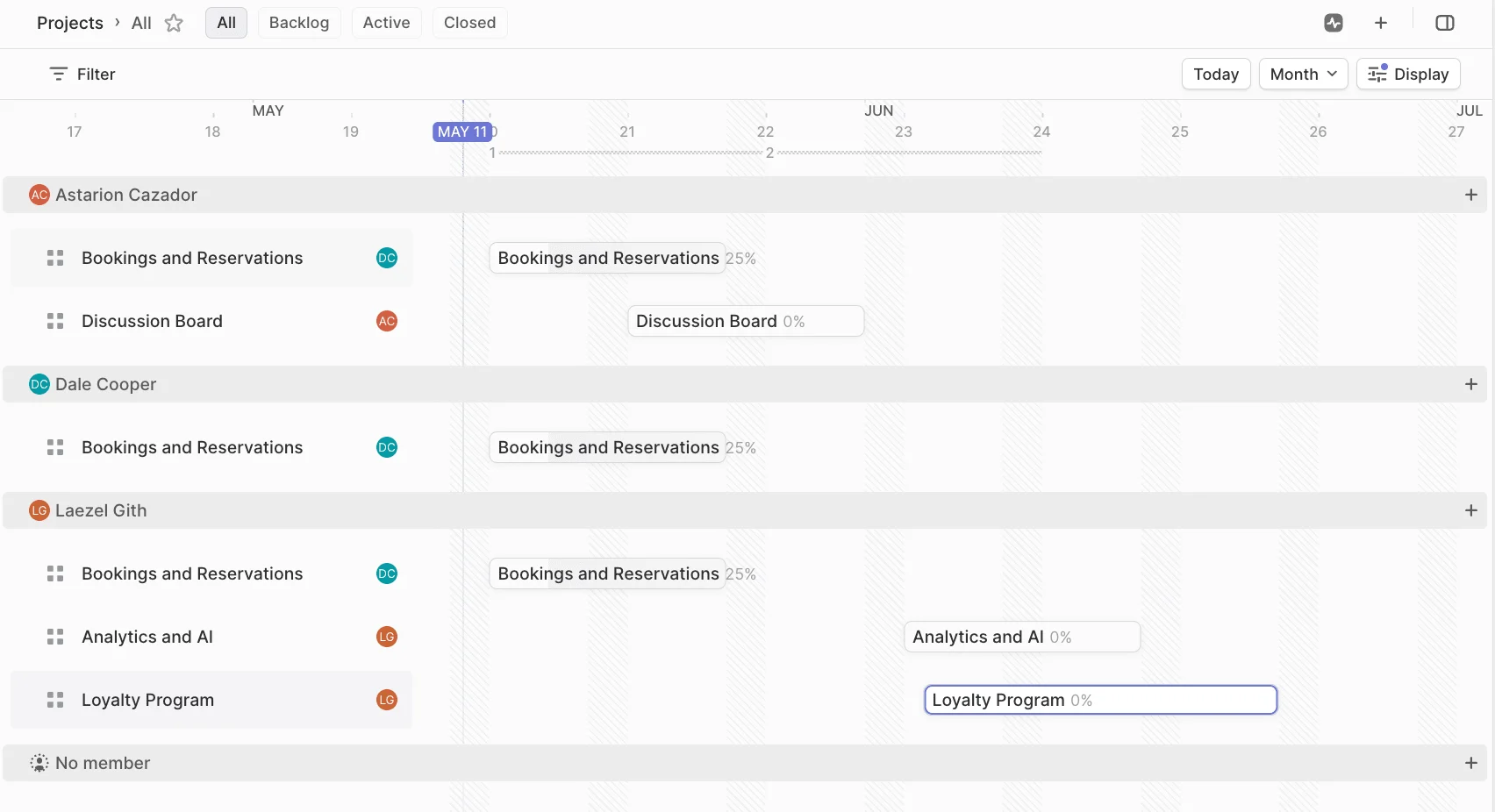
Linear’s roadmap view — clean project timelines without the complexity overhead
If your engineering manager needs to pull a quarterly velocity report for the CTO, Jira wins. If your team just wants to track what’s in progress and what shipped this cycle, Linear’s reporting is plenty.
The rule: Data you don’t use is noise. More reporting is only valuable if someone actually acts on it.
See Jira’s AI Features in Action
Jira Rovo — Atlassian’s AI assistant — adds intelligent triage, search, and planning to the Jira platform in 2026:
AI Features: Both Tools Have Them, Neither Is a Game-Changer Yet
Both Linear and Jira launched AI features in the past two years, and neither has achieved the step-change improvement the AI hype promised.
Linear’s AI handles issue triage (suggesting assignees and priorities based on content), duplicate detection, and AI-written issue summaries. It’s fast and unobtrusive. You’ll notice it helping quietly in the background.
Jira Rovo is more ambitious: AI search across your entire Atlassian workspace, automated sprint planning suggestions, intelligent backlog grooming, and cross-tool summaries. It’s deeper, but it requires Premium tier and benefits most from having the full Atlassian ecosystem in place (Confluence, Jira Service Management) to show its real value.
For most teams in 2026, AI is a nice-to-have that influences the direction of development, not a deciding factor in the tool choice. Pick the tool that fits your team’s size and workflow first.
The rule: Don’t pick a tracker for its AI features. Pick it for how it handles the 500 routine issues your team creates every month.
Pricing: What You Actually Pay
On paper, the pricing is nearly identical. In practice, it’s not.
| Plan | Linear | Jira |
|---|---|---|
| Free | Unlimited members, 2 teams, 250 issues | Up to 10 users, unlimited projects, 2 GB storage |
| Standard | ~$8/user/month | ~$7.75–8.60/user/month |
| Business / Premium | ~$16/user/month | ~$15.25–17/user/month |
| Enterprise | Custom | Custom (801+ users; Data Center available) |
Here’s what the table doesn’t show: Jira often requires add-ons that Linear includes by default. Advanced Roadmaps (now called Plans) requires Premium. Time tracking requires Tempo (~$12/user/month extra). Advanced reporting tools add more on top.
A 30-person team on Jira Standard pays ~$245/month. Add common add-ons and upgrade some users to Premium, and you’re easily at $600–800/month. A 30-person team on Linear Standard pays ~$240/month and gets everything.
Linear’s pricing is all-inclusive. What you see is what you pay.
The rule: Total cost of ownership beats headline price every time. Add up the full Jira stack before comparing.
Security and Compliance: Jira Is the Enterprise Standard
Both tools take security seriously. Linear is SOC 2 Type II compliant and GDPR-ready. For most software companies, that’s sufficient.
Jira goes further. HIPAA, ISO 27001, FedRAMP authorization (Jira Government Cloud), SOC 2 Type II, and granular permission controls configurable down to the field level. Jira Data Center gives enterprises full on-premise deployment with no data leaving their infrastructure.
If you’re in healthcare, finance, government, or defense — Jira is the compliant choice. Linear simply doesn’t have the compliance certifications for those environments yet.
The rule: Compliance isn’t optional in a regulated industry. Don’t choose Linear if your auditor requires certifications Linear doesn’t have.
Linear vs. Jira: Full Comparison at a Glance
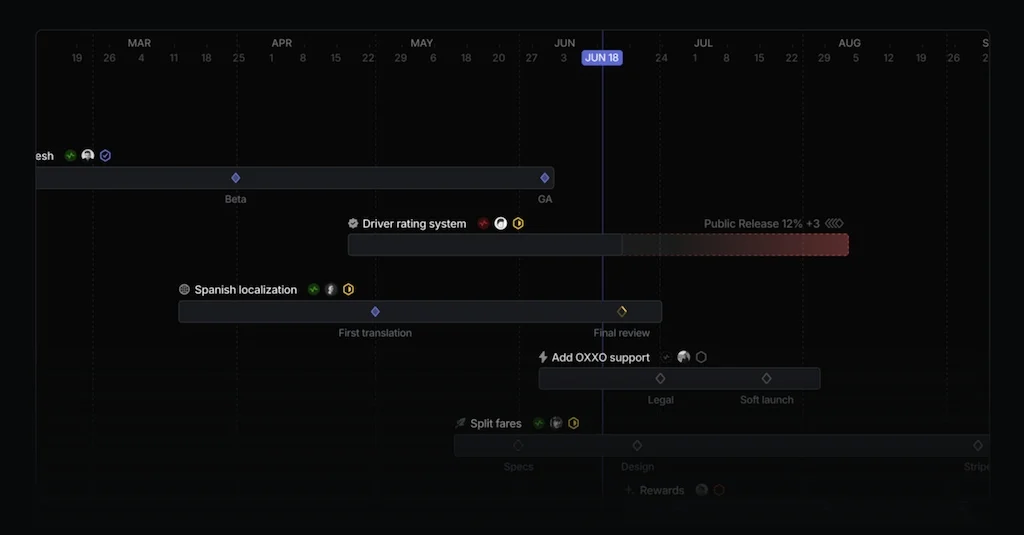
Linear’s timeline view — project milestones without the enterprise overhead
| Category | Linear | Jira |
|---|---|---|
| Setup time | Minutes | Hours to days |
| UI speed | ⚡ Excellent | Good (much improved) |
| Workflow flexibility | Intentionally limited | Unlimited customization |
| Integrations | 200+ (GitHub excels) | 3,000+ Marketplace apps |
| Reporting | Clean and focused | Deep, JQL-powered |
| Sprint / cycle planning | Cycles (low ceremony) | Sprints (full Scrum) |
| Team size sweet spot | 5–200 engineers | 50–10,000+ |
| Starting price | ~$8/user/month | ~$7.75/user/month |
| True cost at scale | Predictable (all-in) | Add-ons raise it fast |
| Compliance | SOC 2 Type II, GDPR | SOC 2, HIPAA, ISO 27001, FedRAMP, Data Center |
| Admin overhead | Minimal | Requires dedicated admin |
Who Should Choose Linear?
You should be on Linear if:
- You have 5–200 engineers and no dedicated Jira admin to maintain it
- Your team lives in GitHub or GitLab and wants issue tracking that syncs automatically with PRs and branches
- Your workflow is standard: features → bugs → releases, nothing more exotic
- You’re starting fresh and want a tool the team will actually enjoy using
- Speed and developer experience matter more than reporting depth
- Your compliance requirements are standard (SOC 2 and GDPR are sufficient)
If your team is actively unhappy with a tracker they’re currently using, Linear is very likely the right move. It takes an afternoon to set up and a few days to fully adopt. The morale improvement is usually immediate.
Teams on Monday.com or Asana who’ve discovered those tools weren’t built for engineering use cases often find Linear a better fit than Jira.
Who Should Choose Jira?
You should be on Jira if:
- You have 200+ engineers across multiple teams with genuinely different workflows
- You’re in a regulated industry (healthcare, finance, government) and need HIPAA, ISO 27001, or FedRAMP certification
- Your workflows are genuinely complex: multi-stage approvals, customer-facing SLAs, change management gates
- You’re already using Confluence, Bitbucket, or Jira Service Management — the Atlassian ecosystem integration alone is worth it
- You run formal Scrum at scale and need velocity charts, capacity planning, and portfolio roadmaps across teams
- You need on-premise deployment via Jira Data Center
The honest reality: most teams that stick with Jira aren’t getting full value from its flexibility. They’re keeping it because switching feels risky or because someone mandated it years ago. If that’s your situation, it’s worth auditing whether you actually use what Jira offers.
For teams evaluating their automation workflows alongside their tracker choice, our comparison of Zapier vs. Make covers how each integrates with both Jira and Linear to extend your team’s workflow automation.
The Verdict: Linear Is the Better Default in 2026
If you’re starting a new engineering team or can freely choose your tracker, start with Linear. It ships faster, onboards faster, and costs less (all-in) than Jira for most team sizes.
Linear will feel limiting if you need complex workflow customization, enterprise portfolio roadmaps, or compliance certifications beyond SOC 2. Those are real Jira advantages. But they’re advantages that apply to a minority of software teams.
For the other 80% — startups, scale-ups, product squads, and engineering teams that just want to ship — Linear is the better tool in 2026.
Jira wins when you need the full enterprise feature set. Otherwise, you’re paying for complexity you’ll never use.
Stop defaulting to Jira because it feels safe. If you have fewer than 200 engineers, start a Linear trial this week. Your team will thank you by Friday.
Want to go deeper on your software stack decisions? Check out our comparison of Figma vs. Adobe XD for design teams — another choice where the “safe” default isn’t always the right one.