Comparisons
Shopify vs WooCommerce 2026: Which E-Commerce Platform Actually Wins?
Shopify wins for most people who want to launch fast without touching code. WooCommerce wins for WordPress users and high-volume stores fighting transaction fees. This guide breaks down exactly who should pick which — with verified 2026 pricing from both platforms.
Here’s the truth nobody tells you: the Shopify vs WooCommerce debate has a right answer for most people — they just don’t want to hear it because it feels like they’re giving something up.
They’re not. It’s about fit.
I’ve verified both platforms’ current 2026 pricing directly from each site, dug into their real strengths and weaknesses, and built you an actual decision guide — not a wishy-washy “it depends” non-answer.
Short verdict: Shopify wins for most people who want to launch fast without touching code. WooCommerce wins for WordPress users, developers, and high-volume stores where platform transaction fees eat into margins. Keep reading for the numbers that make this decision obvious.
Shopify vs WooCommerce: Quick Comparison (2026)
| Shopify | WooCommerce | |
|---|---|---|
| Starting price | $29/mo (yearly billing) | Free plugin + ~$25/mo hosting |
| Hosting | Included — Shopify manages it | You choose and manage it |
| Setup time | Hours | Days (realistically) |
| Transaction fees (3rd-party processor) | 2% on Basic; 1% on Grow; 0.6% on Advanced | None (platform-level) |
| Themes | 100+ (free + paid $100–$350) | Thousands (many free) |
| Apps/plugins | 8,000+ in Shopify App Store | 50,000+ WordPress plugins |
| Coding required? | No | Not required, but expected for customization |
| Support | 24/7 live chat and phone | Community forums + paid priority support |
| Best for | Beginners to mid-size stores wanting speed | WordPress users, devs, content-first stores |
Shopify: What It’s Actually Like in 2026
Shopify is the platform you use when you want to sell things online and not think about servers. It’s the go-to for a reason: you can go from “I have a product” to “my store is live” in an afternoon.
Ease of Use: The Real Differentiator
Shopify’s admin is clean. No plugin soup. No WordPress settings scattered across 12 menus. You get: Dashboard → Products → Orders → Customers → Marketing → Analytics. Done.
The drag-and-drop store builder (called “Online Store 2.0”) lets you customize your storefront without touching code. Add sections, move blocks, change colors — all visual, all instant. It’s genuinely the best no-code e-commerce builder available right now.

Product Management and Inventory
Adding products is straightforward across all Shopify plans. You get unlimited products, variant support (size/color/material/etc.), bulk editing, and barcode/SKU tracking built in — no extra plugins needed. Multi-location inventory tracking is included on all paid plans.

Analytics and Reporting
Shopify’s built-in analytics are solid — better than what you’d get from WordPress out of the box. Sales reports, conversion tracking, abandoned cart data, and customer lifetime value are all there without installing a third-party analytics plugin.
Mobile Commerce
Every Shopify theme is mobile-responsive by default. The checkout is mobile-optimized. Shop Pay (Shopify’s accelerated checkout) works across devices and consistently shows higher checkout completion rates on mobile compared to standard guest checkout.
What Shopify Gets Wrong
- Transaction fees hurt at scale. On Shopify Basic, using any third-party payment processor costs 2% per transaction. At $50K/month in revenue, that’s $1,000/month extra — before processor fees.
- Pricing jumps are steep. Basic ($29) → Grow ($89) → Advanced ($359). That’s a $60 jump then a $270 jump. No middle ground.
- Blogging is mediocre. If content marketing is core to your strategy, Shopify’s blog barely competes with WordPress as a CMS.
- You don’t own the platform. If Shopify changes pricing or policies, you deal with it.
WooCommerce: What It’s Actually Like in 2026
WooCommerce is free software that turns a WordPress website into a full e-commerce store. As of 2026, it powers roughly 25–30% of all online stores globally — more market share than Shopify.
But “free plugin” doesn’t mean “free store.” You’ll pay for hosting, possibly a premium theme, and essential extensions. The question is whether the control you get is worth the extra work.
Setup: The Honest Picture
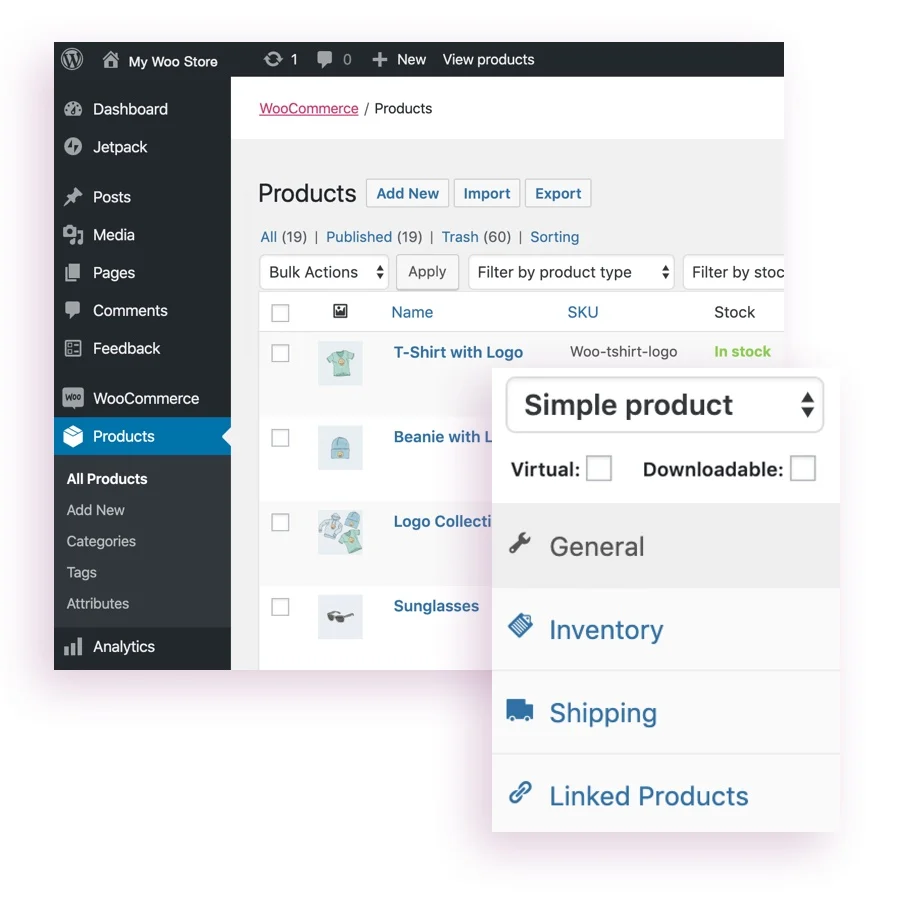
To get WooCommerce running, you need: a domain, hosting, WordPress installed, WooCommerce installed and configured, a compatible theme, and probably 2–5 essential plugins for security, caching, backups, and SEO. That’s not an afternoon — it’s a weekend, or a few hundred dollars to hire someone to do it properly.
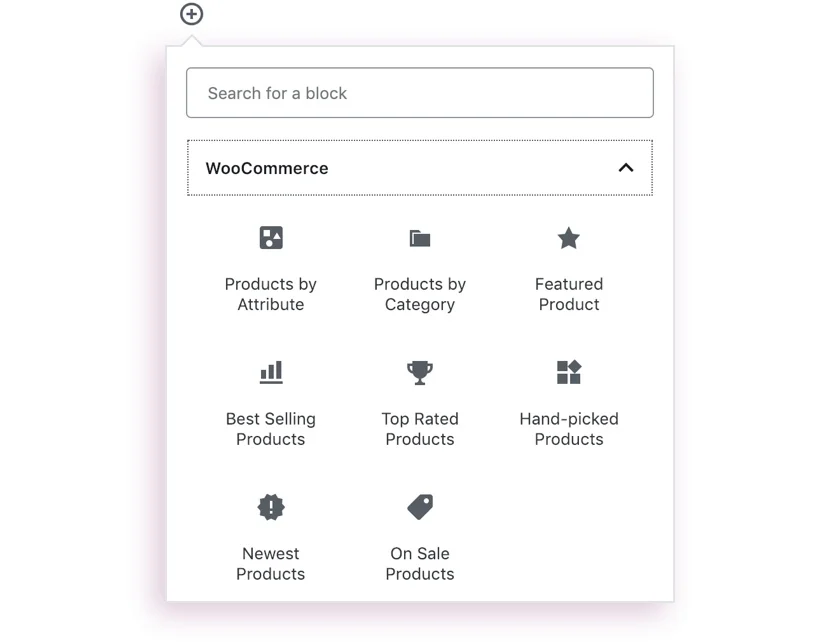
Once it’s set up? The WordPress admin is powerful. You can build product pages with Gutenberg blocks, customize every element of your store, and have full control over your database and code.
Order Management
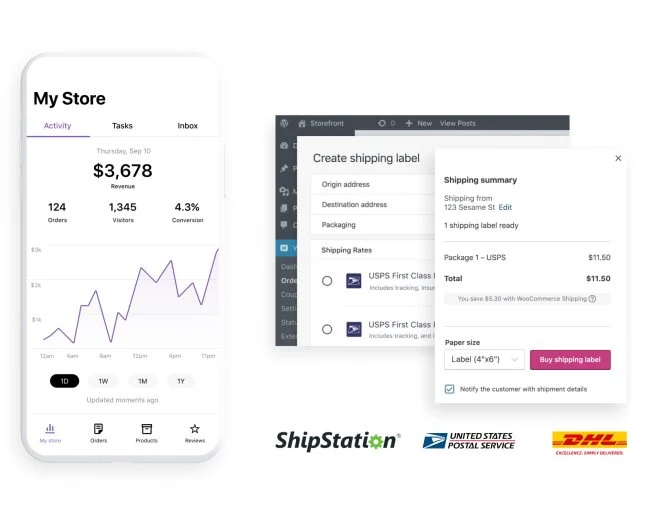
WooCommerce’s order management is comprehensive. Orders, refunds, customer data, shipping, and fulfillment are all managed from the WordPress dashboard. The WooCommerce mobile app handles order management on the go for iOS and Android.
Payments: Where WooCommerce Actually Wins
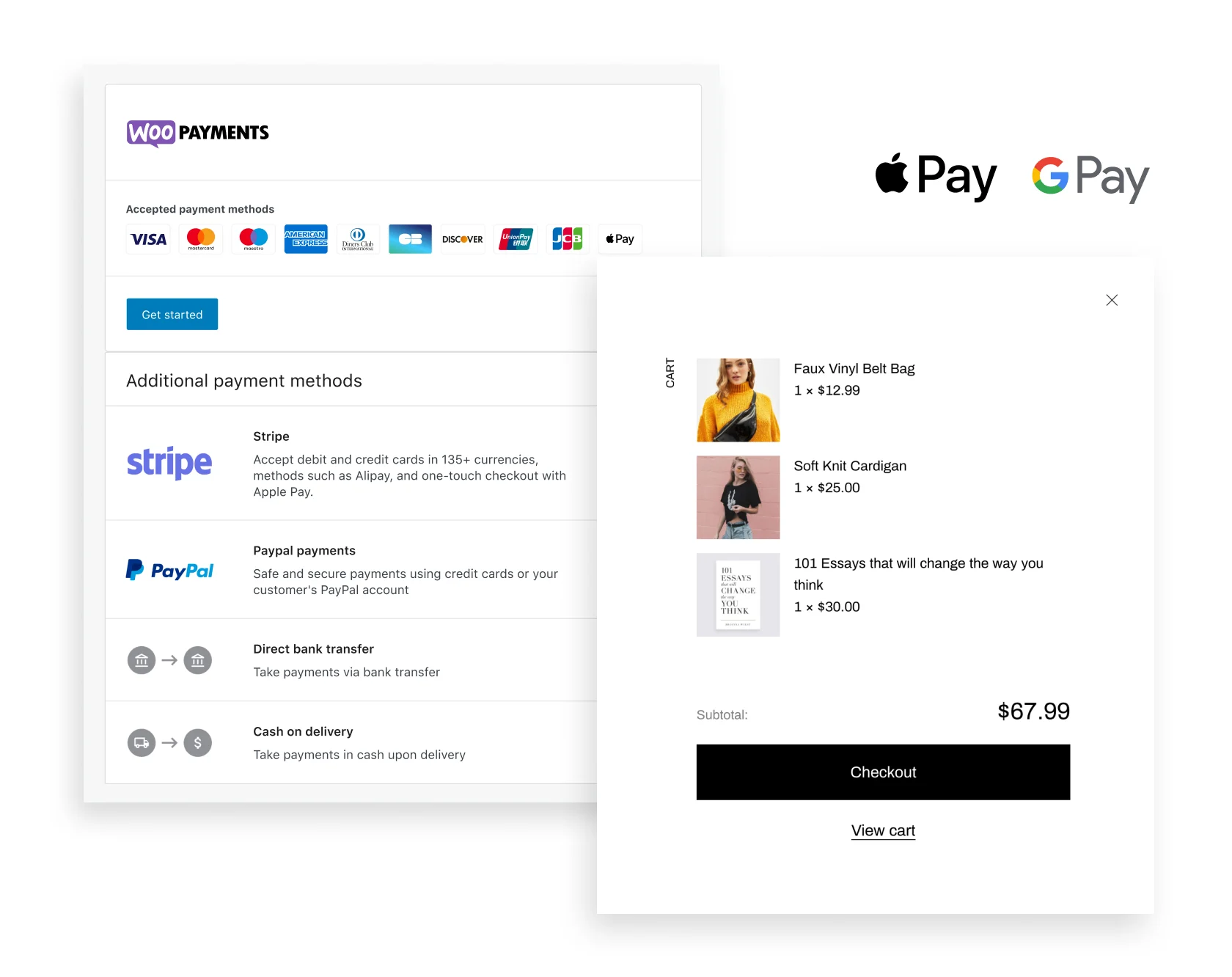
Zero platform transaction fees. That’s the story.
WooCommerce supports 100+ payment gateways. WooPayments (Automattic’s native gateway) charges ~2.50% + 30¢ per transaction in the US — but that’s the processor fee only. There’s no additional platform fee on top. Compare to Shopify Basic’s extra 2% if you use anything other than Shopify Payments.
At high revenue volumes, the savings are significant. For more on payment processors that work well with both platforms, see our Stripe vs PayPal comparison.
Extensions and the WordPress Ecosystem
WooCommerce has access to the entire WordPress plugin ecosystem — over 50,000 plugins. Need subscriptions? Plugin. Bookings? Plugin. A specific shipping carrier? Plugin.
Many premium WooCommerce extensions cost $29–$299/year each. For a store running 5–6 essential extensions, you might spend $200–$600/year — but you’re getting capabilities that could require the $89–$359/month Shopify plans to match.

Marketing: Where WordPress Shines
WooCommerce’s superpower for content-driven stores is WordPress itself. If your e-commerce strategy involves SEO-driven blog content, WordPress + WooCommerce is unmatched. Tools like Rank Math, Yoast, and thousands of marketing plugins integrate natively in ways Shopify simply can’t replicate.
What WooCommerce Gets Wrong
- Setup is a project. Not an afternoon hobby. If you value your time at $100+/hour, the “free” platform isn’t free.
- You’re responsible for maintenance. Updates, security patches, backups — all on you or your developer.
- Support is community-based. No 24/7 phone line. Stack Overflow and WordPress forums are your go-to resources.
- Performance requires work. A badly configured WooCommerce store loads slow. You need caching, CDN, and quality managed hosting to compete with Shopify’s built-in performance infrastructure.
Pricing Breakdown: 2026 Verified Numbers
These prices were verified directly from each platform’s pricing page on 2026-11-04.
Shopify Pricing (2026)
| Plan | Yearly price/mo | Monthly price/mo | 3rd-party transaction fee |
|---|---|---|---|
| Basic | $29 | $39 | 2% |
| Grow | $89 | $105 | 1% |
| Advanced | $359 | $399 | 0.6% |
| Plus | From $2,300 | Negotiated | 0.2% |
Source: shopify.com/pricing, verified 2026-11-04. Transaction fees apply only when using third-party payment processors. Use Shopify Payments to avoid them.
WooCommerce Pricing (2026)
| Component | Cost | Notes |
|---|---|---|
| WooCommerce plugin | Free | Open-source, always free |
| WordPress hosting | $25–$350/mo | Shared to managed WooCommerce hosting |
| Domain | $10–$20/year | Varies by registrar |
| Premium theme | $0–$200 one-time | Thousands of free themes available |
| Premium extensions | $29–$299/year each | Payments, shipping, subscriptions, etc. |
| WooPayments processing | ~2.50% + 30¢ | US rates; no additional platform fee |
| Platform fee | None | No revenue share or platform transaction fee |
Source: woocommerce.com/pricing, verified 2026-11-04.
Real Cost at $10,000/Month Revenue
Here’s what you’d actually pay at $10K/month in sales, using a third-party payment processor on Shopify:
- Shopify Basic: $29 + 2% × $10,000 = $229/month
- Shopify Grow: $89 + 1% × $10,000 = $189/month
- WooCommerce (managed hosting + 2–3 extensions): $75–$150/month
WooCommerce is cheaper at this revenue level — but you’re also spending more time managing it. If your time has value (and it does), Shopify can pay for itself in hours saved every month.
Who Should Pick Which? (Decision Guide)
Go Shopify if you:
- Want to launch in days, not weeks
- Don’t want to manage hosting, WordPress updates, or server configs
- Are doing less than $1M/year in revenue (where platform fees stay manageable)
- Want reliable 24/7 support when things break
- Are primarily selling physical products
- Want built-in POS for selling in-person alongside your online store
- Plan to use Shopify Payments (eliminates the transaction fee entirely)
Go WooCommerce if you:
- Already have a WordPress site you’re happy with
- Are doing high enough revenue that Shopify’s transaction fees are genuinely painful
- Need very specific functionality that only exists in WordPress plugins
- Want full ownership of your data, code, and platform
- Have a developer on your team (or are one yourself)
- Run a content-first business where SEO and blogging drive your store
- Sell digital products, subscriptions, or memberships at scale
If you’re evaluating broader website platform choices alongside your e-commerce setup, our WordPress vs Squarespace comparison covers the content side of the decision.
Frequently Asked Questions
Is WooCommerce really free?
The plugin itself is free. But you’ll need paid hosting ($25–$350/month), possibly a premium theme, and extensions for key features like subscriptions or advanced shipping. A realistic WooCommerce store setup costs $200–$1,000 upfront and $50–$200/month ongoing. It’s not “pay nothing” — it’s “pay differently.”
Can I migrate from Shopify to WooCommerce (or vice versa)?
Yes, but it’s not simple. Products can be exported/imported via CSV. Orders, customers, and reviews are messier. Expect 2–5 hours minimum for a small store, or hire a developer for a larger migration. Tools like Cart2Cart automate much of the process.
Which is better for SEO?
WooCommerce wins for content-heavy SEO strategies. The WordPress ecosystem is unmatched for SEO tooling (Rank Math, Yoast, and hundreds of SEO plugins). Shopify’s SEO is solid for product pages, but its URL structure and blogging tools are limited compared to WordPress. If organic content drives your store’s growth, WooCommerce has the edge.
Does Shopify work for digital products?
Shopify can sell digital products, but it requires the Digital Downloads app (free in the App Store). For complex digital product setups — drip content, software licenses, or membership sites — WooCommerce with the right plugins offers more flexibility.
What’s the biggest mistake people make choosing between them?
Picking WooCommerce because it’s “free” without accounting for their own time. If you value your time at even $50/hour, spending 20 hours setting up and maintaining WooCommerce costs $1,000. Shopify’s $29/month Basic plan is $348/year — probably cheaper than your time cost. Do the math before you decide.
Final Verdict: Shopify vs WooCommerce 2026
Shopify wins for most people. It’s faster to launch, easier to maintain, and comes with 24/7 support. The all-in-one approach means you’re not juggling 12 plugins and praying nothing breaks on a Saturday night. For anyone without a WordPress background or a developer on call, Shopify is the clear answer.
WooCommerce wins in specific situations. If you’re already on WordPress, doing high enough revenue that Shopify’s transaction fees are genuinely painful, or need customization that only the WordPress ecosystem can provide — WooCommerce is the better tool.
The honest summary: most people asking “which should I pick?” should pick Shopify. The people who should pick WooCommerce usually already know why they need it.
Whatever you decide, pick the right payment processor for your setup. Our Stripe vs PayPal comparison breaks down the best options for both platforms.