Comparisons
Zendesk vs Freshdesk for Customer Support 2026: Honest Head-to-Head
An honest comparison of Zendesk and Freshdesk customer support software for 2026. Both start at $19/agent/month but Freshdesk tops out at $89 vs Zendesk's $115+. We cover AI features, ticketing, reporting, and which platform suits your team size and budget.
Last updated: November 2026
Here’s the short version: Zendesk wins if you’re scaling past 50 agents and need enterprise-grade analytics. Freshdesk wins if you want 80% of the features at roughly half the price.
I’ve compared both platforms side by side — pricing, ticketing, AI tools, reporting, and ease of setup. Both start at $19/agent/month on annual billing. Both handle email, chat, and phone in one place. But the moment you need advanced workflows, custom reporting, or serious AI, they diverge fast.
The number that keeps coming up: Zendesk serves 80,000+ businesses; Freshdesk claims 70,000+. Both are legit enterprise tools. The question is which one fits your team right now.
| Criteria | Zendesk | Freshdesk |
|---|---|---|
| Starting price | $19/agent/mo | $19/agent/mo (free plan available) |
| Best for | Enterprise, complex workflows | SMBs, budget-conscious teams |
| AI included | Suite plans; Copilot add-on $50/agent | Freddy AI on all plans; Copilot $29/agent |
| Free trial | 14 days | 14 days + free plan |
| Our rating | 4.6/5 | 4.4/5 |
How We Compared Zendesk and Freshdesk
We evaluated both platforms across six criteria that actually matter to customer support teams: setup and usability, ticketing and channel coverage, AI and automation, reporting depth, self-service tools, and pricing. All pricing was verified directly from each vendor’s pricing page as of November 2026.
We looked at G2 and Capterra ratings from 2026 — both platforms score around 4.3–4.5/5 across thousands of reviews. The nuance is in who leaves those reviews: Zendesk’s reviewers skew toward mid-market and enterprise; Freshdesk’s skew toward SMBs and teams under 50 agents.
Side-by-Side Feature Comparison
| Feature | Zendesk | Freshdesk |
|---|---|---|
| Omnichannel (email, chat, phone, social) | ✅ All Suite plans | ✅ Pro and Enterprise |
| AI-powered ticket routing | ✅ Suite Team+ | ✅ All paid plans |
| AI Copilot for agents | Add-on ($50/agent/mo) | Add-on ($29/agent/mo) |
| Automation rules | ✅ Triggers and automations | ✅ Scenario automations |
| Knowledge base / help center | ✅ All Suite plans | ✅ All paid plans |
| Custom reporting | ✅ Suite Professional+ | ✅ Pro+ |
| SLA management | ✅ All plans | ✅ All paid plans |
| Free plan | ❌ | ✅ Limited (up to 10 agents) |
| App marketplace integrations | 1,800+ | 1,000+ |
| Enterprise SSO and security | ✅ Suite Enterprise | ✅ Enterprise |
Ease of Setup and UI

Freshdesk is the easier platform to get running in a day. Zendesk is the more powerful platform once you’ve spent a week configuring it.
Freshdesk’s setup is genuinely quick. Most teams are routing tickets within two hours of signing up. The interface is clean, the navigation is obvious, and the onboarding flow walks you through every step. Even non-technical agents pick it up without IT involvement.
Zendesk has more moving parts. The agent workspace is excellent once configured — everything in one pane, AI suggestions surfaced inline, customer history loaded automatically. But the initial setup? It takes longer. Triggers, automations, macros, views — there are decisions to make at every step. Many teams bring in a Zendesk admin or consultant for the first week.
If your team has zero dedicated support ops and needs to go live fast, Freshdesk wins this round without question. If you have a few days to configure properly and want a workspace optimized for high-volume support, Zendesk’s investment pays off.
Both platforms offer mobile apps for iOS and Android. Both let you customize ticket fields, workflows, and agent views. The gap isn’t in what’s possible — it’s in how much effort it takes to get there.
Ticketing and Omnichannel Support
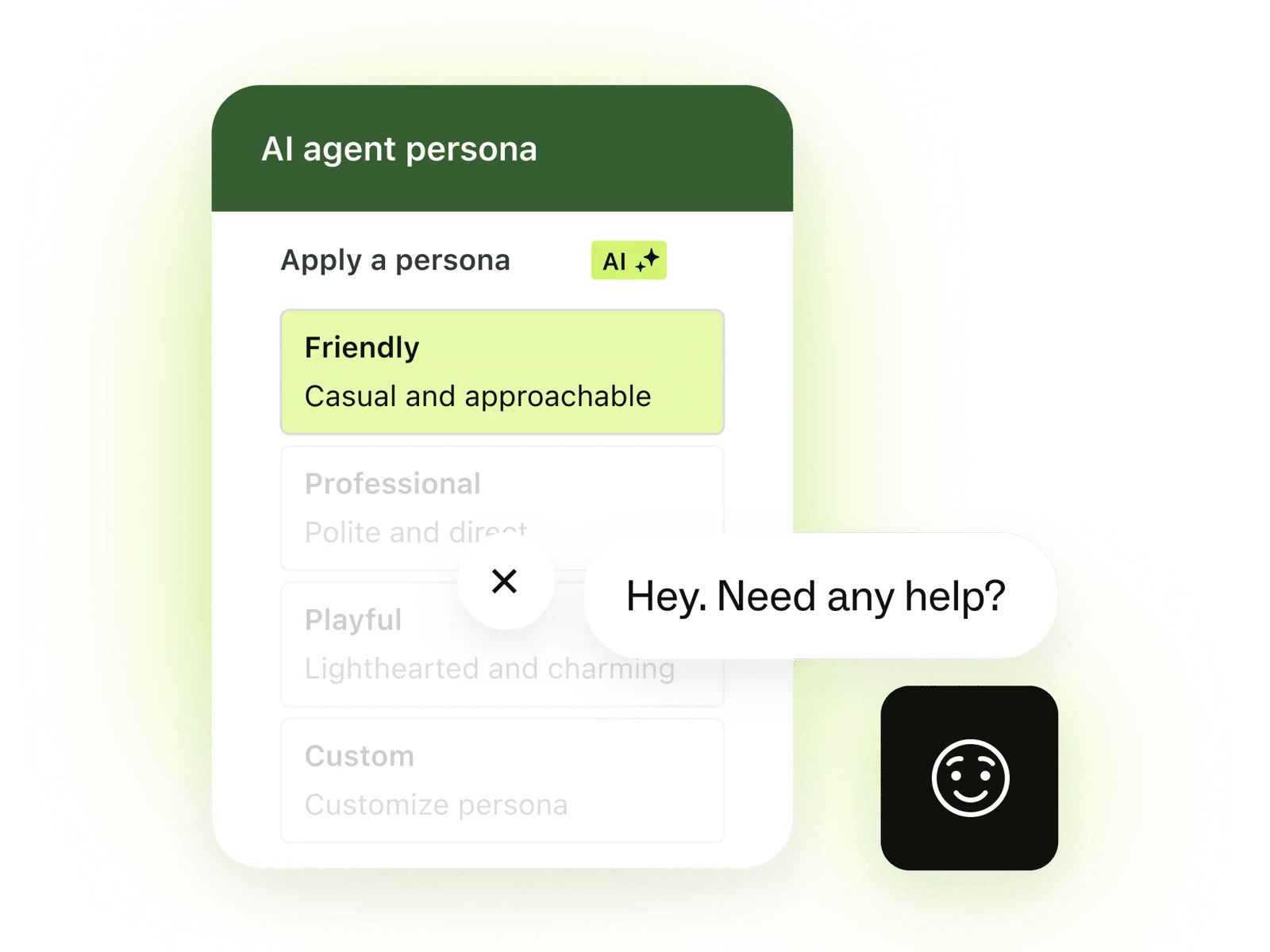
Both platforms handle the core customer support workflow well: tickets come in from multiple channels, get routed to the right agent, and get resolved. The difference shows up at scale.
Zendesk’s omnichannel is more seamless. You can move a conversation from messaging to email mid-ticket without losing context. The customer profile shows full interaction history across every channel and every previous interaction — not just the current ticket. For enterprise support teams handling thousands of tickets per day across email, live chat, voice, WhatsApp, and social, this unified context is a significant operational advantage.
Freshdesk handles omnichannel well on the Pro and Enterprise plans. Email, chat, phone, social — it’s all there. The team inbox view is clean. The collision detection (showing when two agents are on the same ticket) works reliably. For most SMB support teams, it covers everything they need.
Where Zendesk pulls ahead: routing complexity. Zendesk’s conditional ticket routing can get very sophisticated — routing by skill, language, customer tier, channel, and business hours in a single rule. Freshdesk’s routing is capable but simpler. Teams running 10+ routing rules usually find Zendesk’s model more manageable.
Integrations are strong on both sides. Zendesk connects with 1,800+ apps including Slack and Microsoft Teams for internal agent collaboration, Jira for escalation workflows, and Salesforce for CRM data. Freshdesk integrates with 1,000+ tools and covers the same major categories, with particularly good integrations in the Freshworks ecosystem (Freshsales CRM, Freshservice IT, etc.).
AI and Automation Features
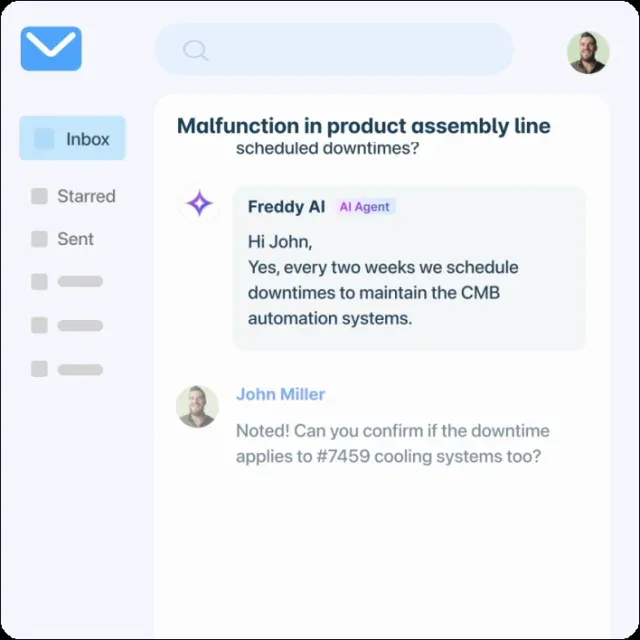
Freshdesk’s AI is better value. Zendesk’s AI is more capable — if you can afford the add-on.
Freshdesk includes Freddy AI on all paid plans. That means auto-categorization, suggested replies, and sentiment analysis come standard on the $19/agent/month Growth plan. The Freddy AI Copilot add-on ($29/agent/month) adds proactive next-step suggestions and summaries of long ticket threads. All plans also get 500 free AI Agent sessions per month — autonomous AI handling of repetitive tickets before a human agent sees them.
Zendesk bundles AI routing and suggested replies into their Suite plans. The AI Copilot — their most capable agent-assist tool — is an add-on at $50/agent/month on top of an existing Suite subscription. For a team of 10 on Suite Professional ($115/agent) plus Copilot ($50/agent), you’re at $165/agent/month. That’s serious spend.
What Zendesk gets you for that spend: the AI is better at handling edge cases, the agent suggestions are more contextually aware, and the AI agents (fully autonomous ticket resolution) handle more complexity. Zendesk has invested heavily in AI since 2024 and it shows. For high-volume support operations where AI deflection translates to meaningful cost savings, the ROI math can work.
For teams without a dedicated AI budget, Freshdesk’s AI-included model is the clear winner.
On automation, both platforms offer solid rule-based automation. Zendesk’s trigger and automation system is more granular — you can set up complex conditional logic without custom code. Freshdesk’s scenario automations are easier to configure for common use cases. If you need something like routing tickets by keyword, channel, and customer plan tier simultaneously, Zendesk’s model handles that more cleanly.
Reporting and Analytics
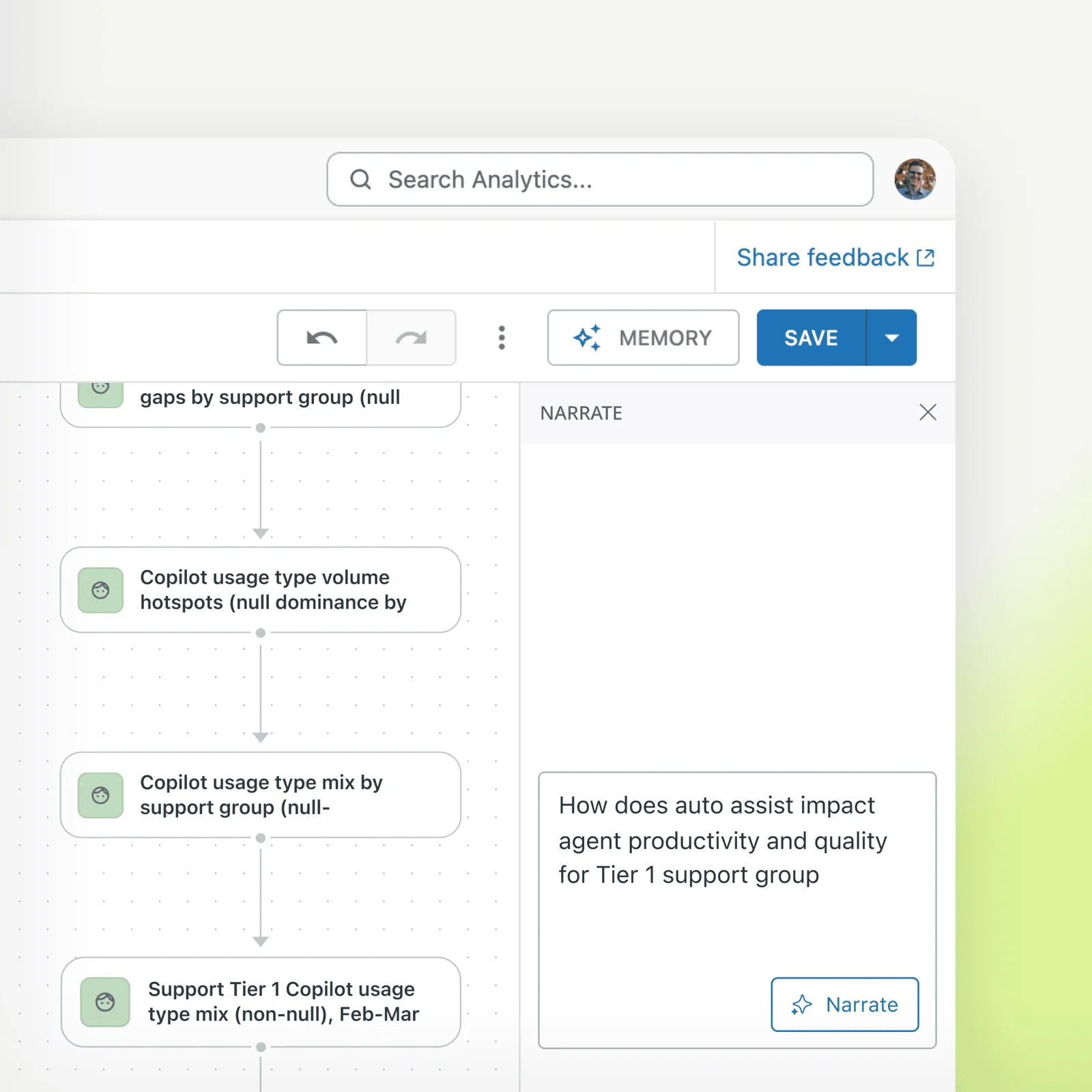
Zendesk Explore is one of the best reporting tools in the customer support category. Freshdesk’s reporting is good but doesn’t go as deep.
Zendesk’s analytics platform (Explore) lets you build fully custom dashboards, run cohort analysis, track SLA compliance at the agent and team level, and drill down into resolution patterns. The “agentic analytics” feature added in 2026 uses AI to surface root causes automatically — instead of just showing that handle time increased, it tells you why. For support managers who need to present to leadership or run weekly performance reviews, Explore is genuinely impressive.
Freshdesk’s reporting covers the essentials well: ticket volume by channel, agent performance, first response time, CSAT scores, and SLA breach rates. Custom reports are available on Pro and Enterprise. Where it lags is in the depth of custom metrics — if you want to build a report comparing handle time by customer segment and ticket category over a rolling 90-day window, you’ll hit limitations.
If you’re a support team that makes data-driven decisions weekly and needs to track metrics beyond the standard set, Zendesk is the better choice. If monthly report cards with standard KPIs cover your needs, Freshdesk’s reporting is more than sufficient.
Both platforms integrate with BI tools like Looker and Tableau for external reporting if your team prefers that route.
Knowledge Base and Self-Service
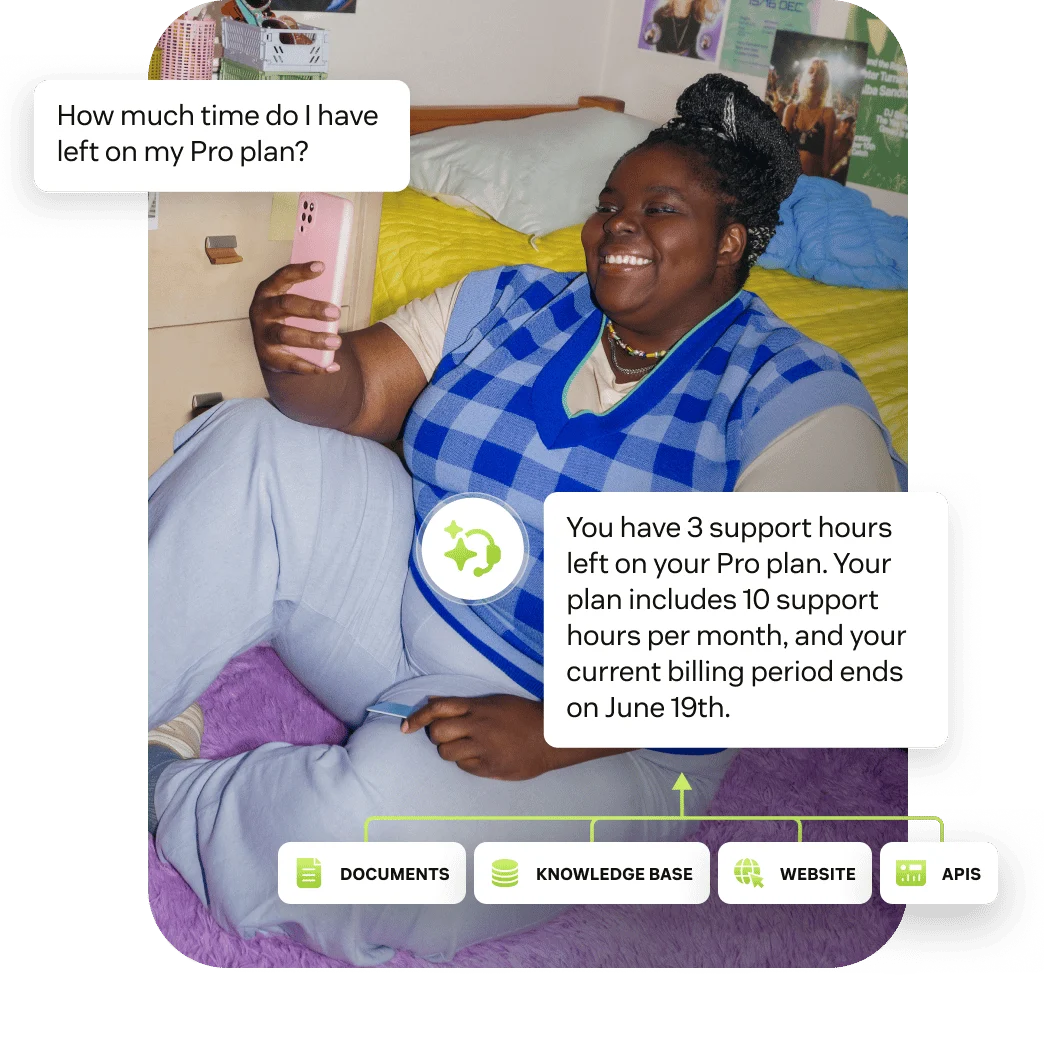
Both platforms include a knowledge base on paid plans. The core functionality is similar: create articles, organize them into categories, and surface them to customers through a self-service portal and to agents during ticket handling.
Zendesk’s knowledge base has a smarter feedback loop. When an agent can’t find a relevant article while handling a ticket, they can flag it and create a “knowledge gap” note. That feeds directly into the content team’s queue. The AI can also suggest which articles need updating based on ticket patterns. For teams managing large knowledge bases (500+ articles), this operational integration is valuable.
Freshdesk’s knowledge base is clean and functional. Article versioning, multilingual support, SEO settings, and community forums are all available. It handles most use cases well. The portal customization is solid, and you can restrict certain articles by agent group or customer segment.
For pure knowledge base functionality, Freshdesk covers what most teams need. Zendesk adds operational intelligence on top — but you need to decide if that’s worth the price differential.
Pricing Comparison 2026
Pricing is where the comparison gets decisive. Here’s what each platform actually costs as of November 2026 (annual billing):
| Plan | Zendesk | Freshdesk |
|---|---|---|
| Free | ❌ Not available | ✅ Up to 10 agents |
| Entry-level | $19/agent/mo (Support Team) | $19/agent/mo (Growth) |
| Mid-tier | $55/agent/mo (Suite Team) | $55/agent/mo (Pro) |
| Advanced | $115/agent/mo (Suite Professional) | $89/agent/mo (Enterprise) |
| Enterprise | Custom (Suite Enterprise) | $89/agent/mo (top tier) |
| AI Copilot add-on | $50/agent/mo | $29/agent/mo (Freddy Copilot) |
| Free trial | 14 days | 14 days |
The entry and mid tiers are identical ($19 and $55). But Freshdesk’s top paid tier is $89/agent vs Zendesk’s $115. That’s a 29% price gap before add-ons. Add AI Copilot to both and Zendesk runs $165/agent vs Freshdesk’s $118/agent.
For a team of 20 agents on the top tier with AI Copilot, that’s:
- Zendesk: $3,300/month ($39,600/year)
- Freshdesk: $2,360/month ($28,320/year)
That $11,280 annual difference is real money. Whether Zendesk’s additional capability justifies it depends entirely on what your team needs at that level.
Who Should Choose Zendesk in 2026

Choose Zendesk if any of these are true for your team:
- You have 50+ agents and need sophisticated ticket routing across multiple teams
- You want deep custom reporting and AI-driven analytics to find root causes in your support data
- You’re managing customer support across a complex tech stack — your agents need CRM data from Salesforce or HubSpot, live Jira tickets, and Shopify orders surfaced in the same ticket view
- Your support team handles enterprise clients who have contractual SLAs with zero tolerance for breaches
- You need AI agents to autonomously handle complex, multi-step customer queries — not just FAQ deflection
- You operate across 10+ languages with dedicated regional support queues
Zendesk’s biggest strength isn’t any single feature — it’s the depth at which every feature is built. Everything works at enterprise scale without workarounds. The tradeoff is cost and configuration complexity.
One honest note: Zendesk’s pricing has become aggressive. The Suite Enterprise plan requires a sales call rather than self-serve signup, and add-on costs accumulate fast. Budget a full day for procurement planning before you commit.
Who Should Choose Freshdesk in 2026
Choose Freshdesk if any of these are true:
- You’re a startup or SMB with under 50 agents who needs a full-featured helpdesk without a five-figure annual commitment
- You want AI-powered features included at the base tier — not as $50/agent add-ons
- Your team uses other Freshworks products (Freshsales CRM, Freshservice) and want a unified platform
- You need to go live quickly — Freshdesk’s setup genuinely takes hours, not days
- You’re migrating from a basic tool like Help Scout or a Gmail-based inbox and want a significant feature upgrade at a reasonable price
- You want a free plan to prove the concept before committing budget
Freshdesk’s Growth plan at $19/agent includes Freddy AI, SLA management, automations, and a knowledge base. That’s a compelling value proposition. Many teams use Freshdesk’s Pro tier ($55/agent) for years without hitting any real limitations.
The honest limitation: if you outgrow Freshdesk, migrating to Zendesk mid-growth is painful. Historical ticket data, automation rules, and agent training don’t transfer cleanly. Make the right decision for the next two to three years, not just today.
Verdict: Zendesk vs Freshdesk
Both platforms are solid. Neither is a wrong choice. But they serve different teams at different stages.
Zendesk is the premium product with premium pricing. It earns that premium through deeper analytics, better AI at scale, and an agent workspace that handles complexity without breaking. If you’re running a customer support operation that is core to your business model and you have a budget to match, Zendesk is worth it.
Freshdesk is the value play that isn’t a compromise. For 70% of support teams, it delivers everything needed at $19–$89/agent/month with AI included. Its setup is easier, its pricing is more transparent, and its free plan makes it the natural starting point for new teams.
Our recommendation: start with Freshdesk. If you hit its limits — routing complexity, reporting depth, or AI capability at scale — then evaluate Zendesk with a clear ROI case. Don’t pay for Zendesk’s ceiling before you know you need it.
If you’re evaluating your broader communication stack alongside a support platform, our comparisons of Slack vs Microsoft Teams and Linear vs Jira for Software Teams cover the internal tools your support team may integrate with.
Try both free — Zendesk’s 14-day trial and Freshdesk’s free plan — before committing.
FAQ: Zendesk vs Freshdesk
{ “@context”: “https://schema.org”, “@type”: “FAQPage”, “mainEntity”: [ { “@type”: “Question”, “name”: “Is Zendesk better than Freshdesk?”, “acceptedAnswer”: { “@type”: “Answer”, “text”: “Zendesk has more advanced features, deeper analytics, and better AI for enterprise use cases. Freshdesk is better value for SMBs and teams under 50 agents. Neither is universally better — the right choice depends on your team size, budget, and feature requirements.” } }, { “@type”: “Question”, “name”: “Does Freshdesk have a free plan?”, “acceptedAnswer”: { “@type”: “Answer”, “text”: “Yes. Freshdesk’s free plan supports up to 10 agents with basic ticketing, email support, and a knowledge base. It doesn’t include phone, omnichannel, or Freddy AI features, but it’s a legitimate starting point for small teams. Zendesk has no free plan.” } }, { “@type”: “Question”, “name”: “What is the main difference between Zendesk and Freshdesk pricing?”, “acceptedAnswer”: { “@type”: “Answer”, “text”: “Entry and mid-tier pricing is identical at $19 and $55/agent/month. At the top tier, Freshdesk’s Enterprise is $89/agent vs Zendesk’s Suite Professional at $115/agent. AI Copilot add-ons also differ: $29/agent (Freshdesk) vs $50/agent (Zendesk). For large teams, the annual cost difference can reach $10,000+.” } }, { “@type”: “Question”, “name”: “Can you migrate from Freshdesk to Zendesk later?”, “acceptedAnswer”: { “@type”: “Answer”, “text”: “Yes, migration tools exist for ticket history, contacts, and knowledge base articles. However, automation rules, macros, and custom configurations need to be rebuilt manually. Plan for 2–4 weeks of migration and configuration work for a team of 20+ agents.” } }, { “@type”: “Question”, “name”: “Which platform is easier to set up?”, “acceptedAnswer”: { “@type”: “Answer”, “text”: “Freshdesk is significantly faster to get running. Most teams handle basic ticket routing within 2 hours of signup. Zendesk’s setup involves more decisions — views, triggers, automations, macros — and typically takes a few days to configure properly for a team of 10+ agents.” } }, { “@type”: “Question”, “name”: “Does Zendesk have an AI agent?”, “acceptedAnswer”: { “@type”: “Answer”, “text”: “Yes. Zendesk’s AI agents can autonomously handle complex multi-step tickets without human involvement. They’re available on Suite plans and work alongside the AI Copilot add-on for agent assist. Freshdesk also offers AI agent sessions (500 free per month) through Freddy AI Agent, though Zendesk’s autonomous AI currently handles more complex scenarios.” } } ] }Is Zendesk better than Freshdesk?
Zendesk has more advanced features, deeper analytics, and better AI for enterprise use cases. Freshdesk is better value for SMBs and teams under 50 agents. Neither is universally “better” — the right choice depends on your team size, budget, and feature requirements.
Does Freshdesk have a free plan?
Yes. Freshdesk’s free plan supports up to 10 agents with basic ticketing, email support, and a knowledge base. It doesn’t include phone, omnichannel, or Freddy AI features, but it’s a legitimate starting point for small teams. Zendesk has no free plan.
What is the main difference between Zendesk and Freshdesk pricing?
Entry and mid-tier pricing is identical at $19 and $55/agent/month. At the top tier, Freshdesk’s Enterprise is $89/agent vs Zendesk’s Suite Professional at $115/agent. AI Copilot add-ons also differ: $29/agent (Freshdesk) vs $50/agent (Zendesk). For large teams, the annual cost difference can reach $10,000+.
Can you migrate from Freshdesk to Zendesk later?
Yes, migration tools exist for ticket history, contacts, and knowledge base articles. However, automation rules, macros, and custom configurations need to be rebuilt manually. Plan for 2–4 weeks of migration and configuration work for a team of 20+ agents.
Which platform is easier to set up?
Freshdesk is significantly faster to get running. Most teams handle basic ticket routing within 2 hours of signup. Zendesk’s setup involves more decisions — views, triggers, automations, macros — and typically takes a few days to configure properly for a team of 10+ agents.
Does Zendesk have an AI agent?
Yes. Zendesk’s AI agents can autonomously handle complex multi-step tickets without human involvement. They’re available on Suite plans and work alongside the AI Copilot add-on for agent assist. Freshdesk also offers AI agent sessions (500 free per month) through Freddy AI Agent, though Zendesk’s autonomous AI currently handles more complex scenarios.